Skip to content

Work / 05Own product

Role
Founder & product designer
Year
2026 – now
Scope
173 screens · 53 components · 11 flows
Status
Live since Oct 2026 · #9 on Product Hunt

An AI memory people can trust.

An AI memory for freelancers and small teams. It detects decisions — scope, dates, prices — inside email and Slack threads, then asks a human before updating anything.

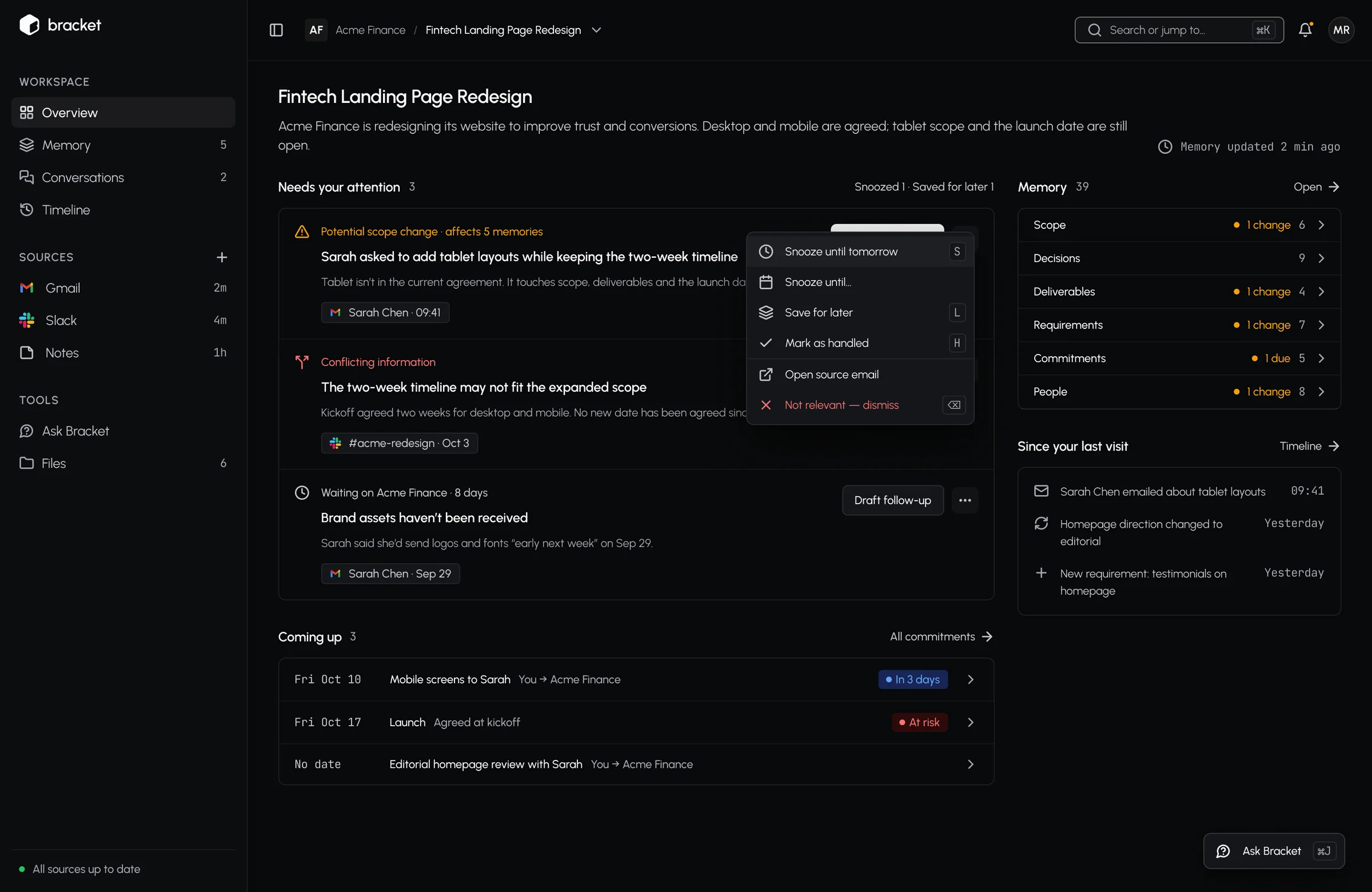
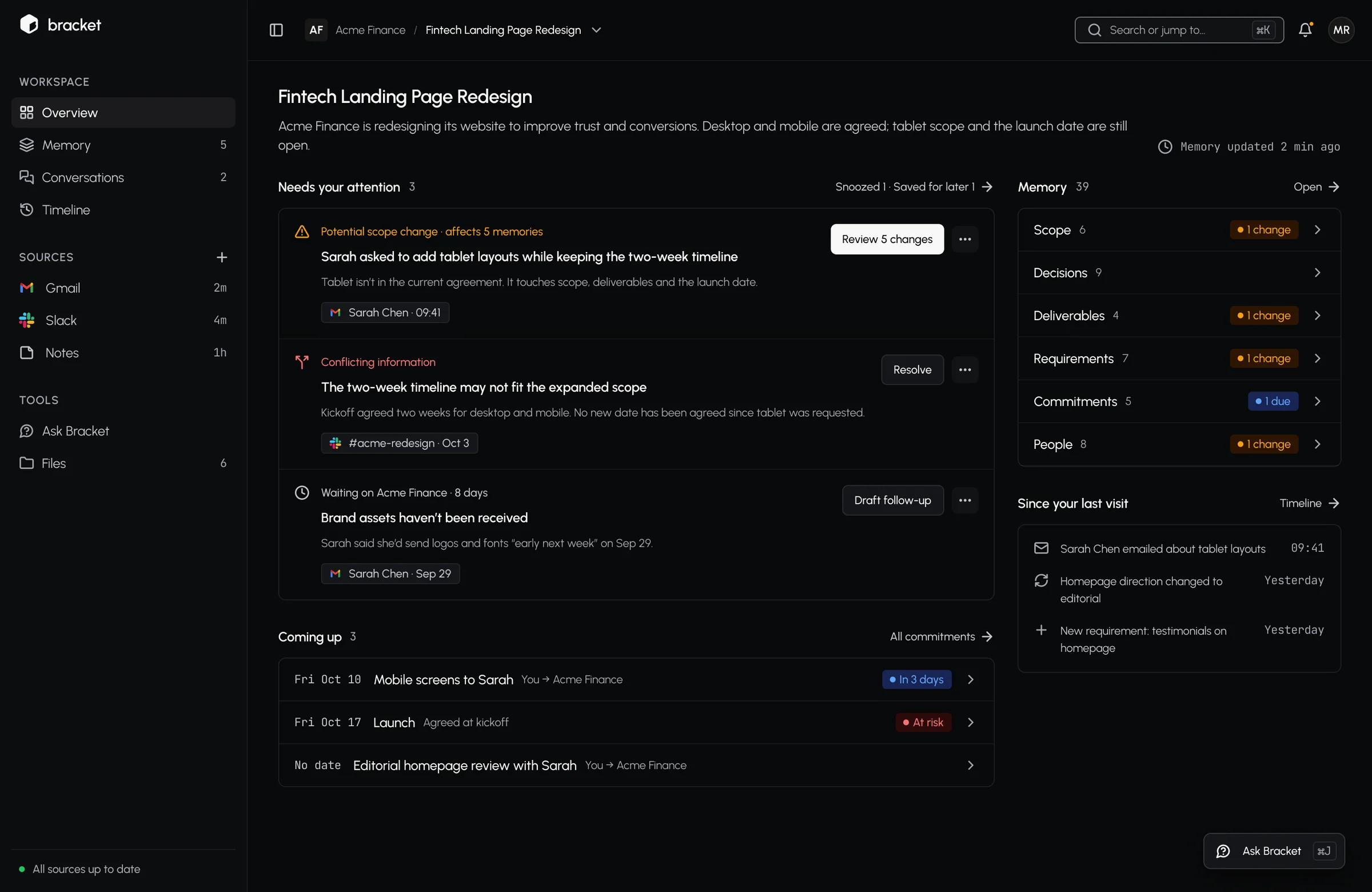
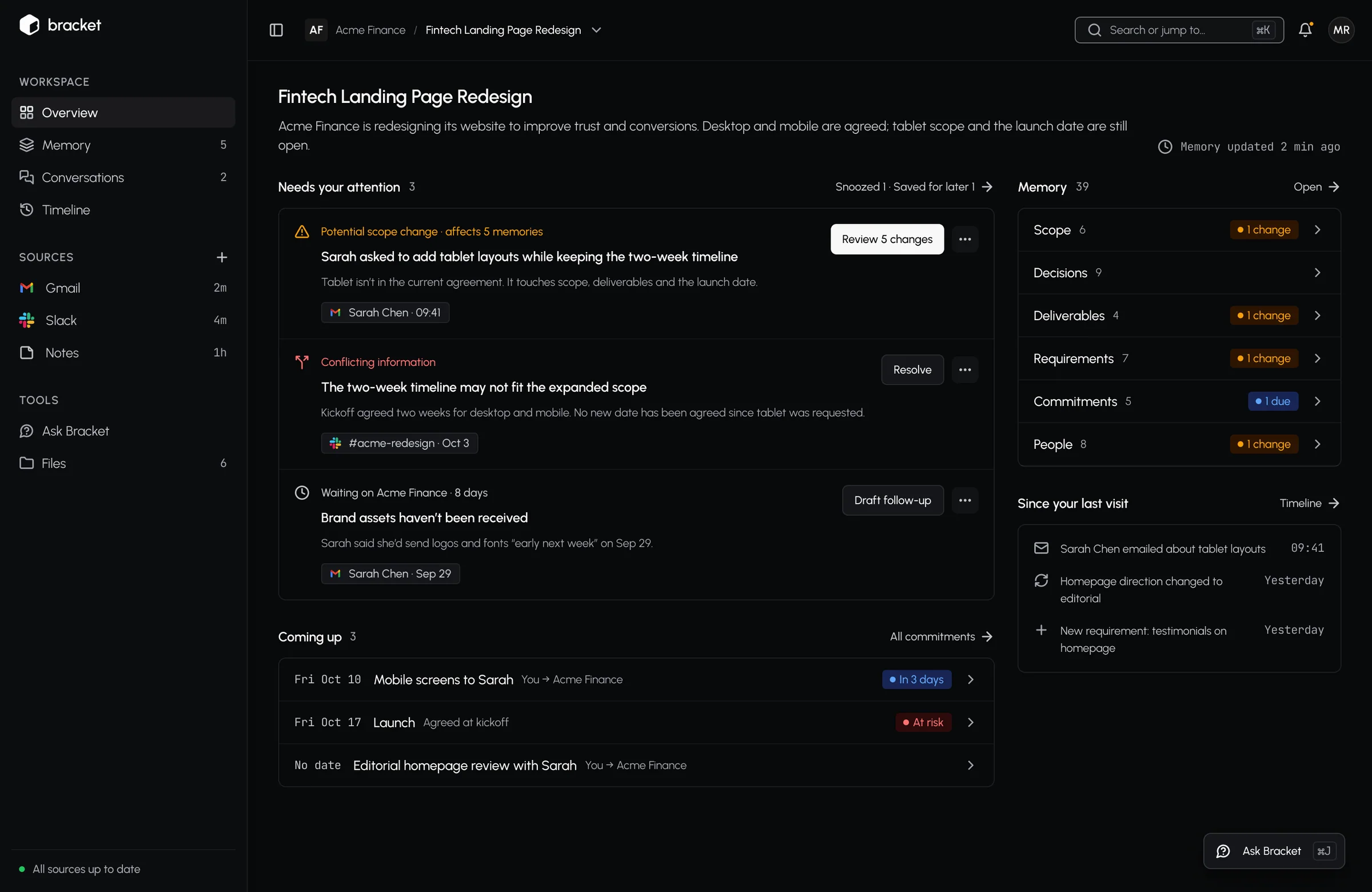
Bracket overview: what needs you, separated from what just happened

In 60 seconds

Problem

Scope, date and price decisions get lost in email and Slack threads; nobody can say later who agreed to what.

What I did

Built an AI loop that detects changes, then asks a human before updating anything — with the source for every claim.

Result

#9

on Product Hunt; live at v0.4

Product Hunt launch · 1 Oct 2026

My call

I ruled out auto-applying AI-detected changes: nothing changes without one deliberate click, until real accept rates earn automation category by category.

On this page

  1. 01The problem
  2. 02My contribution
  3. 03How I led the work
  4. 04Key decision
  5. 05Complexity handled
  6. 06The product, screen by screen
  7. 07Outcome

01

The problem

Freelancers and small teams agree scope, dates and prices in threads. When something changes, nobody can find what was decided — or prove who agreed to it.

02

My contribution

  • Led product strategy, research and design from concept to launch.
  • Designed human-in-the-loop AI workflows: every AI claim shows its source and confidence.
  • Built a tokenised design system (53 components) and 173 screens with clickable prototypes for handoff.

03

How I led the work

01

Set the principles

“Humans control change” and “Every claim has evidence” were used to test every layout.

02

Made the risky call

Ruled out auto-applying AI changes until real accept rates earn automation, category by category.

03

Built the system

A 53-component tokenised design system and 173 screens with clickable prototypes.

04

Read the data honestly

Reported that 1 of 15 workspaces is active and planned the next experiment around onboarding.

04

Key decision

Decision 01

No auto-apply.

The AI can detect a changed price or date in a thread. The question was whether to apply it automatically.

Rejected

✕ Auto-apply detected changes

One silently wrong price poisons every answer that depends on it.

Chosen

✓ One deliberate click per change

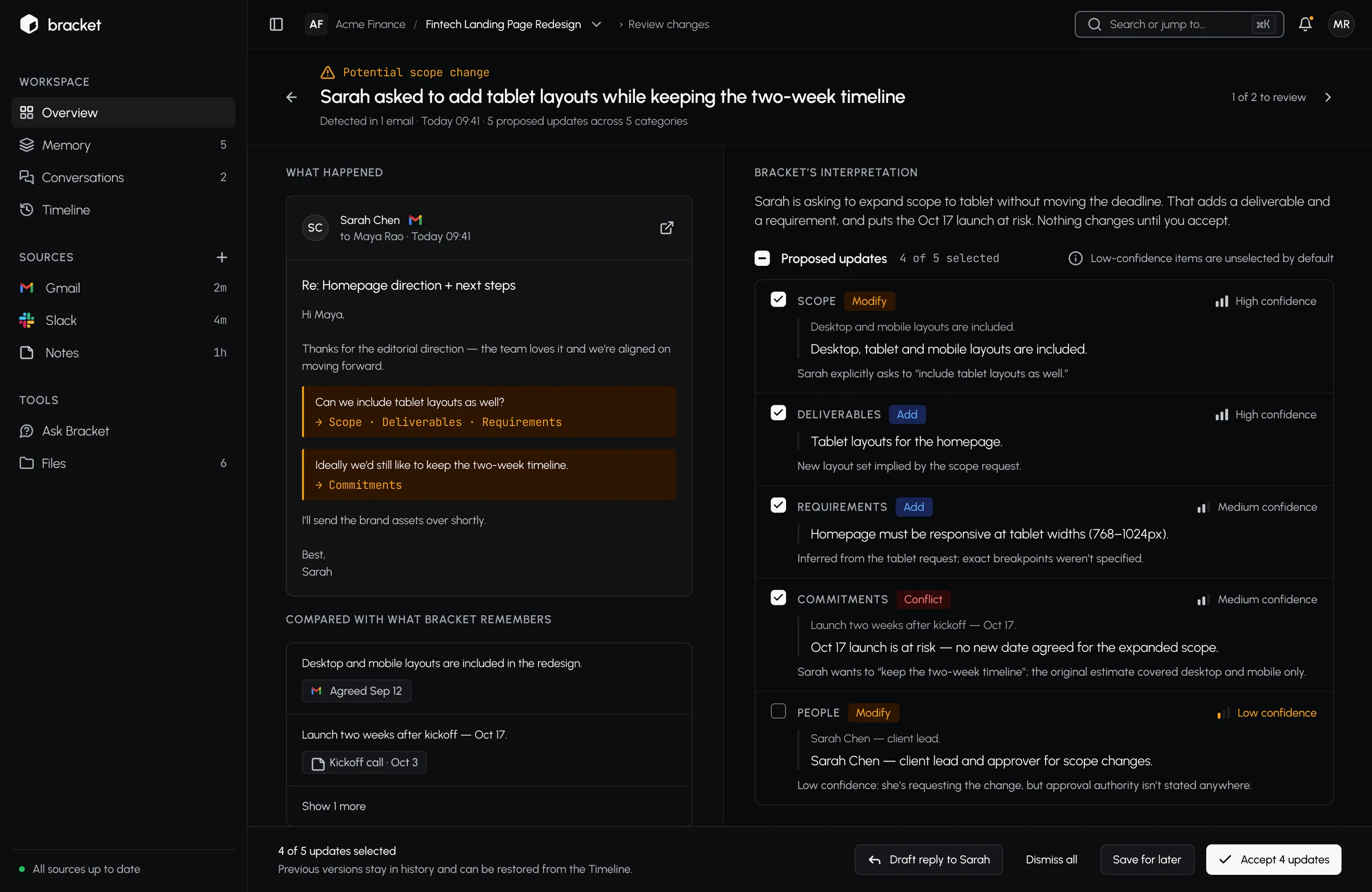
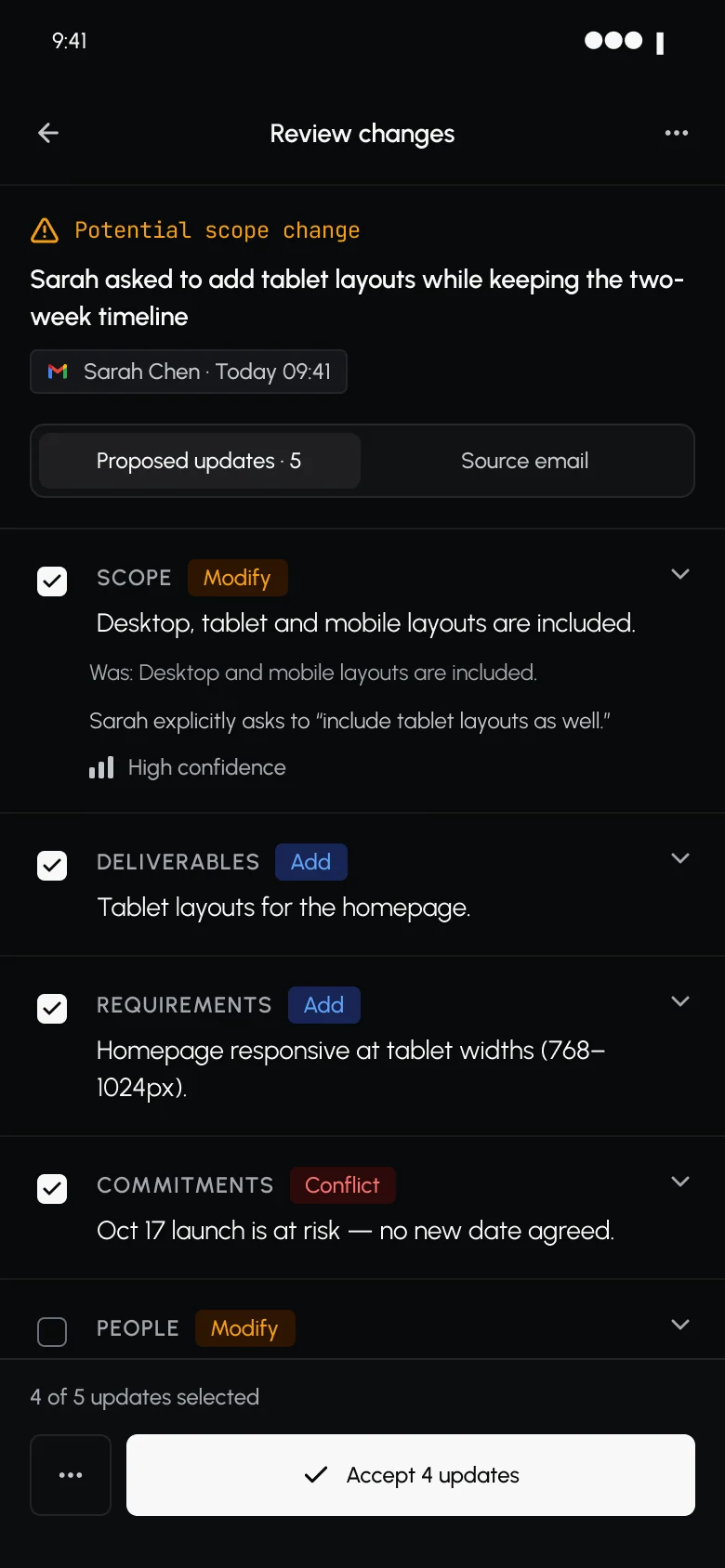
Source on the left, AI interpretation on the right, confidence on every claim — nothing changes until a person accepts.

Trade-off we accepted

More clicks today. The plan is to earn automation category by category, using real accept rates.
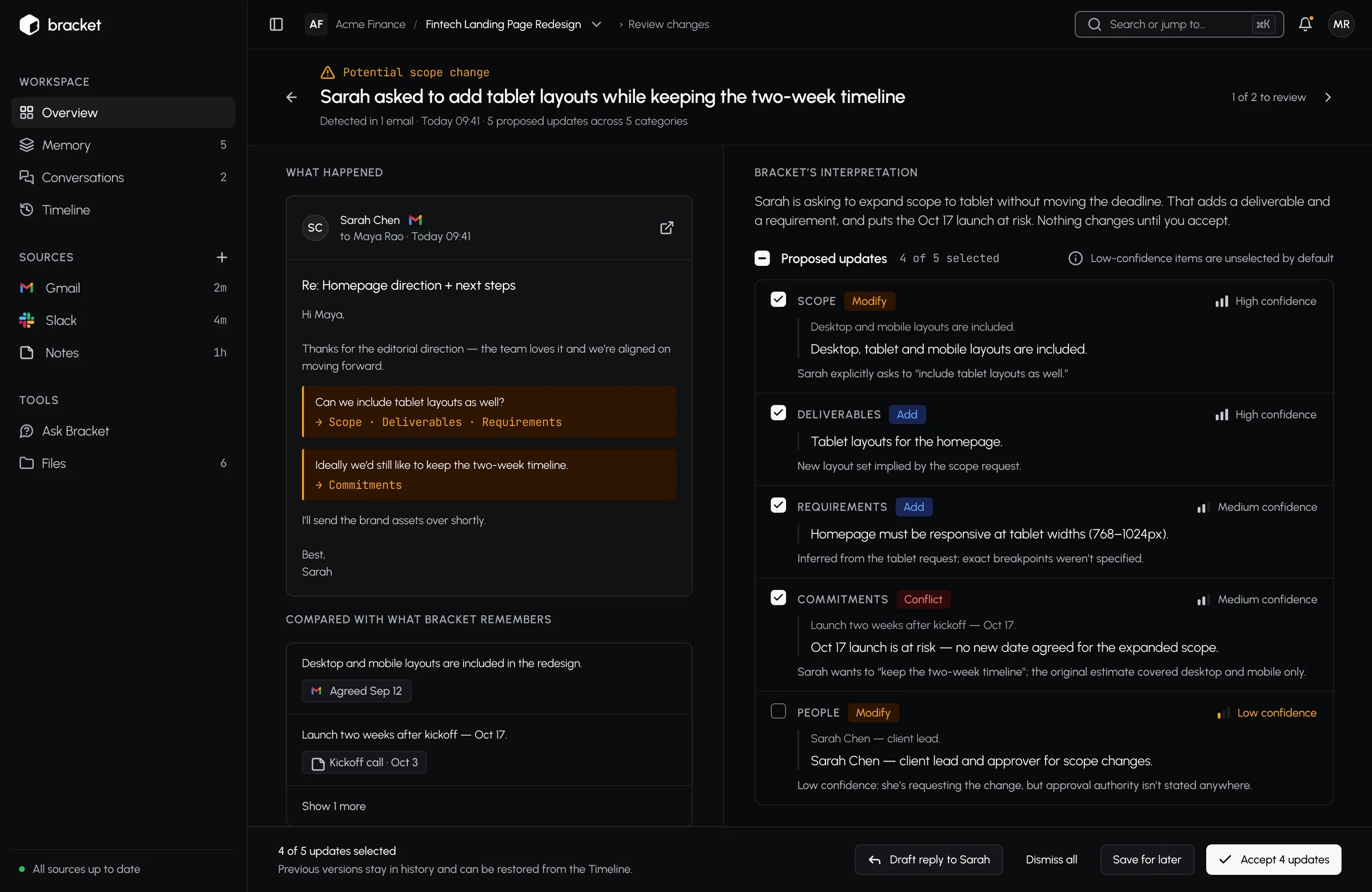
Change review screen

Highlight 02

Only decisions get your attention.

The overview splits “needs you” from “just happened”, so nothing urgent hides in a feed.

Overview: needs you vs just happened

05

Complexity handled

19 scenario areas, 8 principles
“Humans control change” and “Every claim has evidence” were used to test every layout.

06

The product, screen by screen

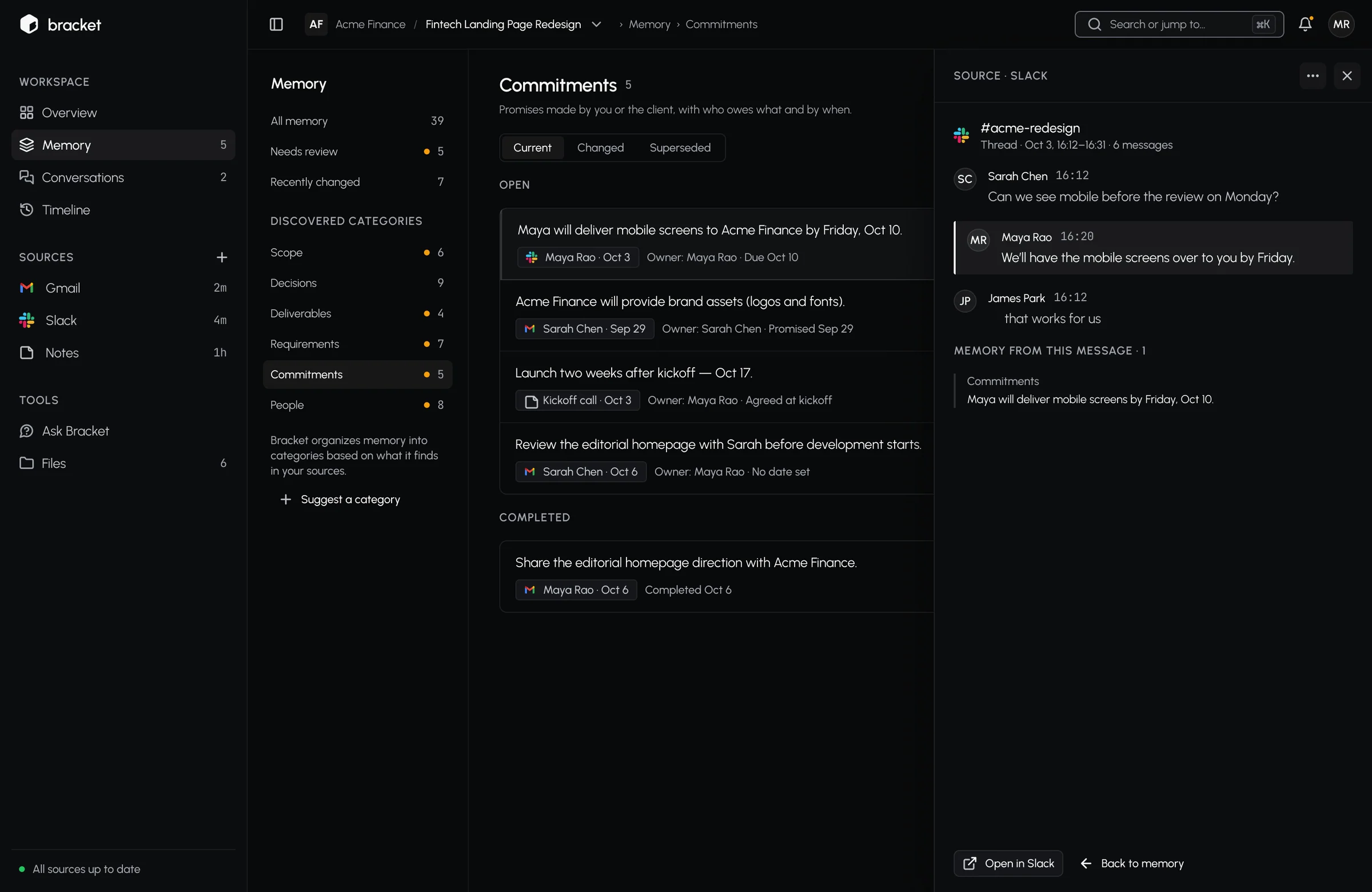
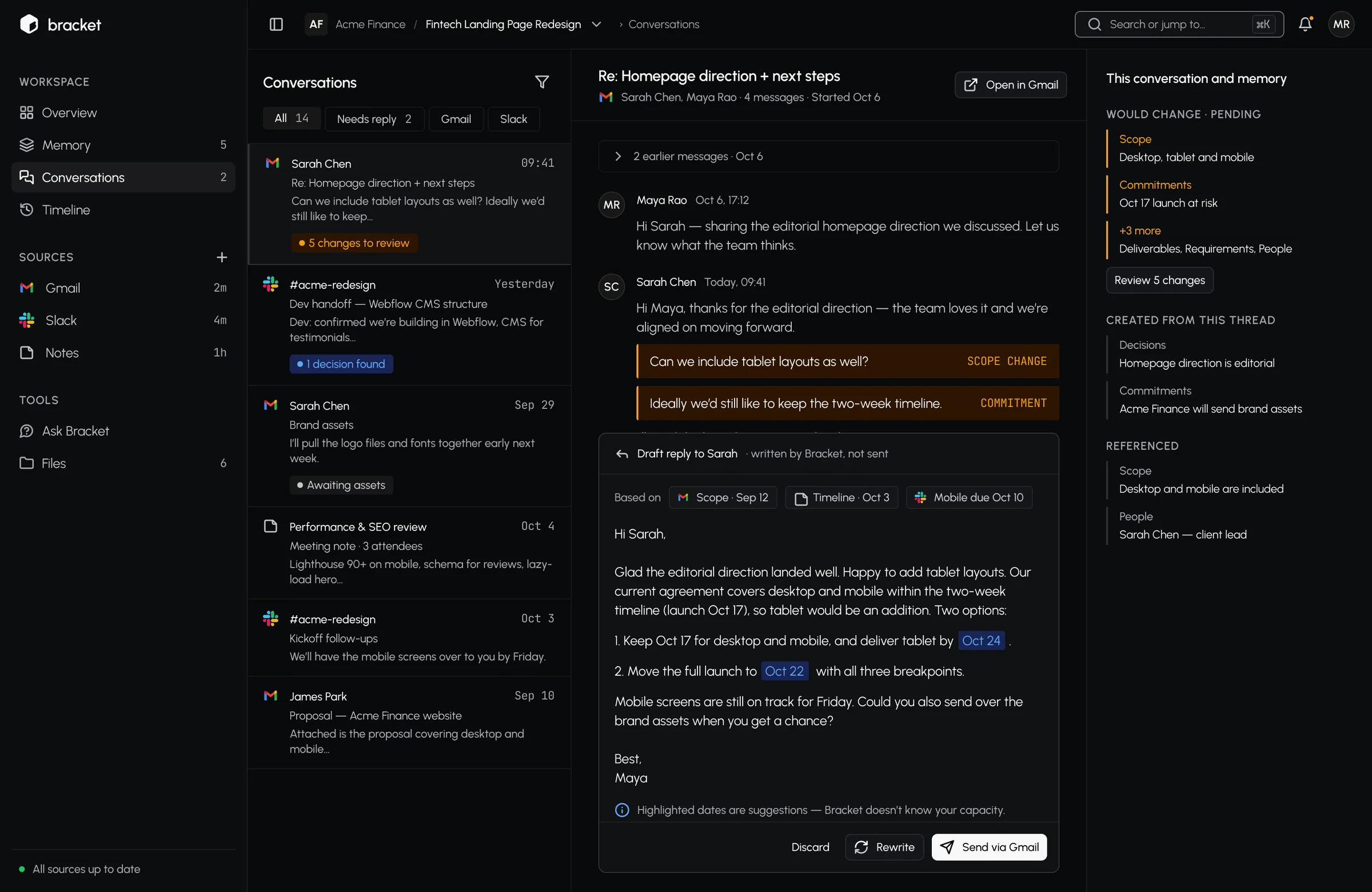
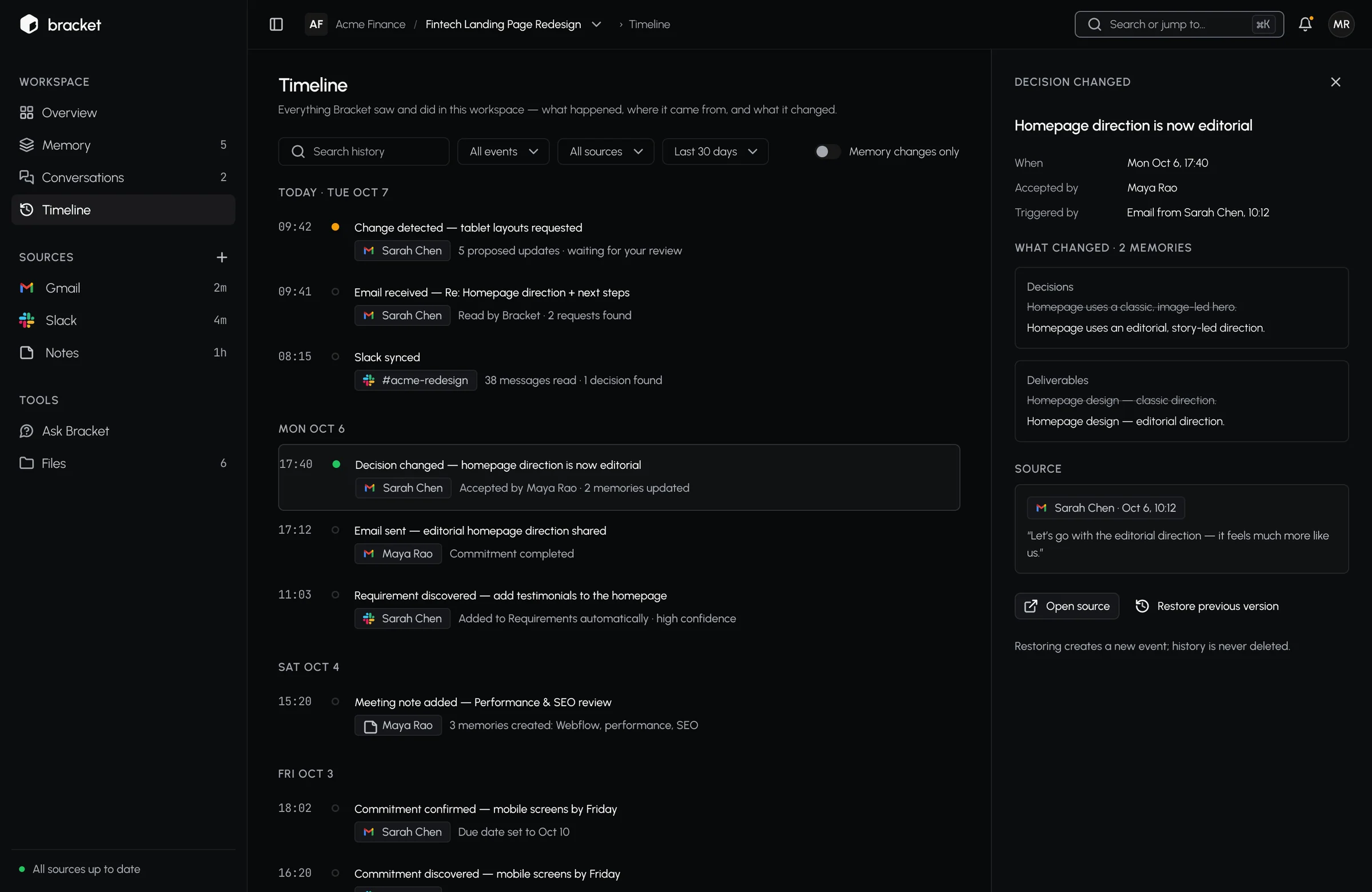
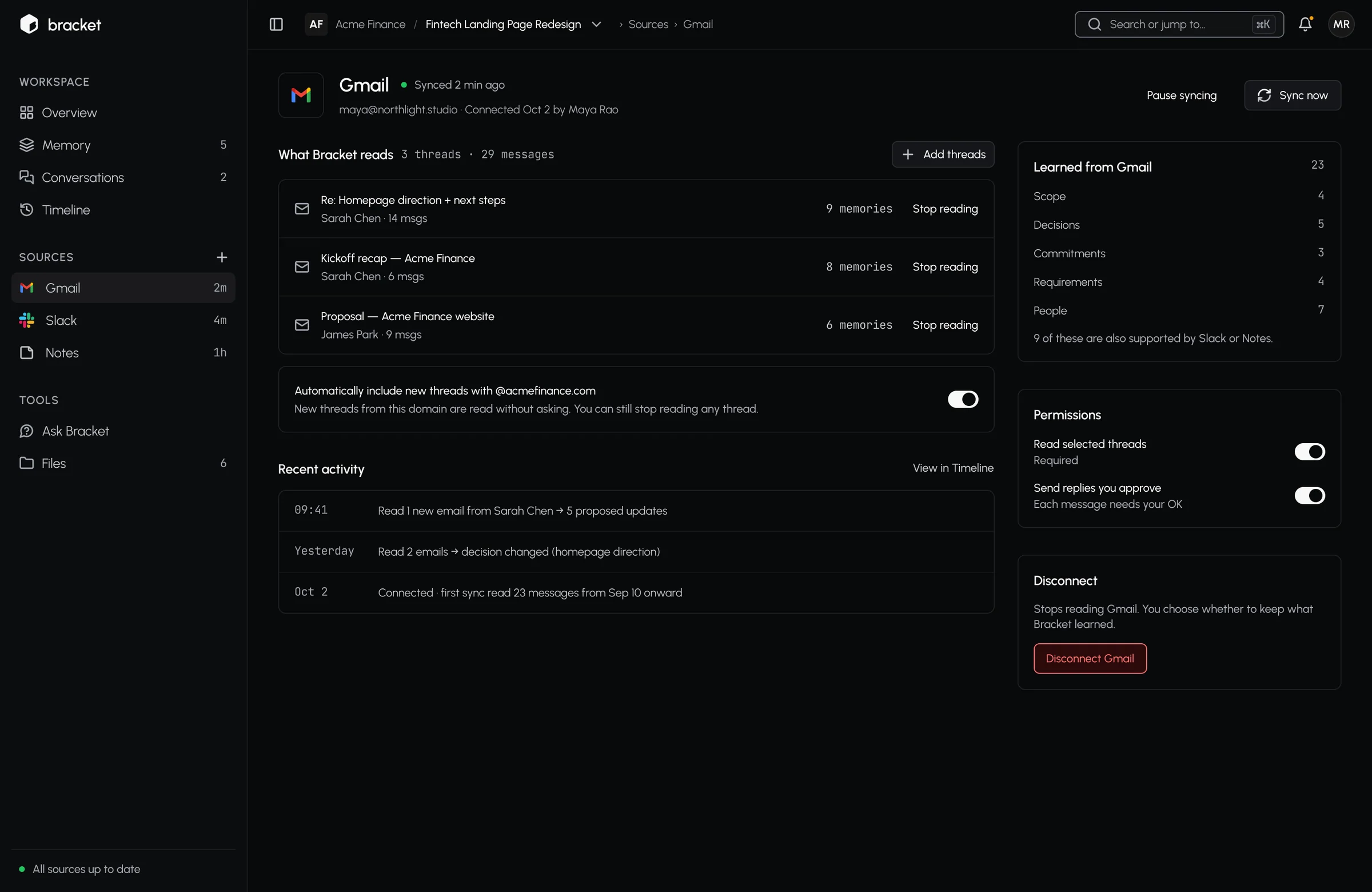
From connecting a source to reviewing a change: every screen keeps the source next to what the AI concluded.

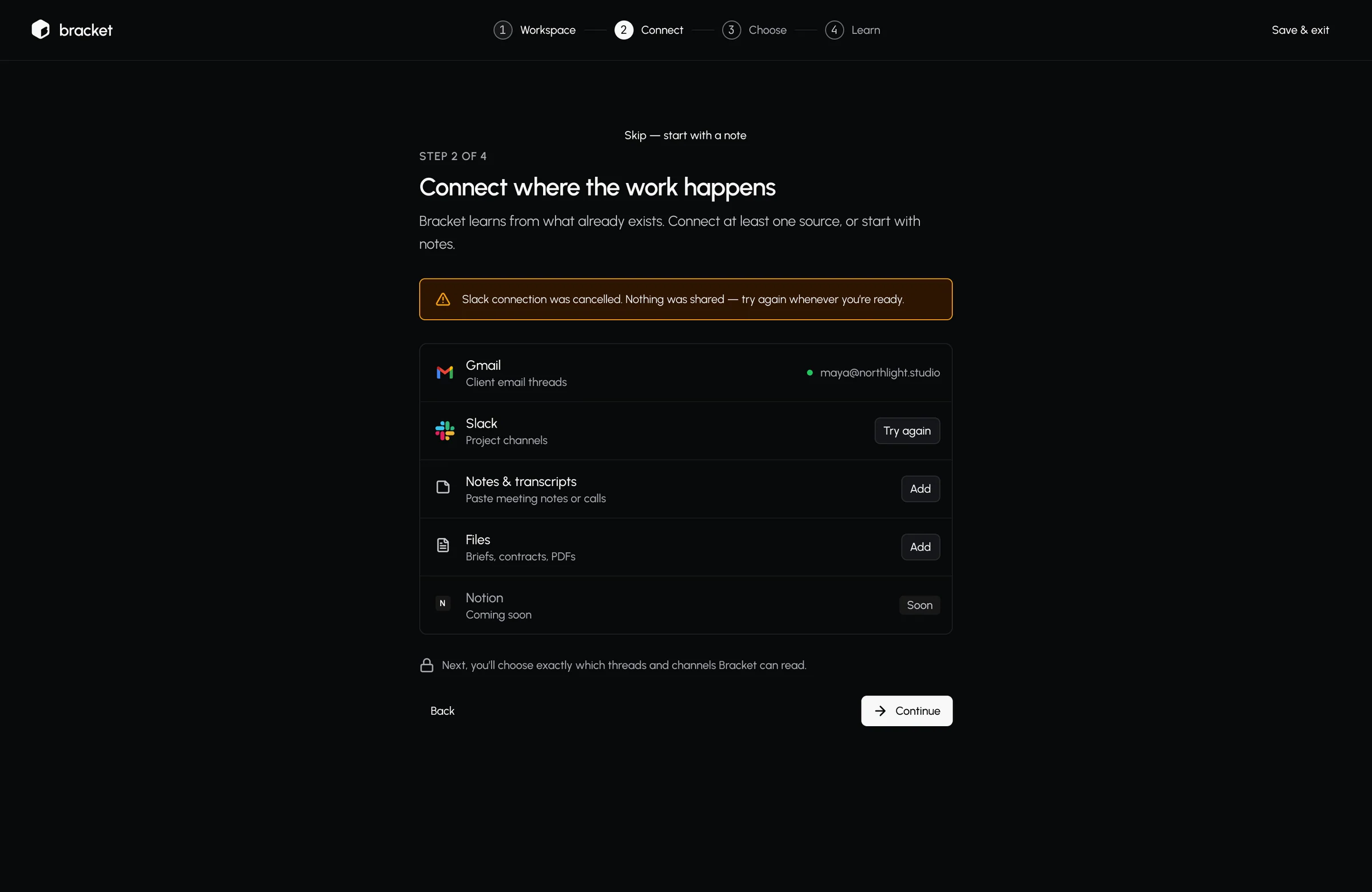
Onboarding: connect Gmail and Slack, with a clear retry when one fails
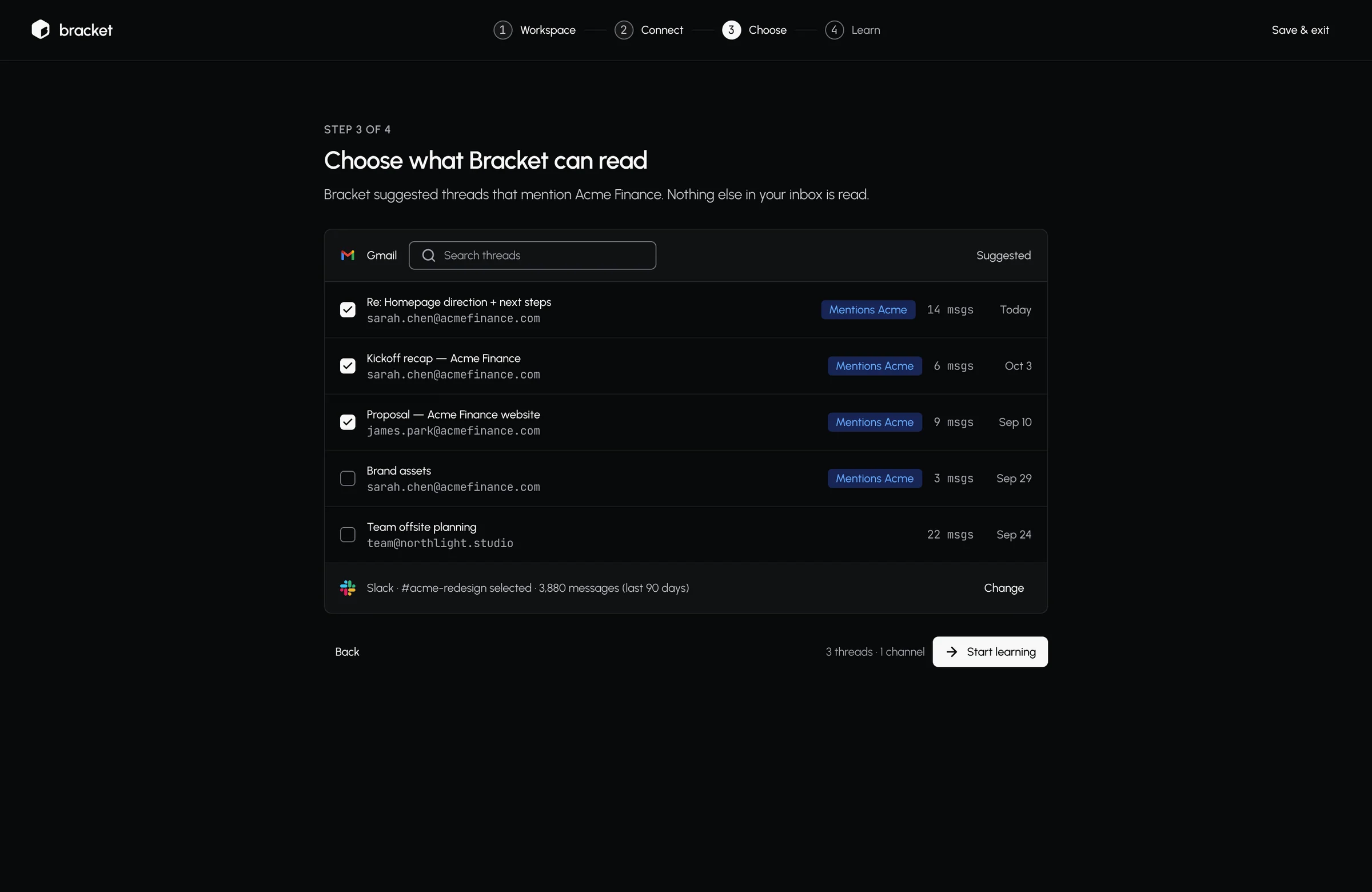
Choose exactly which threads Bracket reads
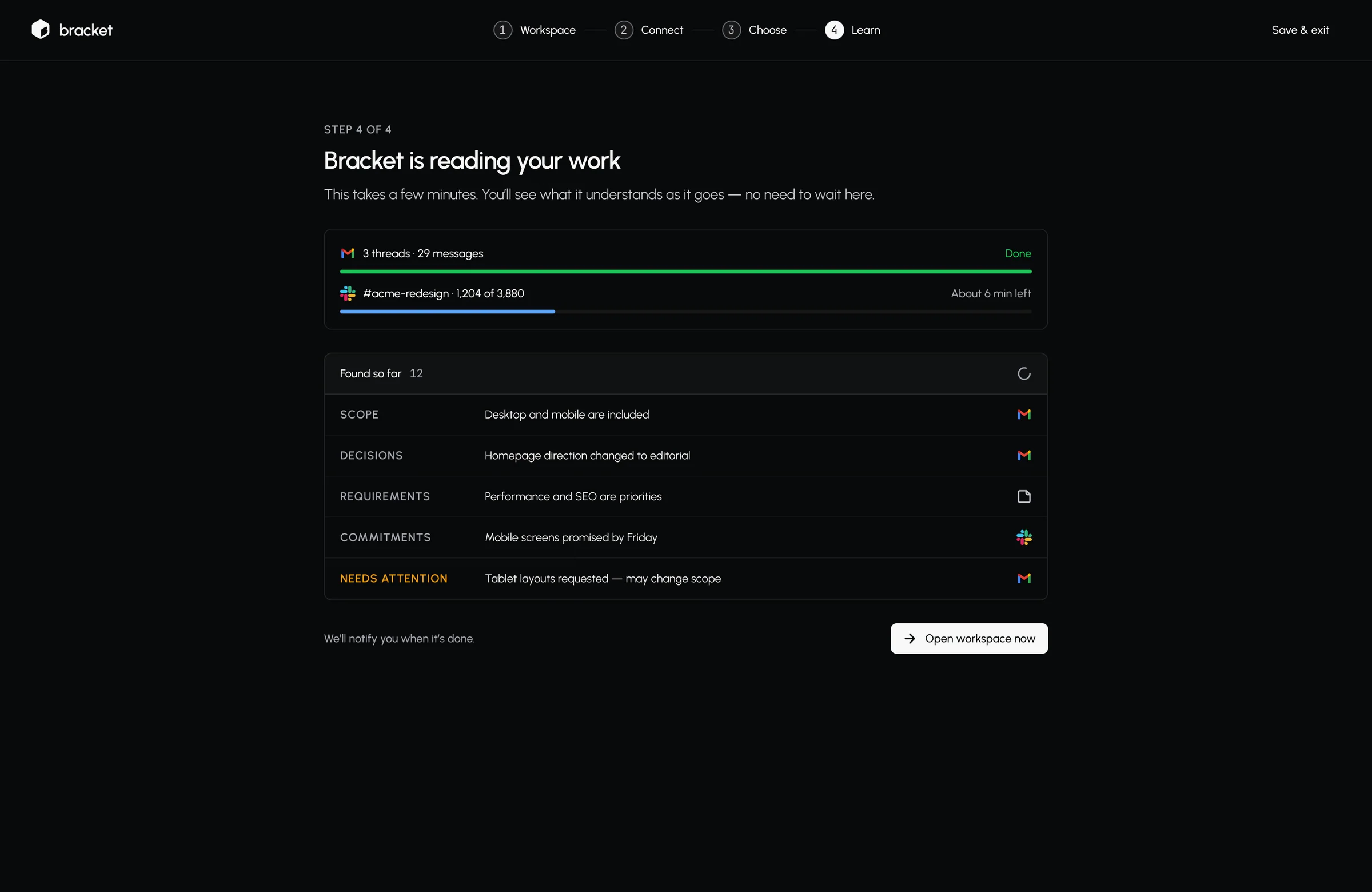
Learning live: what it has found so far, by category
Overview: what needs you, split from what just happened
Change review: the source on the left, the proposed update on the right
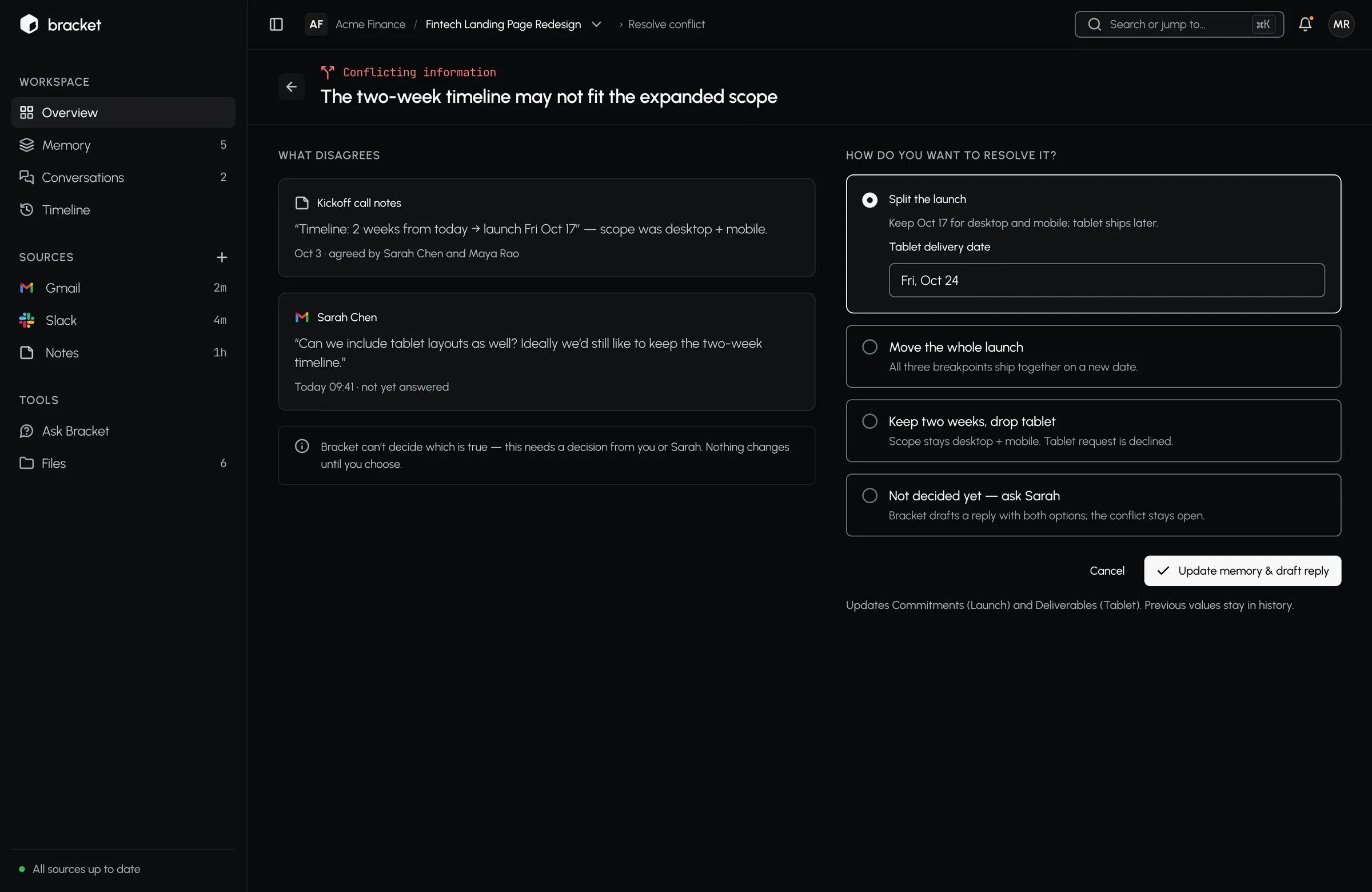
Resolve a conflict between two sources
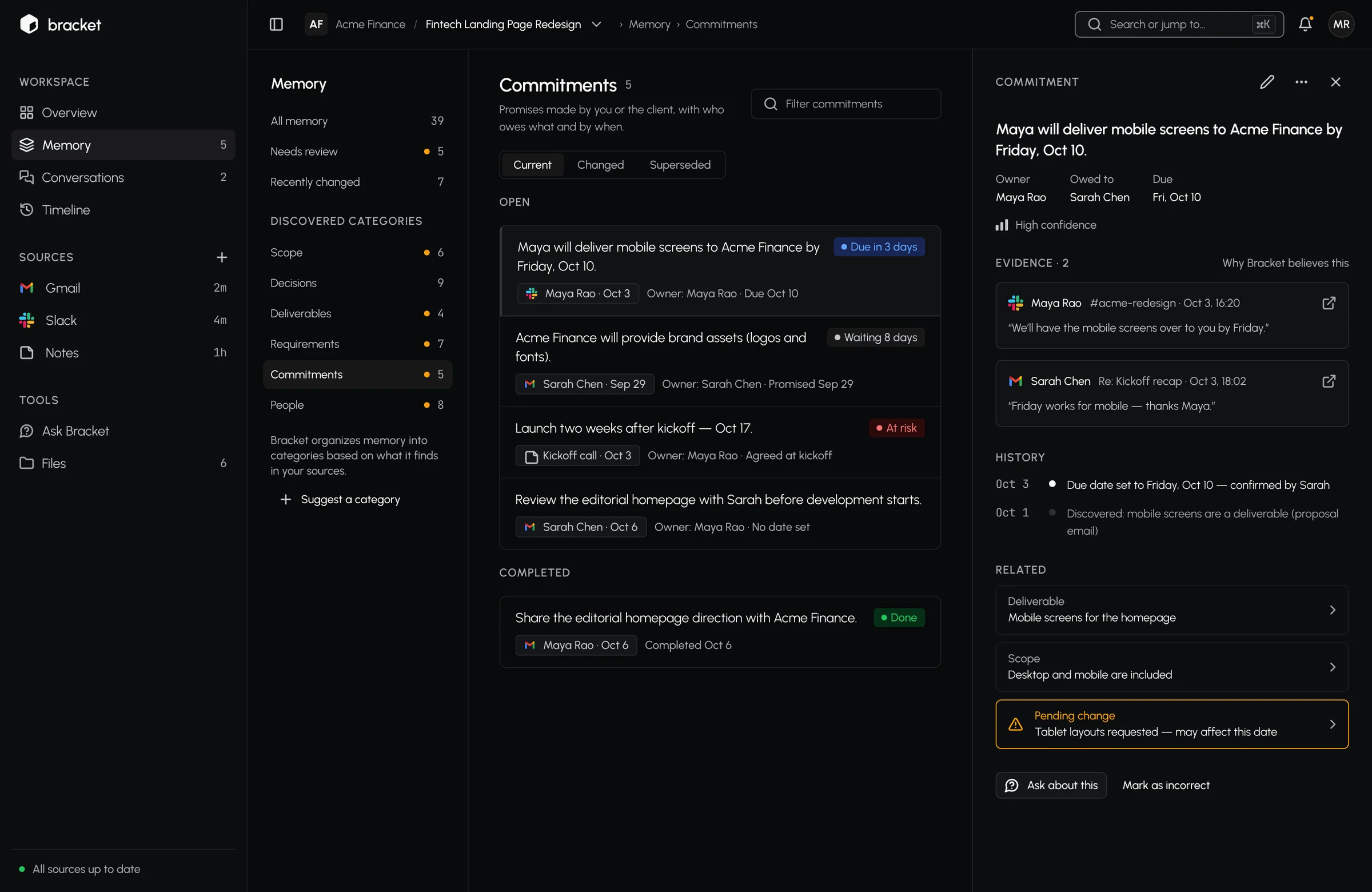
Memory: every commitment with its evidence and history
Open the original message a memory came from
Conversations: an AI-drafted reply that cites its sources
Timeline: every change, with restore
Source settings: what Bracket reads, and how to stop it
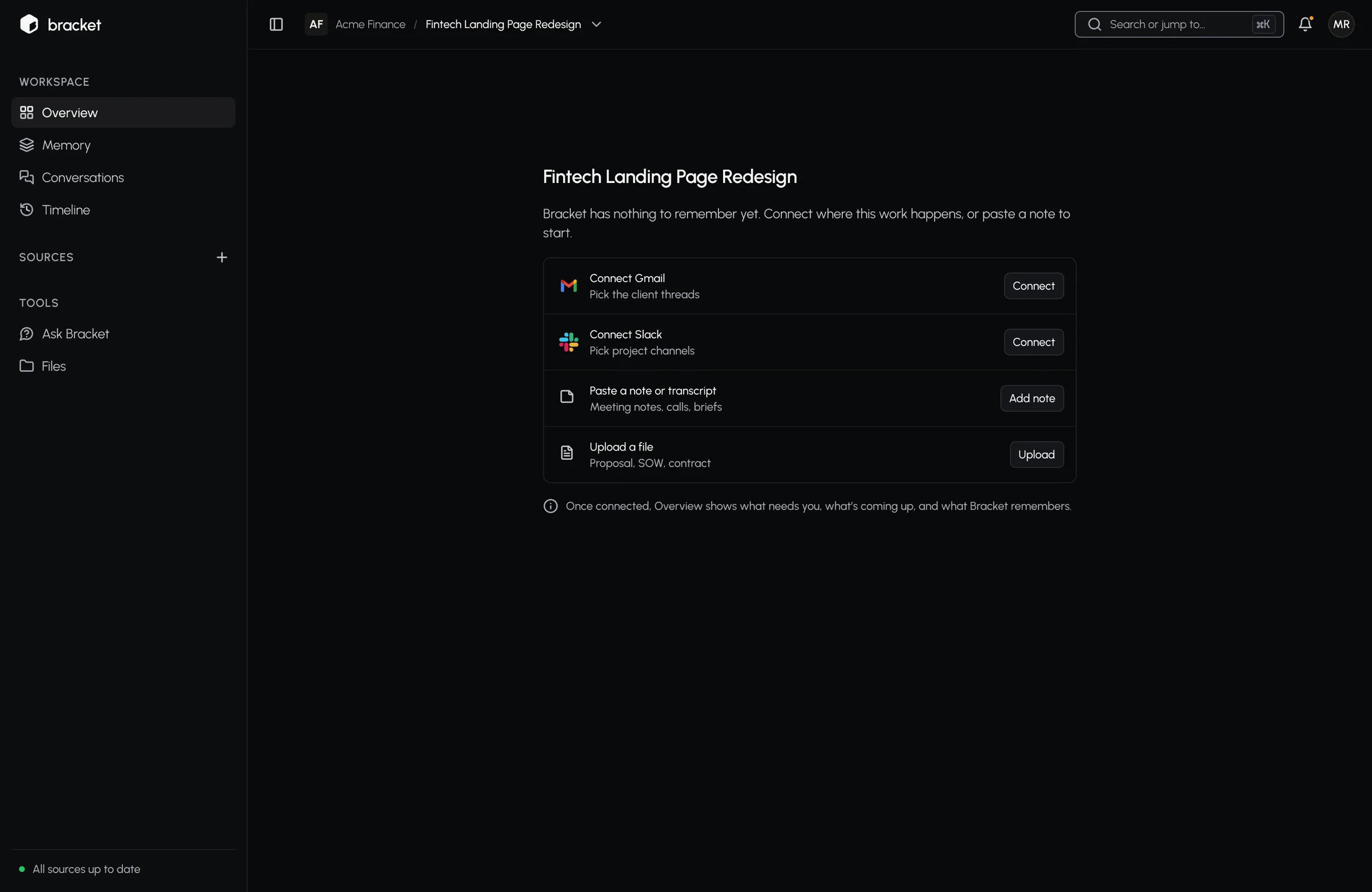
Empty state: nothing to remember yet, and how to start
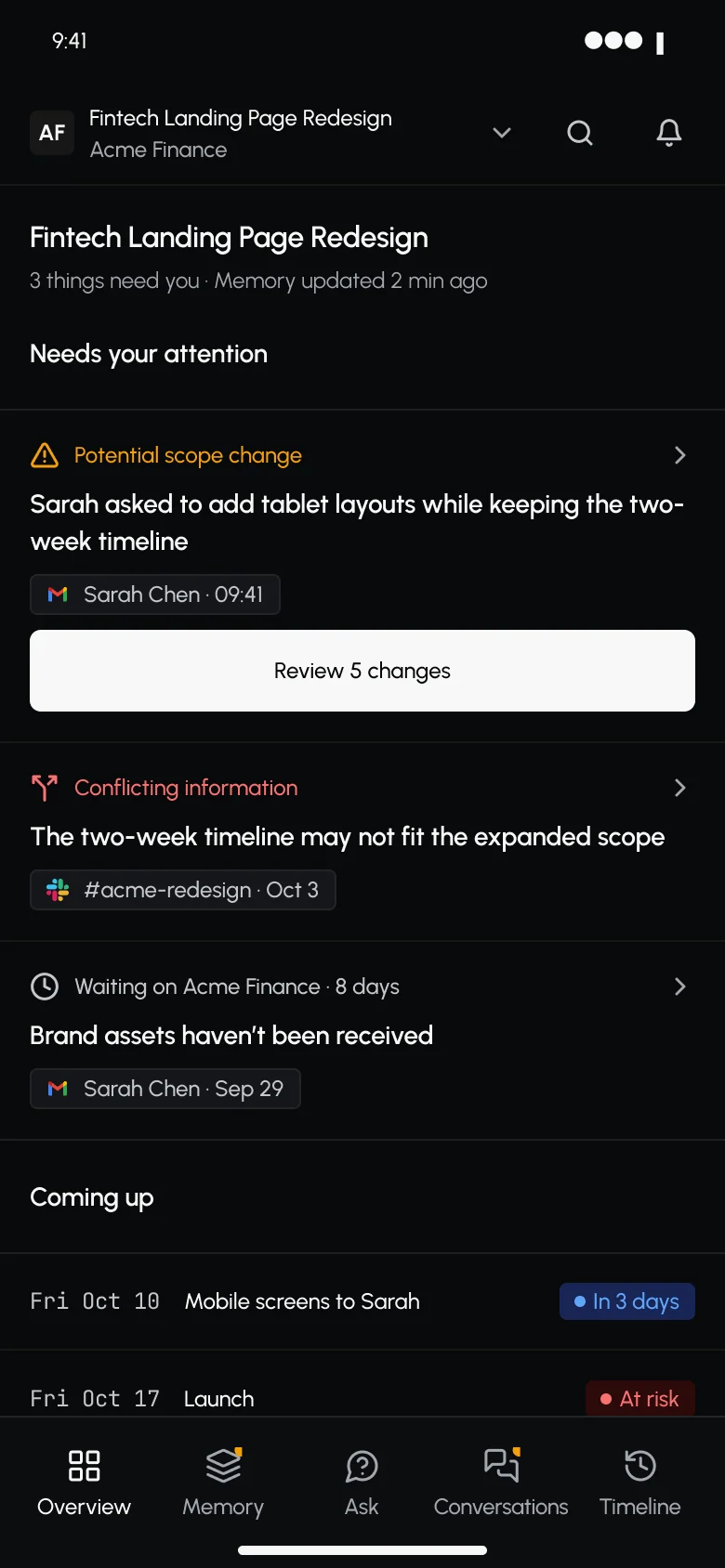
Mobile overview
Mobile overview
Mobile change review

07

Outcome

Live since 1 Oct 2026 · v0.4

22sign-ups in 90 daysAdmin dashboard · 90 days
15workspaces createdAdmin dashboard · 90 days
6trials startedAdmin dashboard · 90 days
90%review items acceptedAdmin dashboard · 30 days

Method and source

Bracket’s admin dashboard, 90 days to 4 Nov 2026, including my own test account. Honest read: the dashboard counts 1 of the 15 workspaces as active, and no trial has converted to paid yet — onboarding is the next problem to solve.

What I suspect · Hypothesis, not a finding

15 workspaces were created, but only 4 Gmail accounts were connected and nobody finished the tour. My suspicion — not yet verified — is that Bracket asks for setup before it shows any value: people have to connect a source before they see a single detected decision.

How I’d investigate, then test · Planned

First, find out where people stop: replay the 14 sandbox sessions to see where the tour is abandoned, and talk to five people who created a workspace but never connected a source. If setup is the blocker, test a Gmail-first start that surfaces one real decision in the first session. Measure: share of new workspaces that review one decision in their first week.

Next · 06 — Own productDarpanAI →An AI video director that plans, coaches and edits.