Skip to content

Work / 04Own product · in design

Role
Founder & product designer
Worked with
AI agents for product, architecture, engineering, QA and content
Year
2026
Status
In design · launching 14 Jan 2027

Every overpayment, recovered.

An AI recovery platform for finance teams, in design. Plug checks every payment for duplicate payments and unused vendor credits, explains each finding with its evidence, and recovers the money from the vendor only after a person approves. It charges 15% of what comes back, and nothing if nothing does.

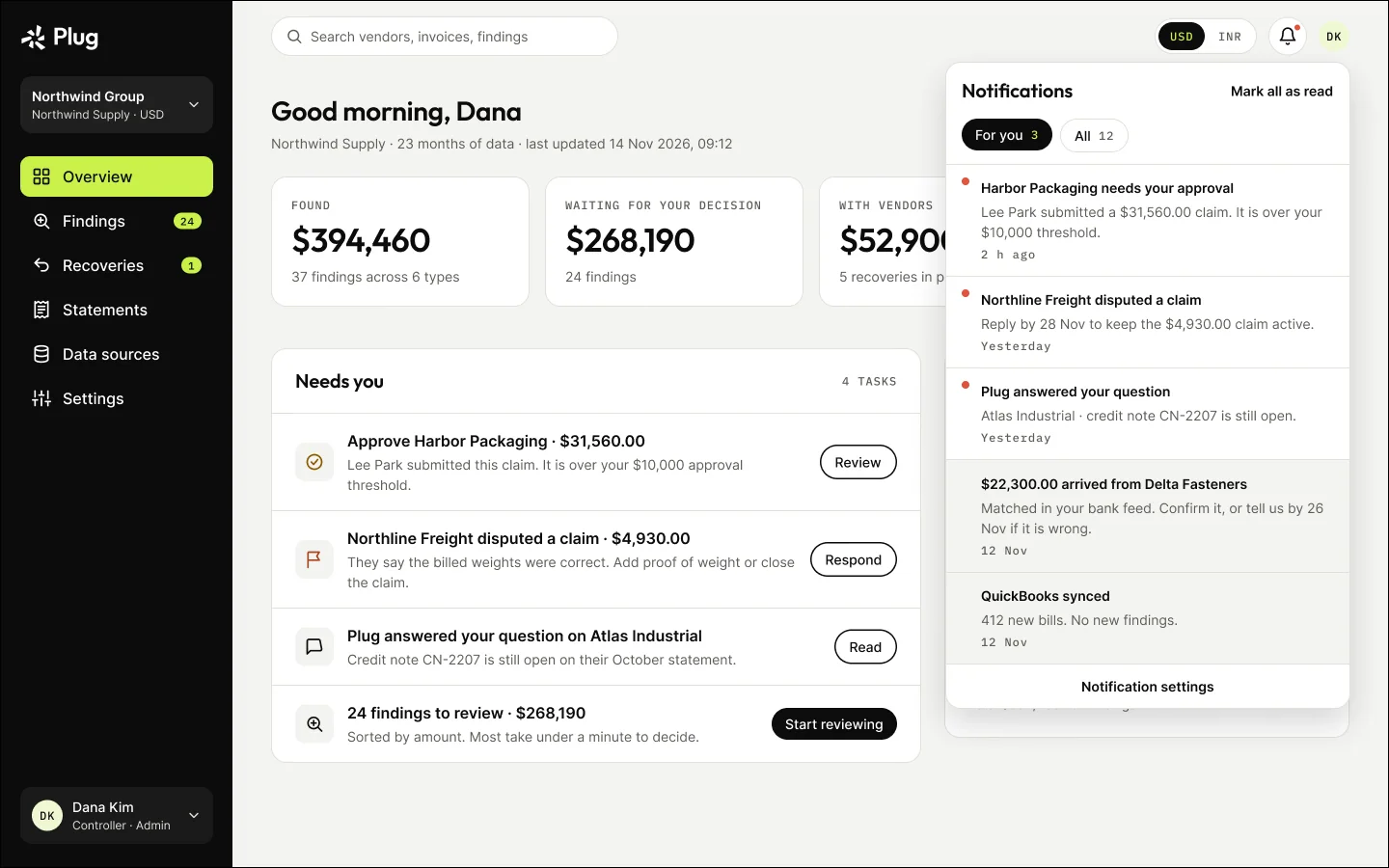
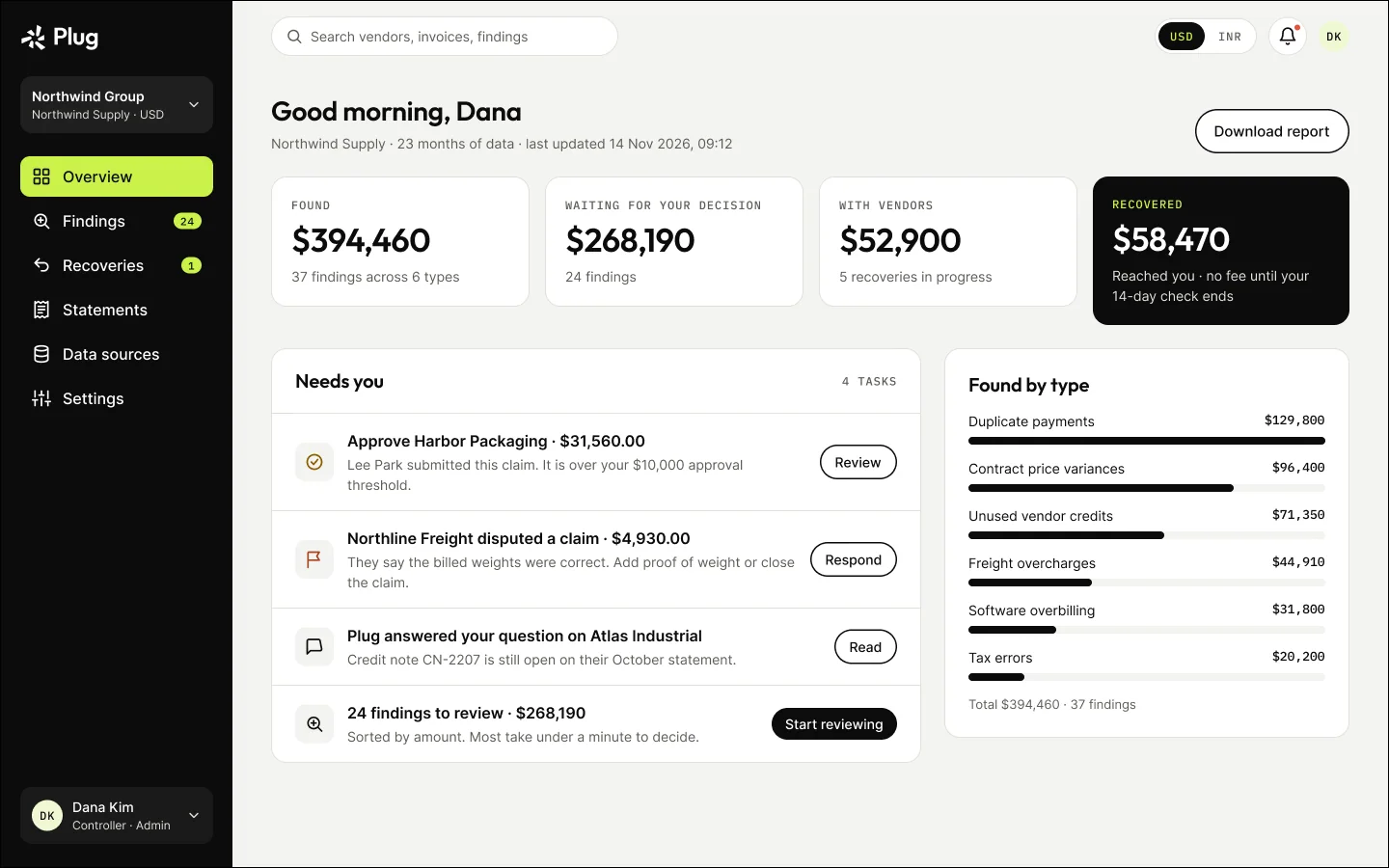
Plug overview: money found, waiting for a decision, with vendors and recovered, plus the tasks that need you

In 60 seconds

Problem

Industry estimates put 0.8–2% of annual payments in error, and recovery audits typically take 4–6 months and keep 25–50% of what they find.

What I did

Designed the whole product: onboarding, findings that explain themselves, a four-way decision, vendor recovery, bank-verified fees and every failure state.

Result

39

desktop screens across 7 flows, with loading, empty, error and partial-data states

Figma · not built or tested yet

My part

I owned the journeys, interface, design system and states — 39 screens and the finding lifecycle — working with AI agents for product, architecture, engineering and content.

On this page

  1. 01The problem
  2. 02My role and scope
  3. 03How I led the work
  4. 04How it works
  5. 05Information architecture
  6. 06The finding lifecycle
  7. 07Key decisions
  8. 08Flow · Sign up and connect
  9. 09Flow · Review and decide
  10. 10Flow · Recover, verify and pay
  11. 11States, designed rather than left over
  12. 12Settings and permissions
  13. 13Company groups, USD and INR
  14. 14Trust rules, designed in
  15. 15Validation

01

The problem

Duplicate payments and unused vendor credits hide in thousands of transactions, and finance teams rarely have time to look. The real design problem was trust: an AI that finds money and writes to your vendors has to prove every claim before anyone lets it act.

02

My role and scope

  • Founder and product designer, working with AI agents that covered product management, architecture, engineering, QA and content. I owned the user journeys, interface design, product design system and interaction states.
  • Framed five roles (controller, CFO, founder, AP specialist and the vendor’s AR contact) and a nine-stage journey from free leak check to fee paid — as hypotheses for usability testing.
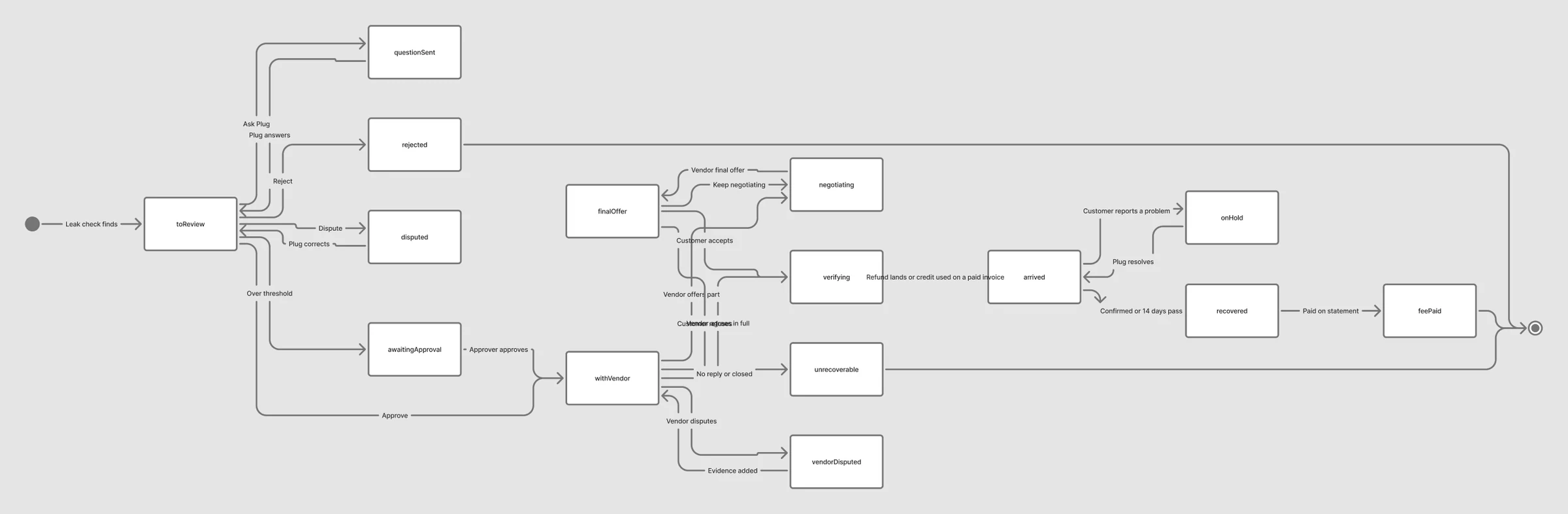
  • Mapped the finding lifecycle in FigJam: 15 states from “to review” to “fee paid”, and four flows including disconnected and partial data.
  • Designed 39 desktop screens: onboarding, findings, decisions, recovery, fees, settings, failure states, and company groups in USD and INR.

03

How I led the work

01

Owned the whole product

Journeys, information architecture, interface, design system and every state: 39 screens across 7 flows.

02

Designed for trust first

Every finding answers how much, why, how sure and what next, and no vendor is contacted without approval.

03

Framed the research

Five roles and a nine-stage journey, written as hypotheses for the first usability test.

04

Worked with an AI team

Worked with AI agents covering product, architecture, engineering, QA and content.

04

How it works

  1. 01ShareRead-only connection or uploaded exports
  2. 02DetectEvery payment checked; findings ranked by value
  3. 03DecideApprove, reject, ask Plug or dispute
  4. 04RecoverPlug contacts the vendor; the fee waits until the money is verified

05

Information architecture

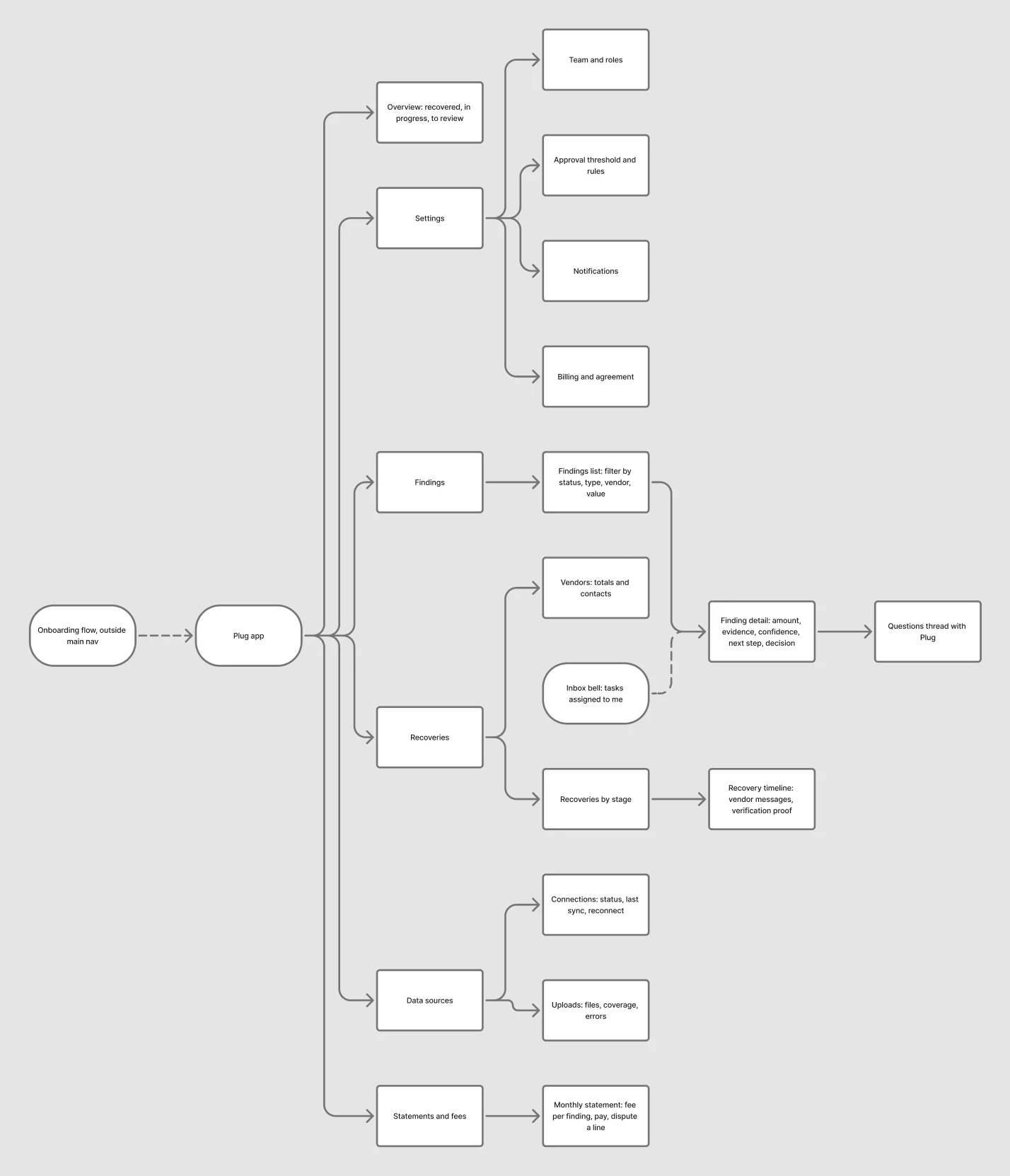
Plug information architecture
Overview, findings, recoveries, statements, data sources and settings, with onboarding outside the main navigation and an inbox for tasks assigned to you. Open full size ↗

06

The finding lifecycle

State diagram of a finding from to review to fee paid
15 states from “to review” to “fee paid”: questions, rejections, disputes, approvals over the threshold, vendor negotiation, the 14-day check and on-hold. Open full size ↗

07

Key decisions

Decision 01

Every finding answers four questions.

A controller’s first question is whether a finding is real or a false alarm. An AI that only lists amounts pushes the checking back onto them.

Rejected

✕ A list of flagged transactions

Amounts without proof get ignored, or re-checked by hand.

Chosen

✓ How much, why, how sure, what next

Each finding shows the amount, the evidence side by side, Plug’s confidence and the recommended step.

Trade-off we accepted

Longer pages, in exchange for findings people can act on without redoing the work.
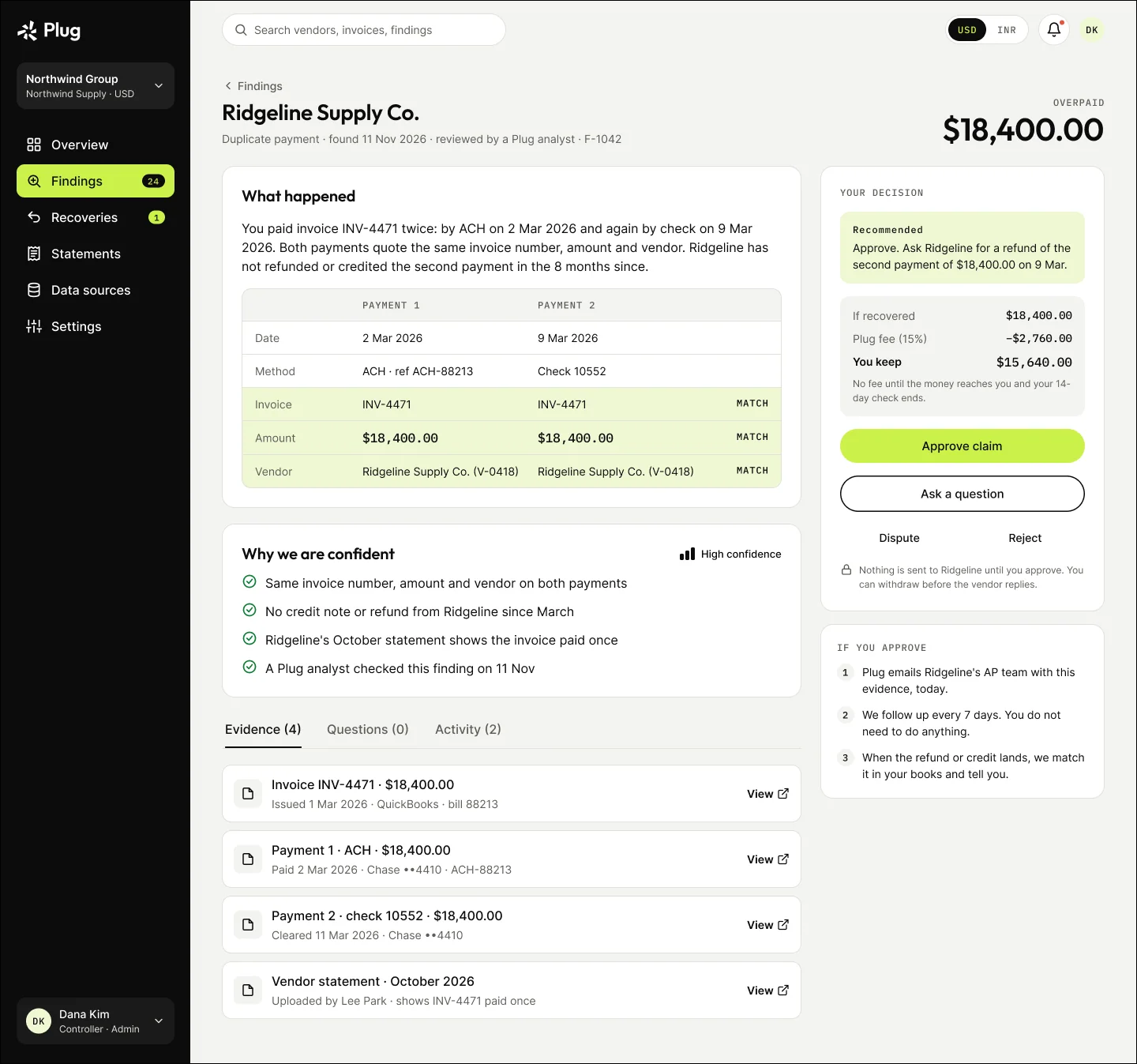
Finding detail: two payments for the same invoice matched side by side, why Plug is confident, the evidence and the decision panel

Decision 02

Four decisions, not two.

Approve or reject forces a choice when someone is only unsure, or disagrees with the amount.

Rejected

✕ Approve or reject

Doubt turns into a rejection, and the reason is lost.

Chosen

✓ Approve, reject with a reason, ask Plug, or dispute

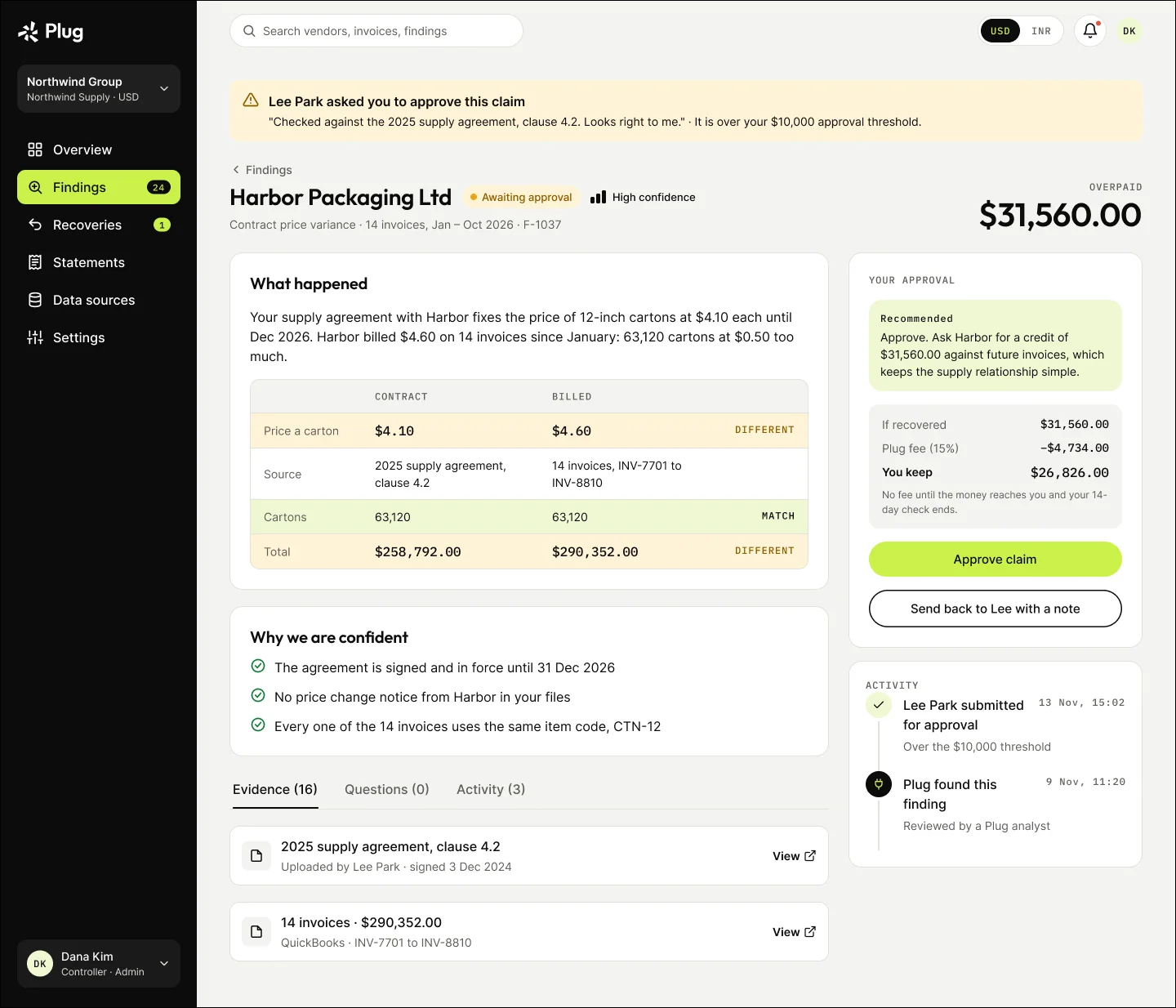
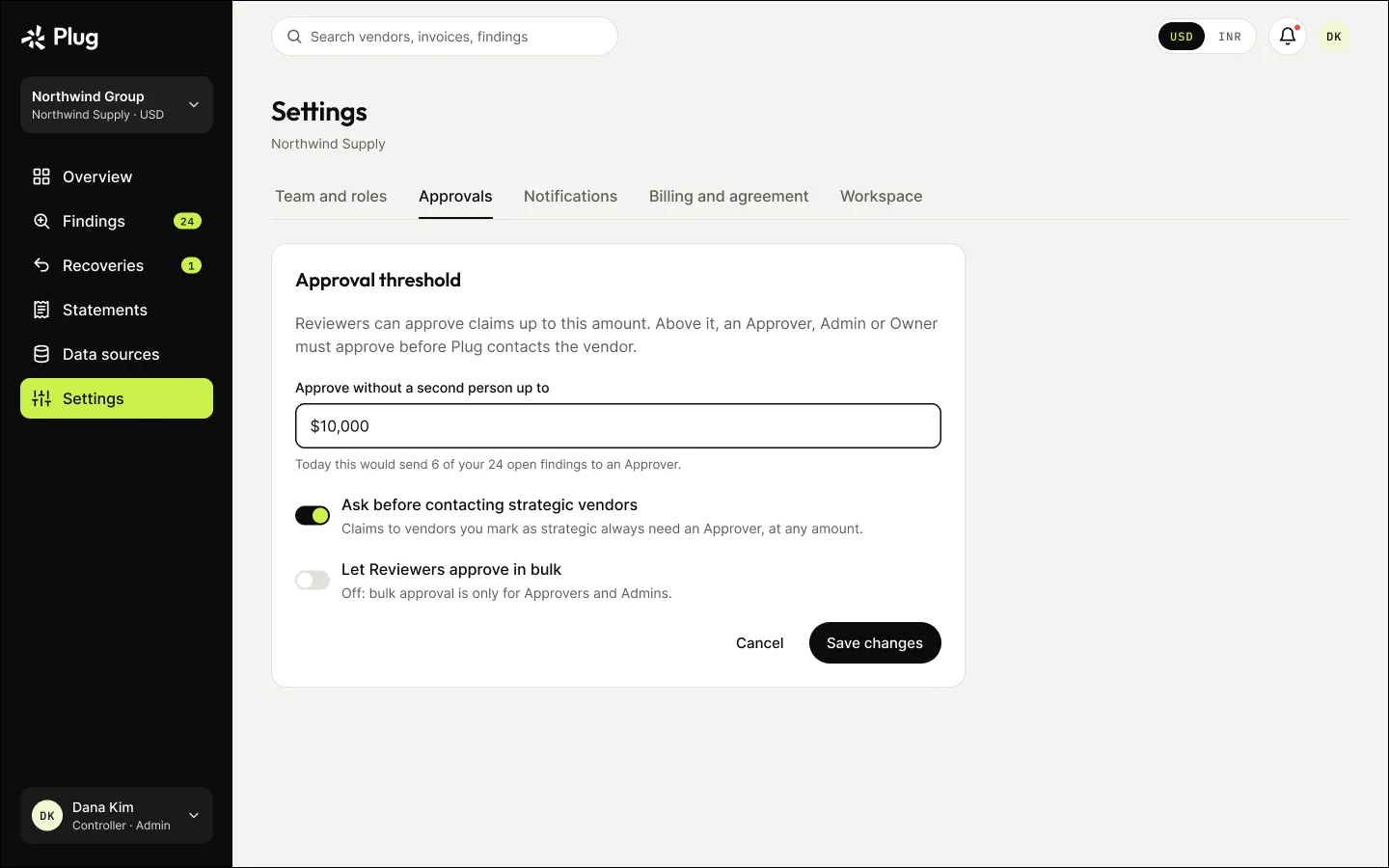
Each shows its consequence, including the fee, before you commit. Above a threshold (default $10,000) an approver decides.

Trade-off we accepted

More choices on screen, in exchange for fewer wrong rejections and a reason for every one.

Approver view of a claim over the threshold

Decision 03

No fee until the money reaches you.

Plug is paid 15% of what it recovers, so the moment money “counts” decides whether customers trust the bill.

Rejected

✕ Bill when the vendor agrees

A vendor’s promise is not money in your bank.
Chosen

✓ Bill after it lands, then a 14-day check

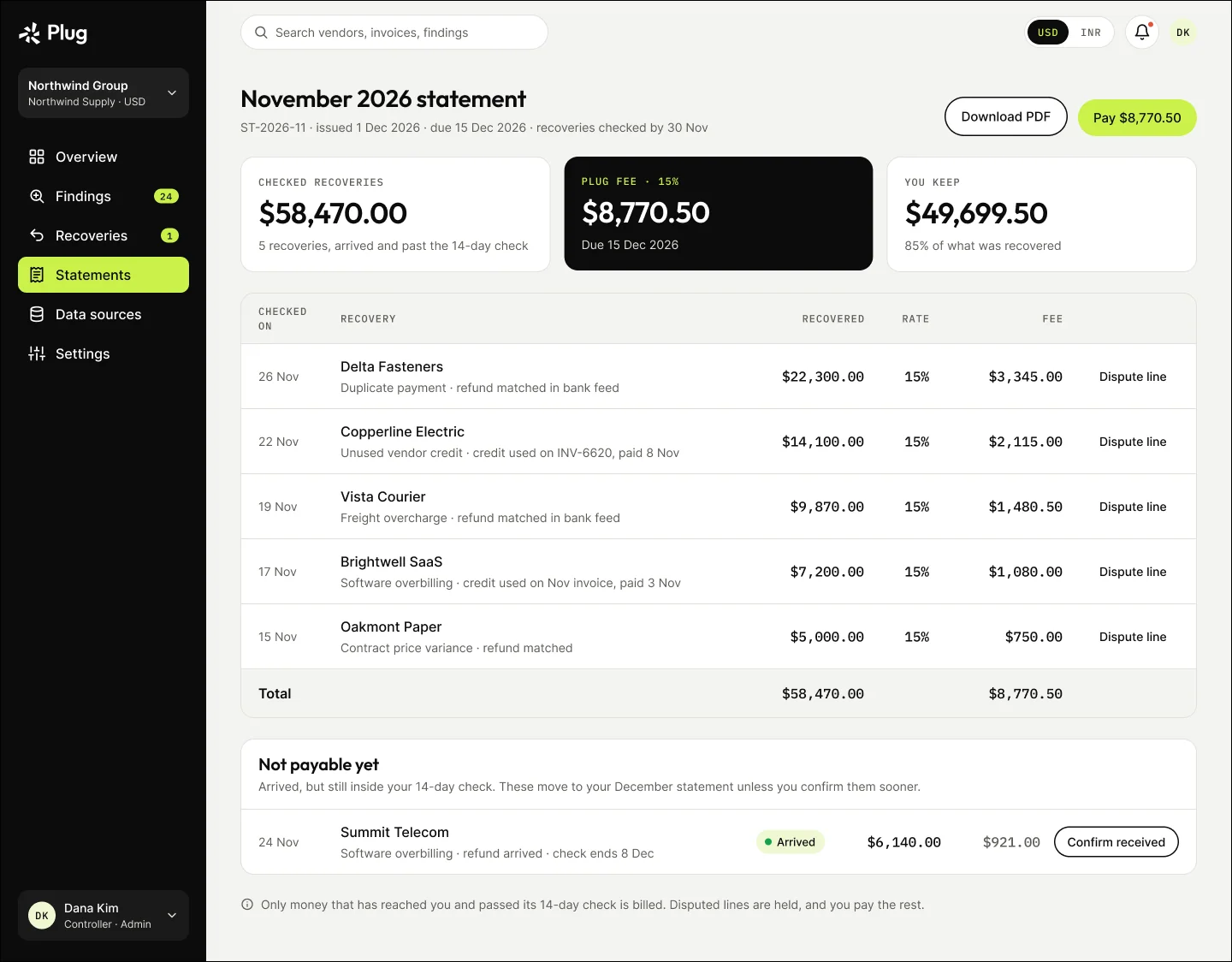
A refund counts when it reaches your bank; a credit only when it is used on a paid invoice. Then 14 days to confirm or dispute, itemised monthly.
Trade-off we accepted

Plug waits longer to be paid, in exchange for a fee nobody has to argue about.

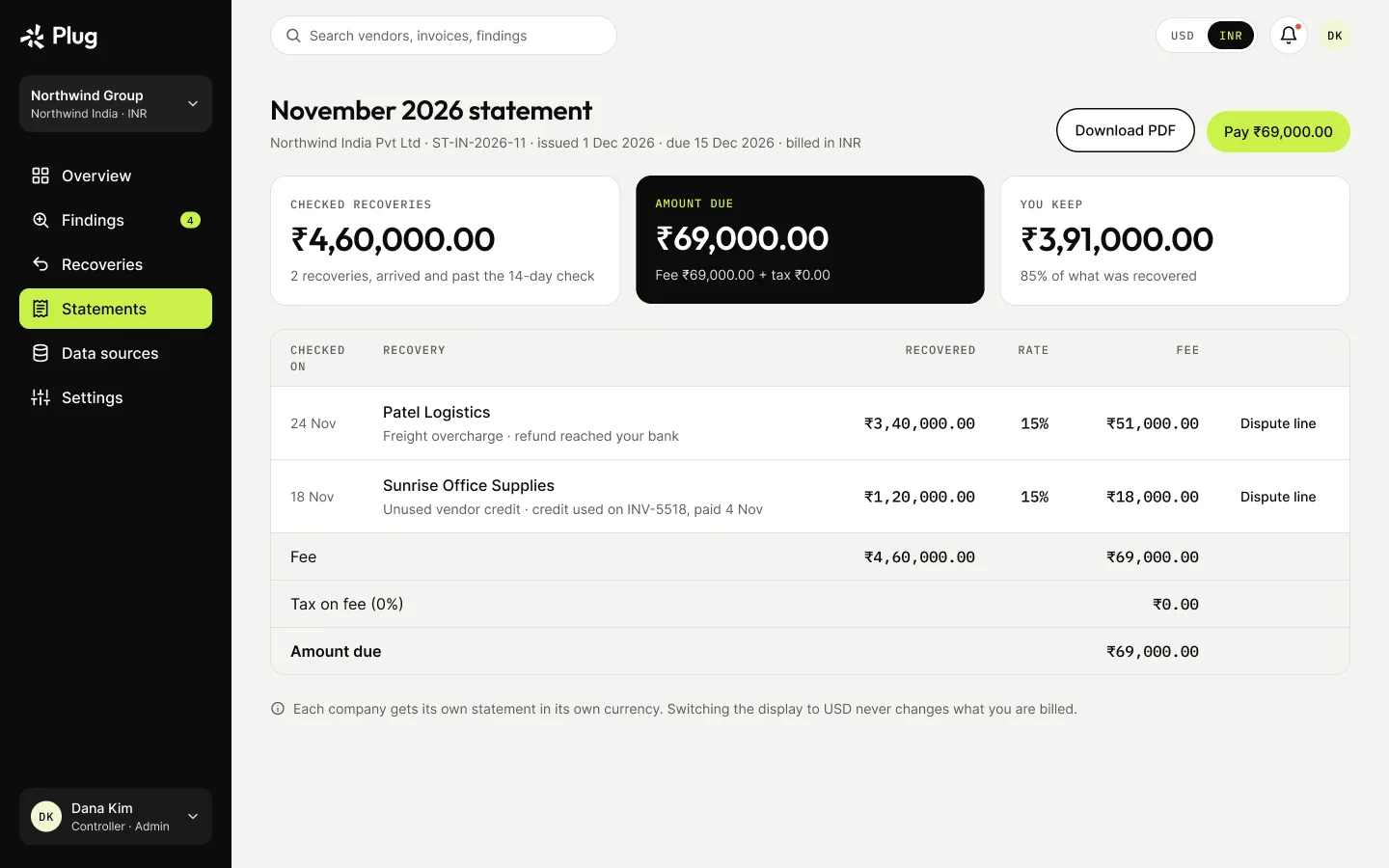
Monthly statement with the fee broken down per finding

08

Flow · Sign up and connect

From a free leak check to the first findings. Every branch has somewhere to go: an unverified email, access denied, invalid files and partial data.

Sign-up and connect flow
Sign up and connect, as mapped in FigJam. Open full size ↗
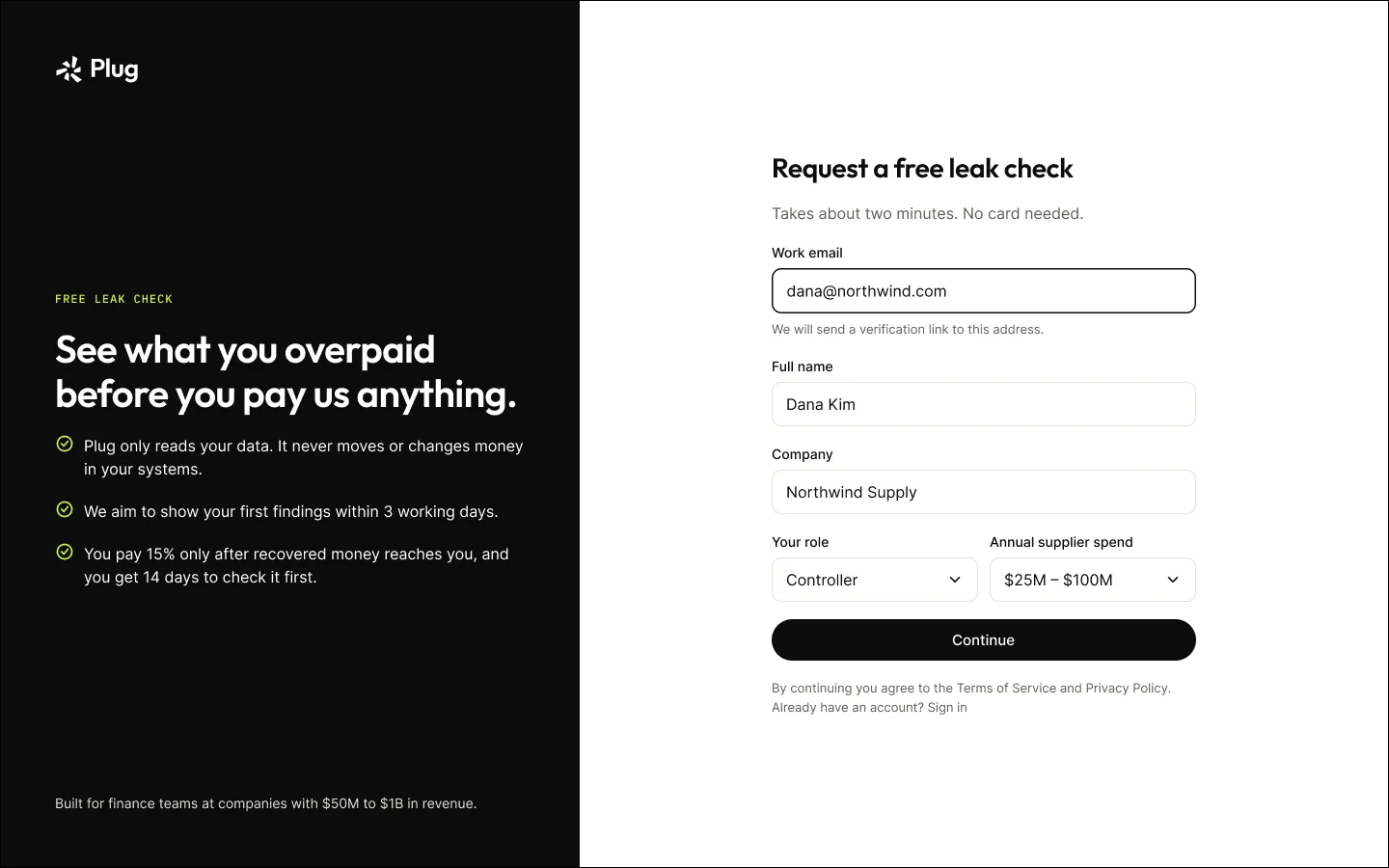
Sign up for a free leak check
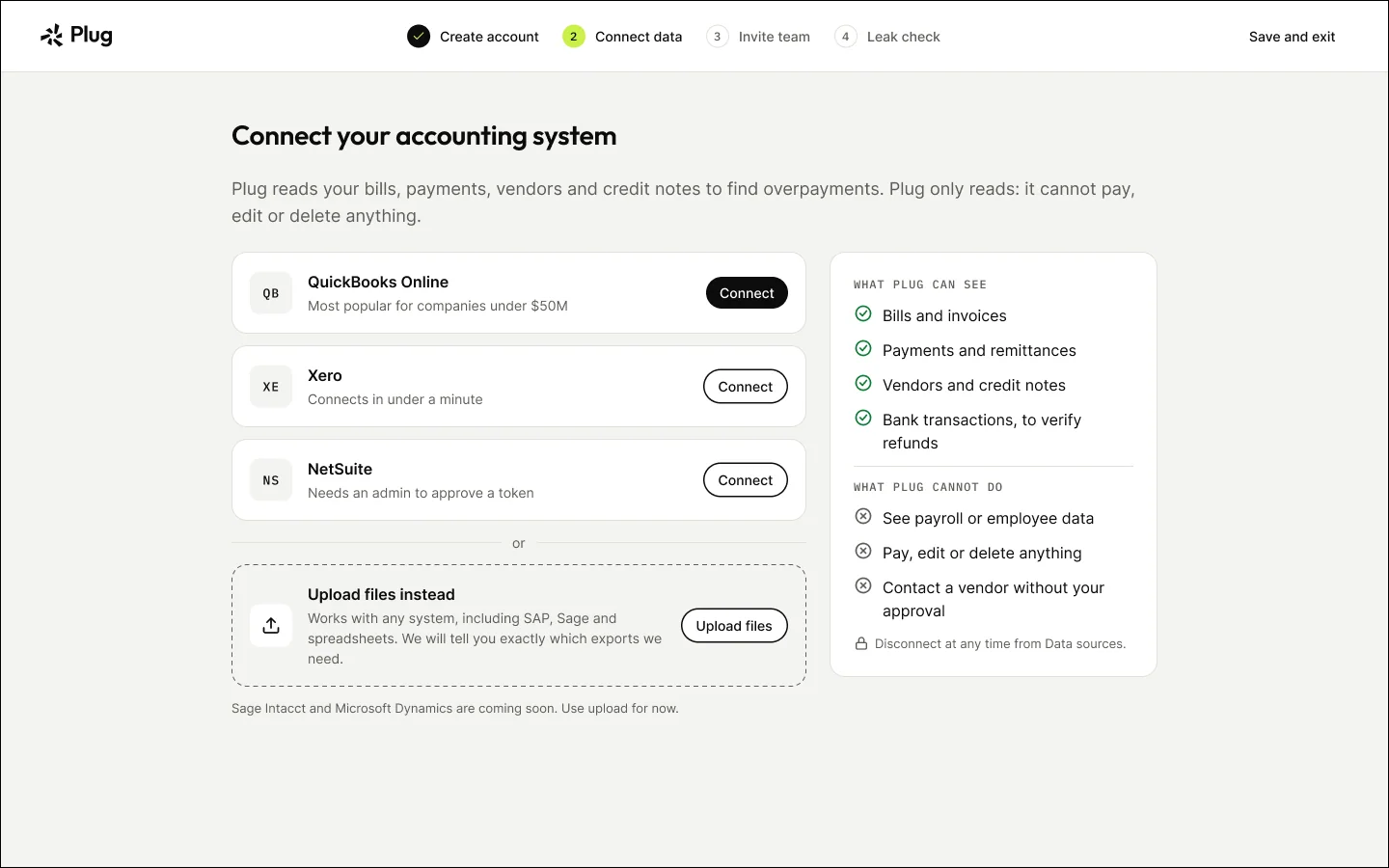
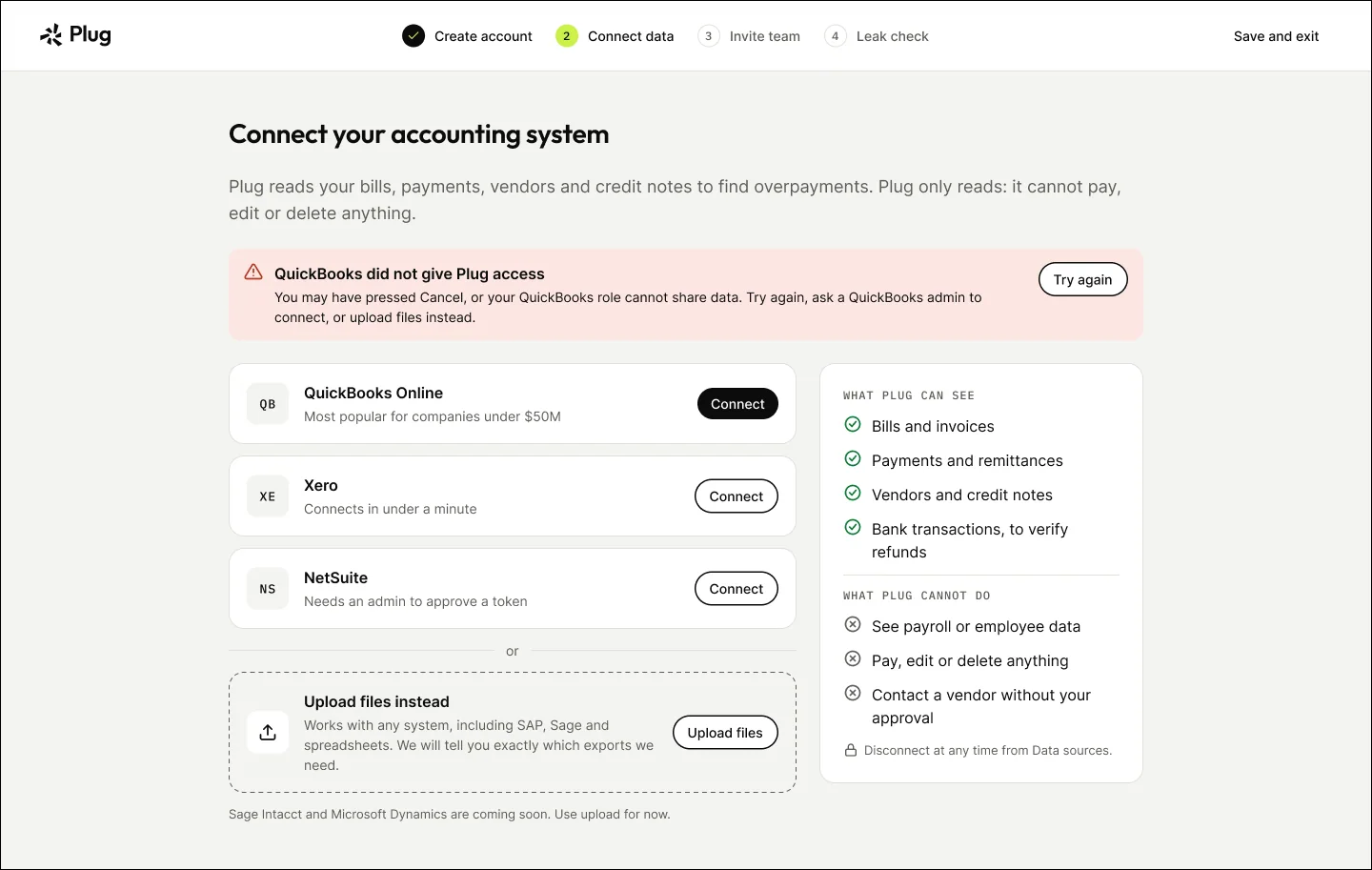
Connect accounting data, read-only
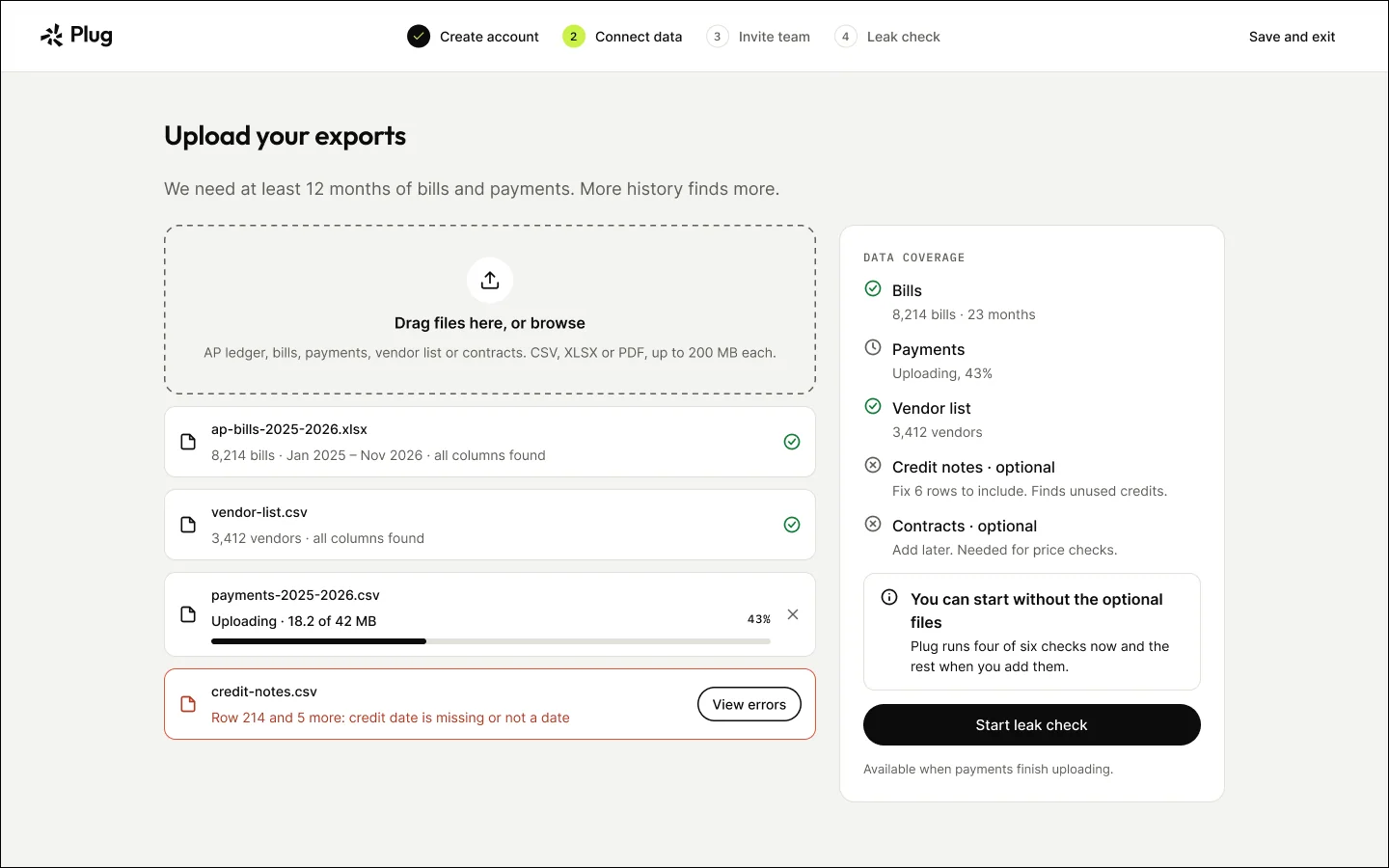
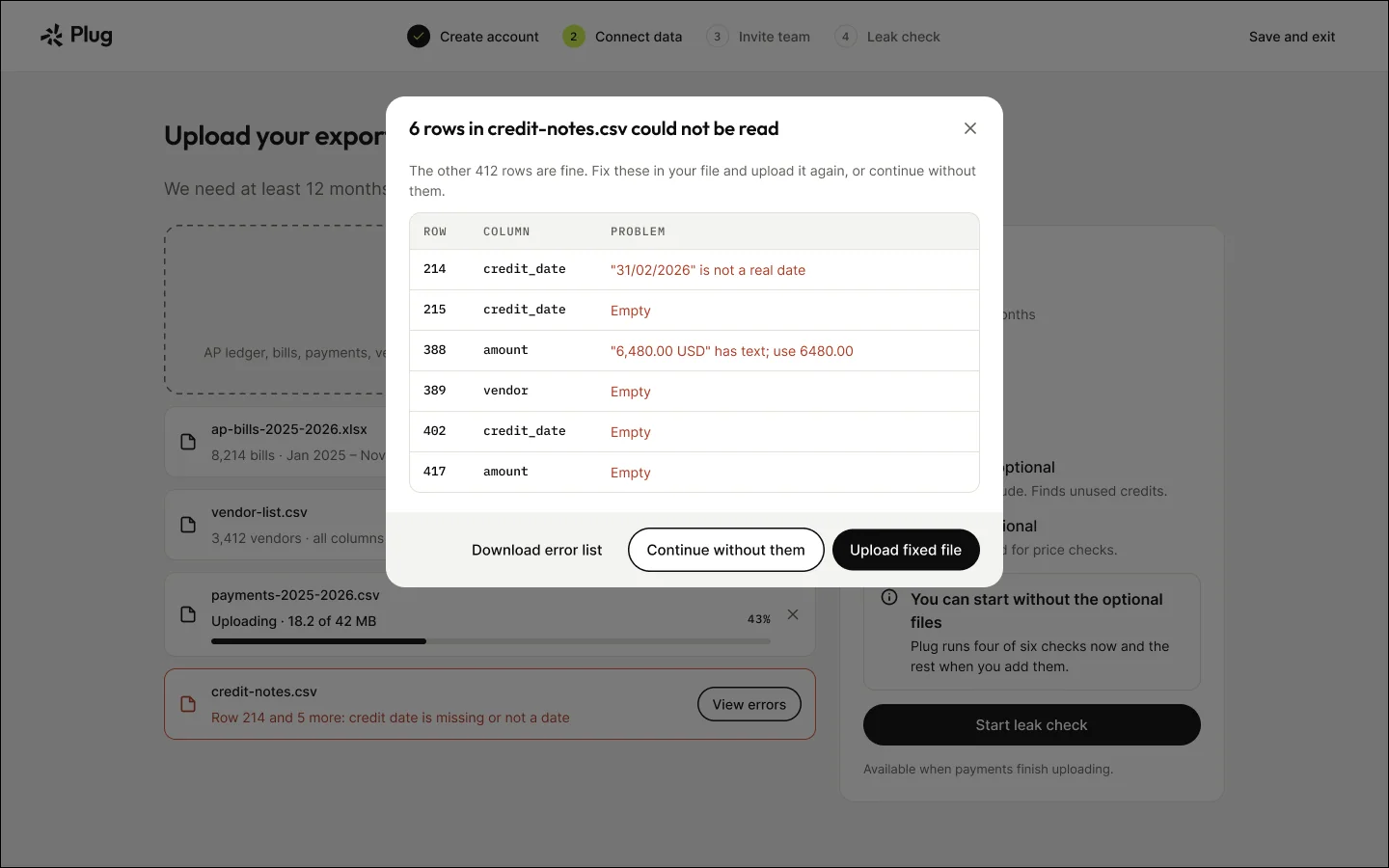
Upload files and check data coverage
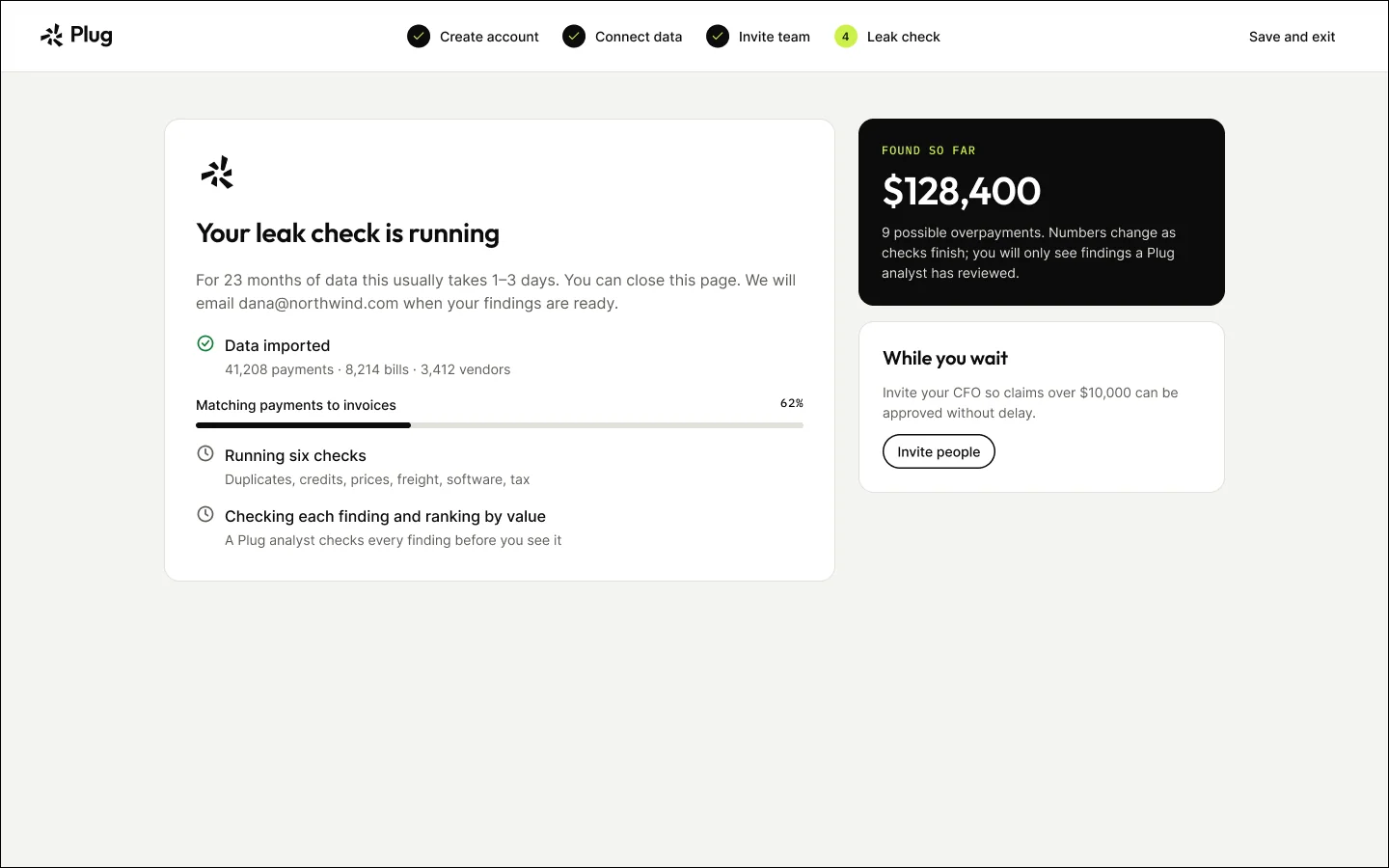
Leak check running — leave and come back

09

Flow · Review and decide

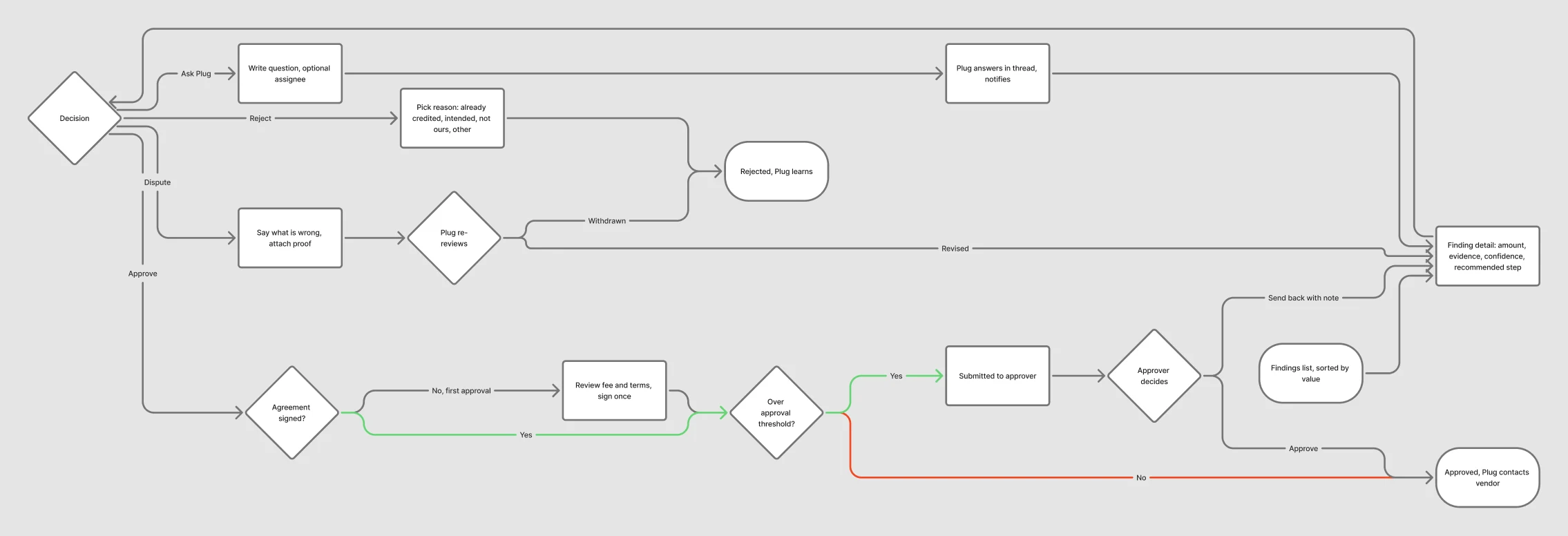
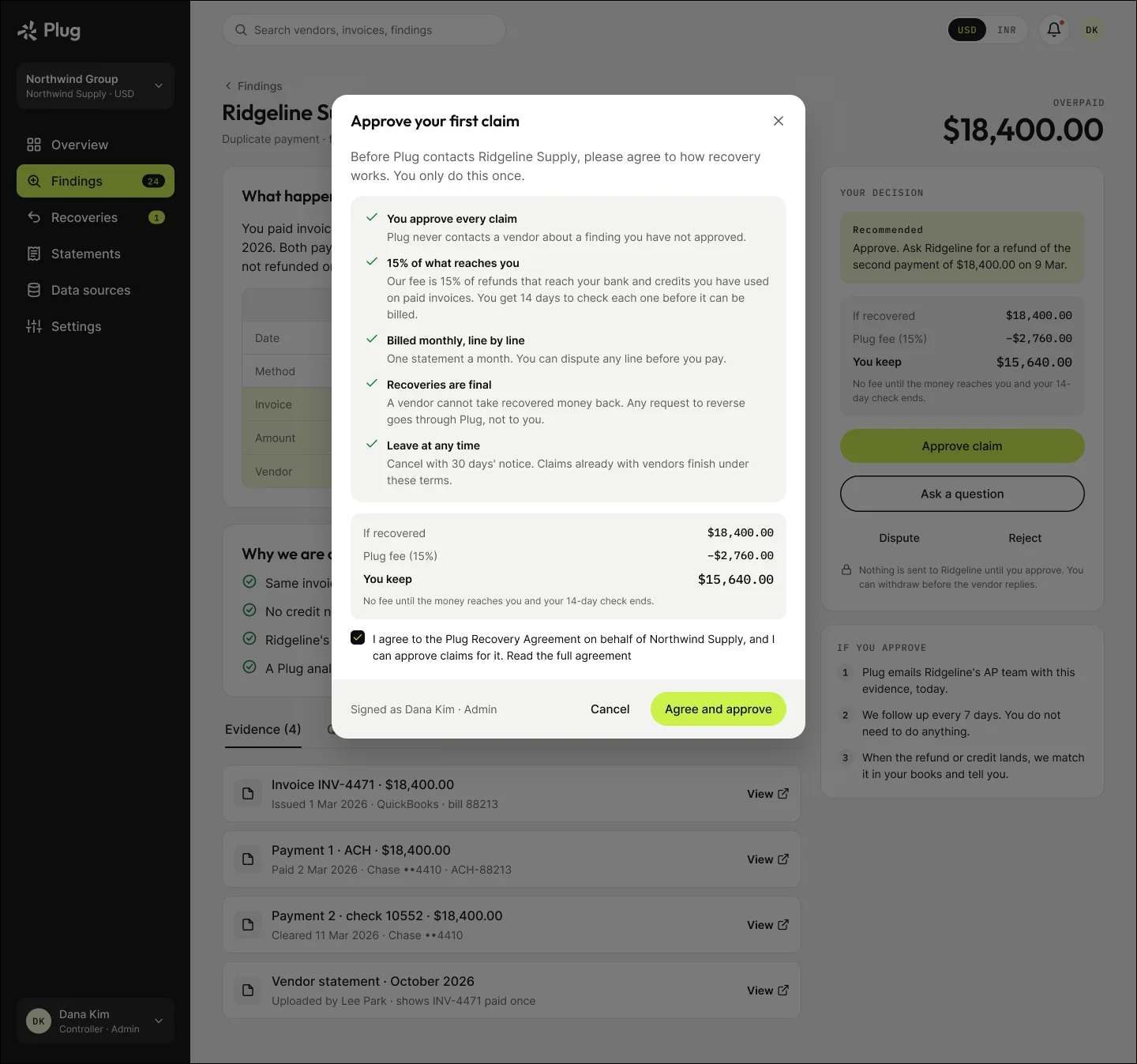
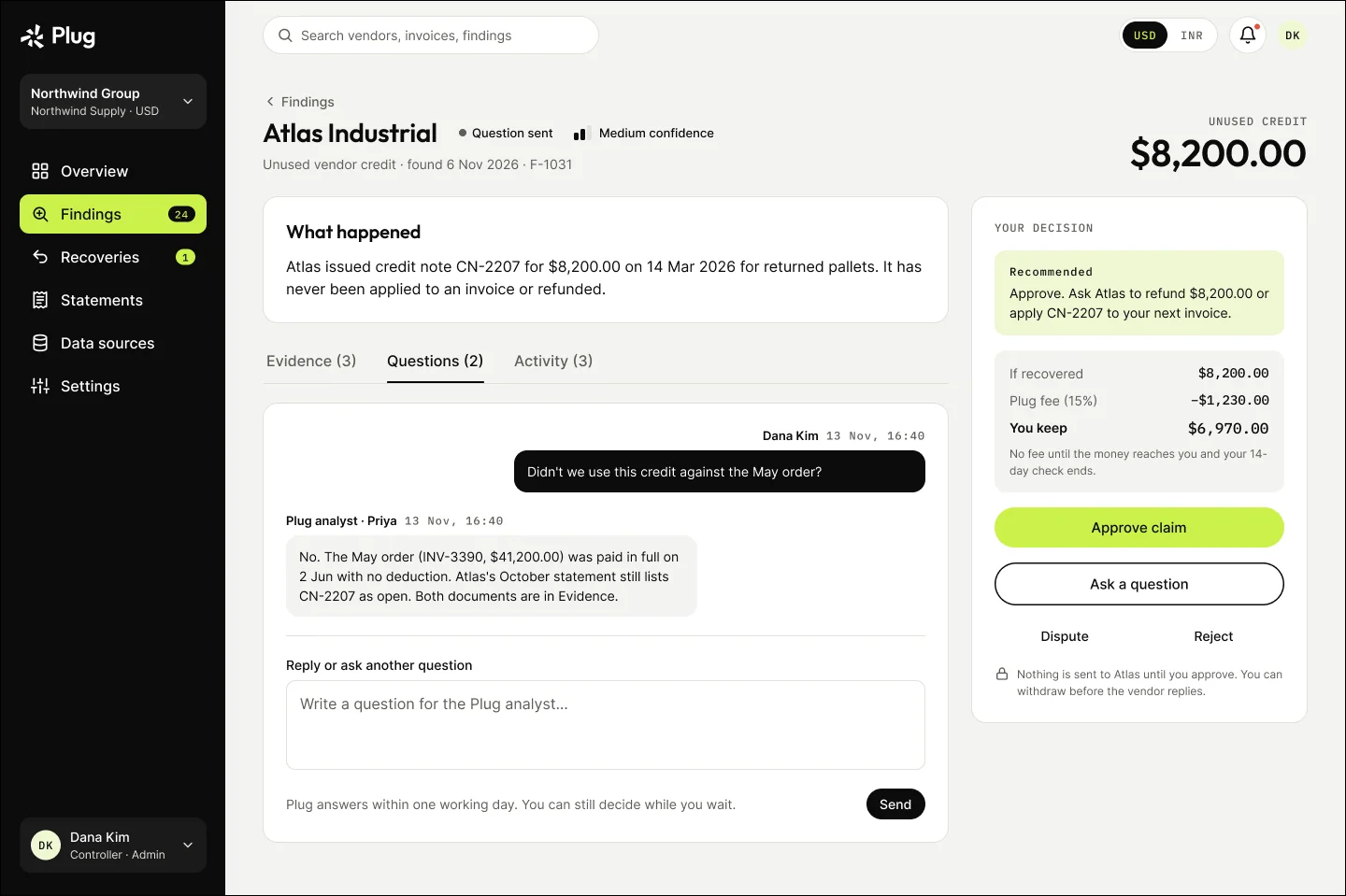
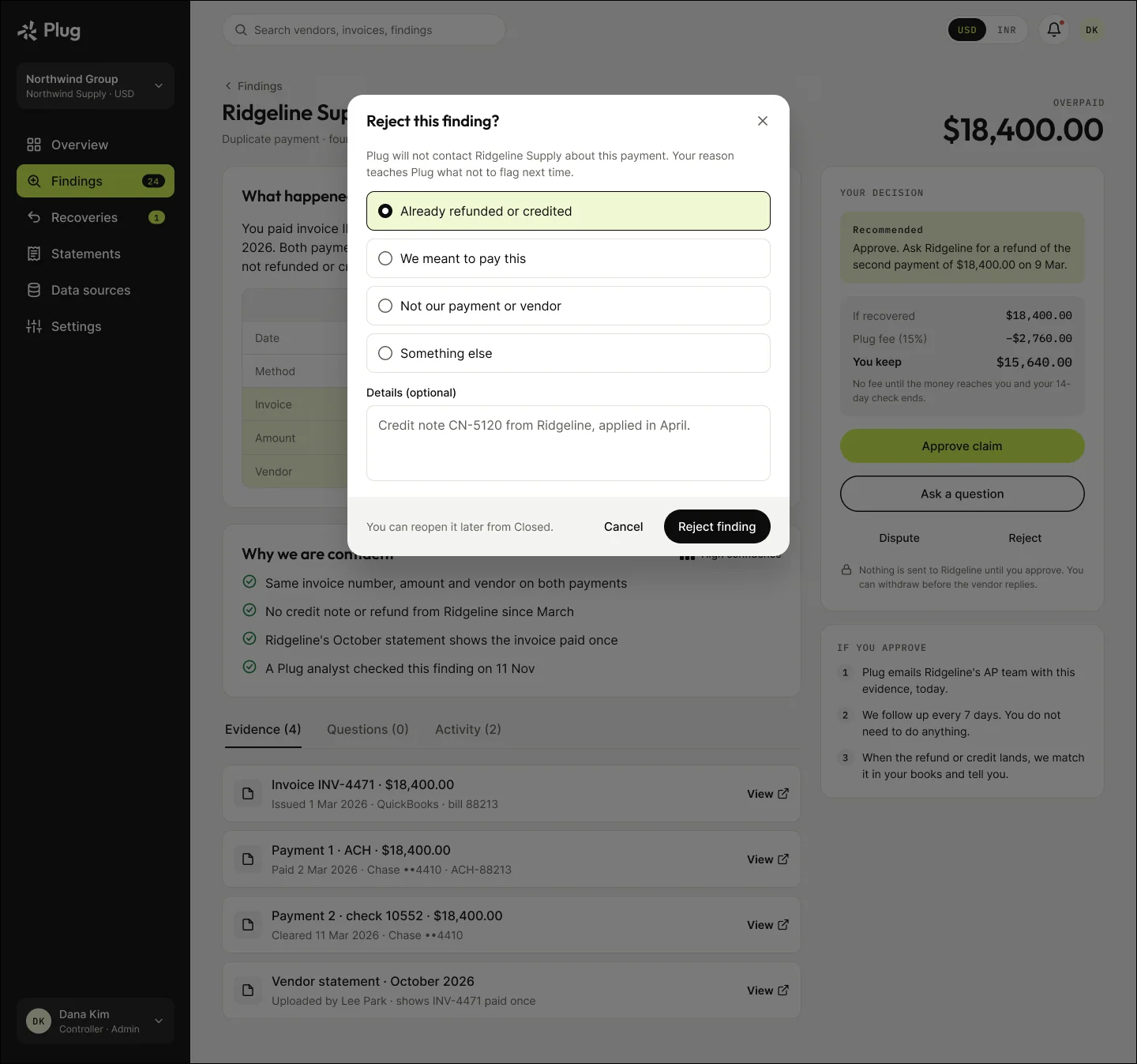
Findings arrive ranked by value. Each decision states its consequence before you commit, and the recovery agreement is signed once, at the first approval.

Review and decide flow
Review and decide, as mapped in FigJam. Open full size ↗
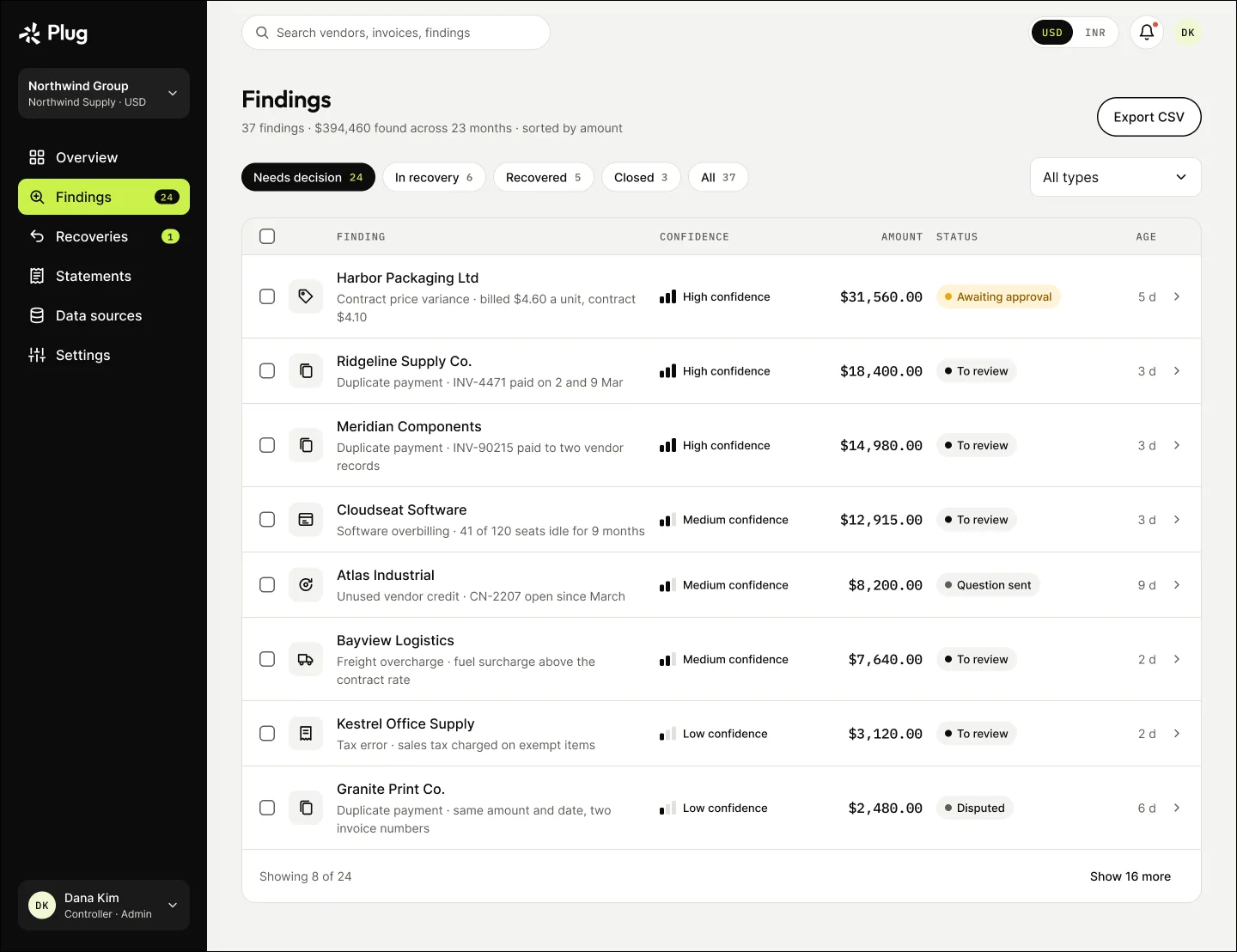
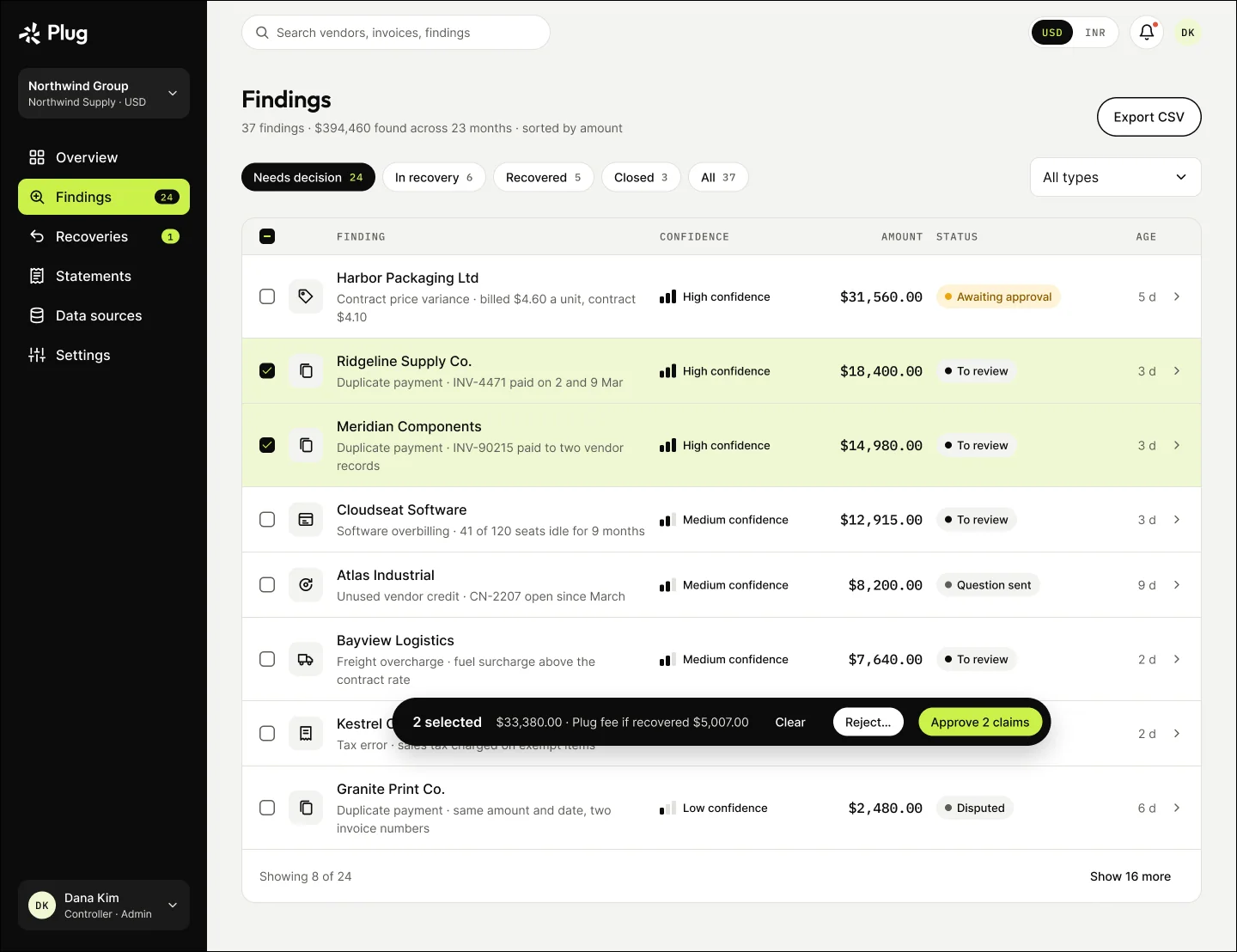
Findings, sorted by value
Two findings selected: the fee is shown before approving
First approval: sign the recovery agreement once
Ask Plug: a question thread on the finding
Reject with a reason, so Plug learns
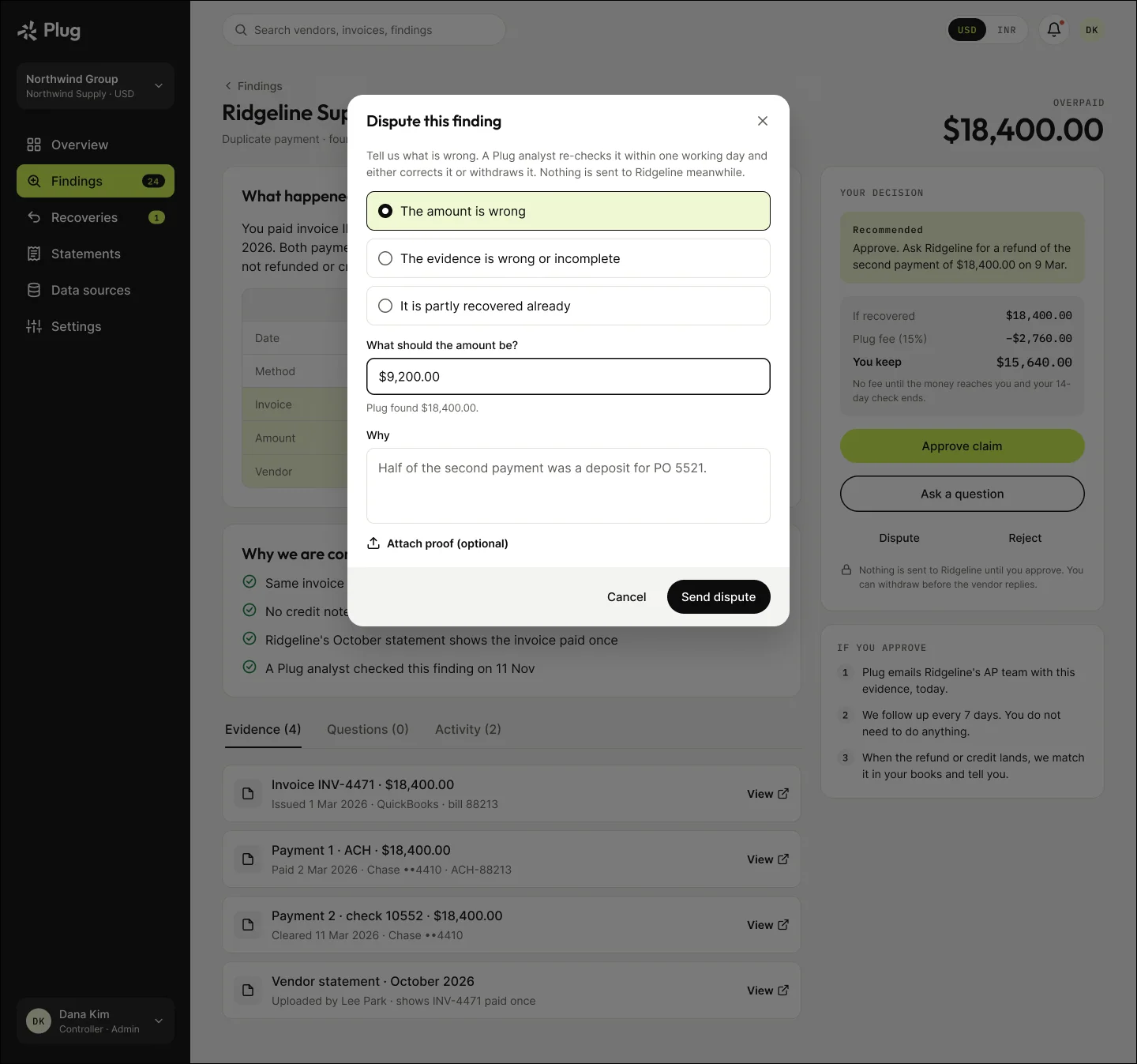
Dispute the amount or the evidence
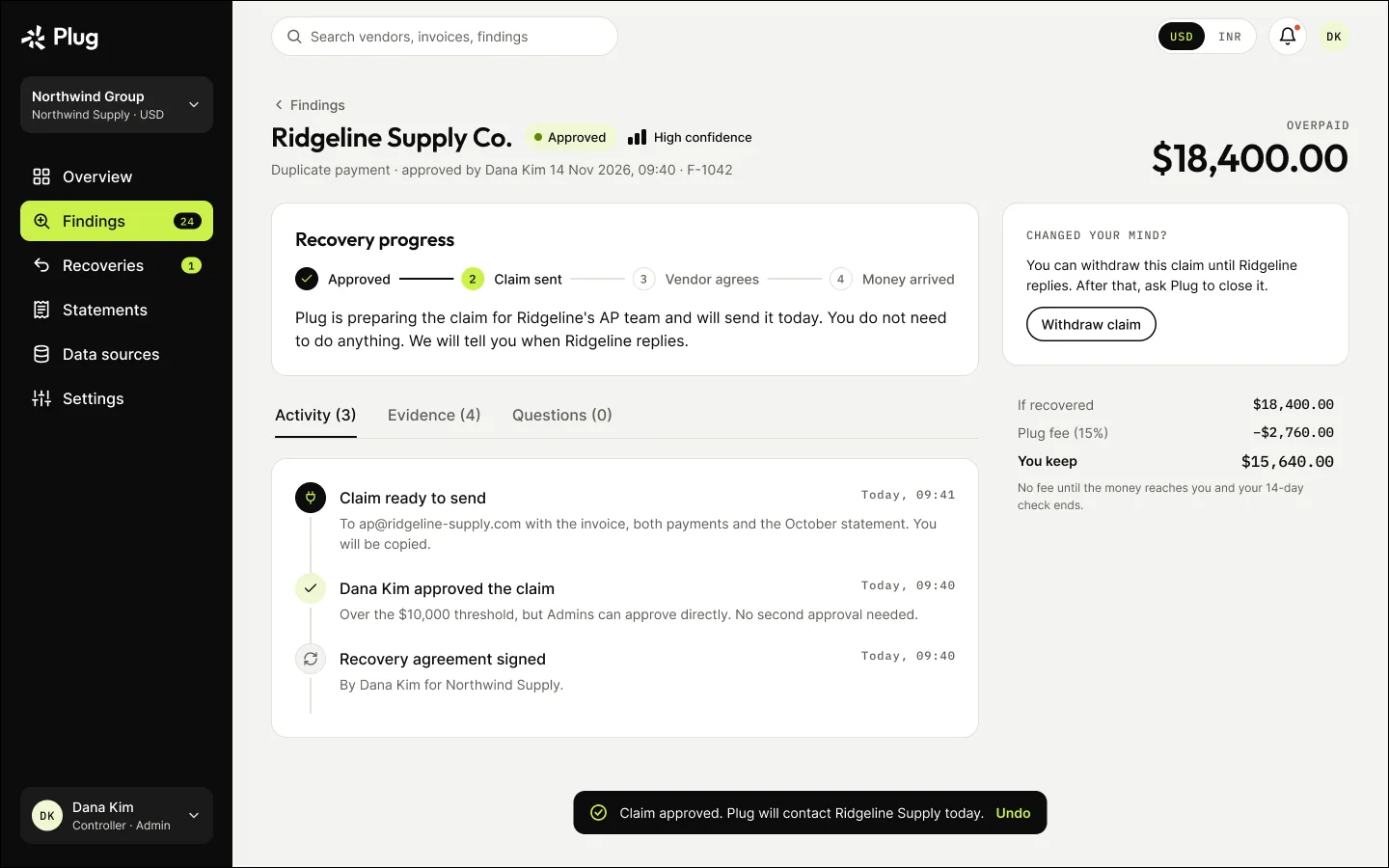
After approval: what happens now

10

Flow · Recover, verify and pay

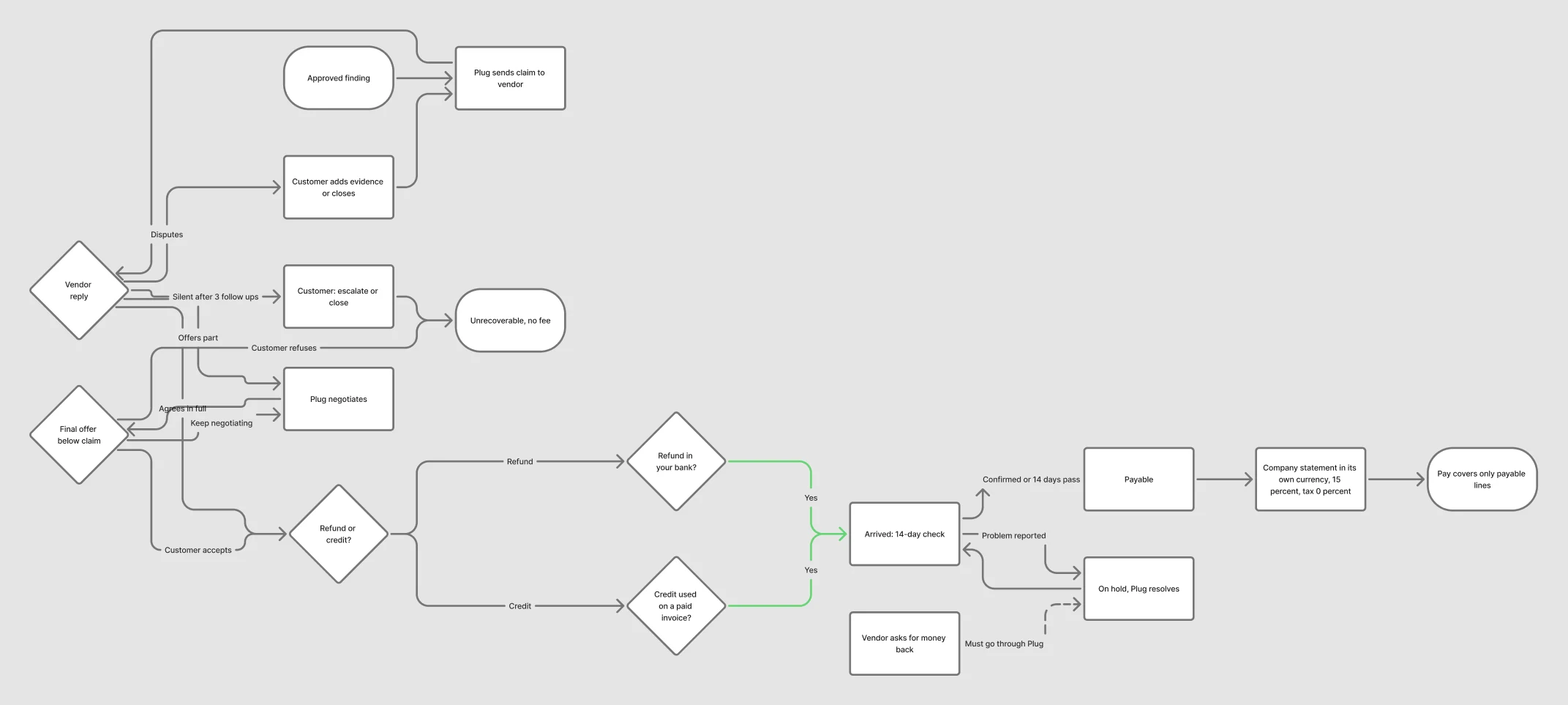
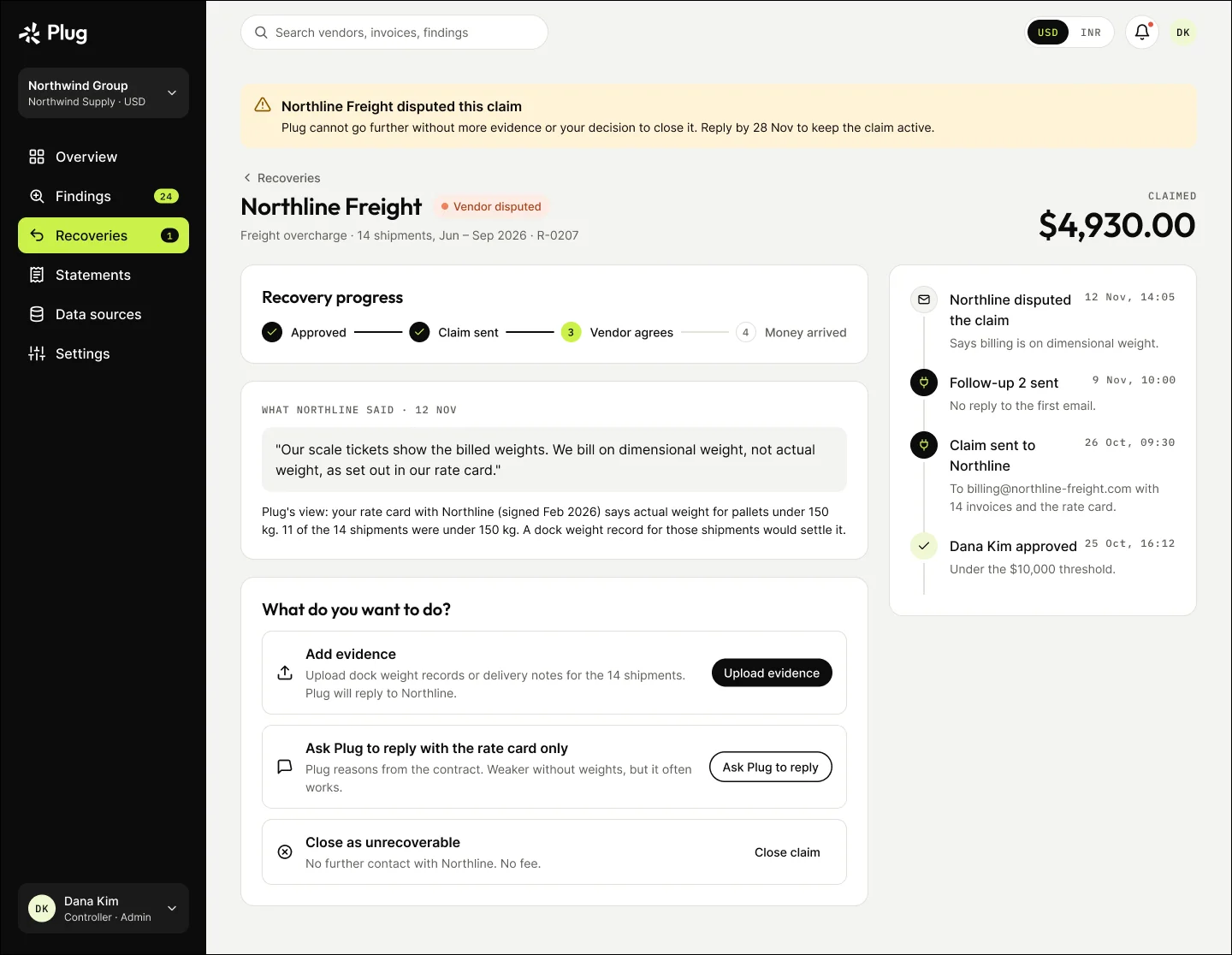
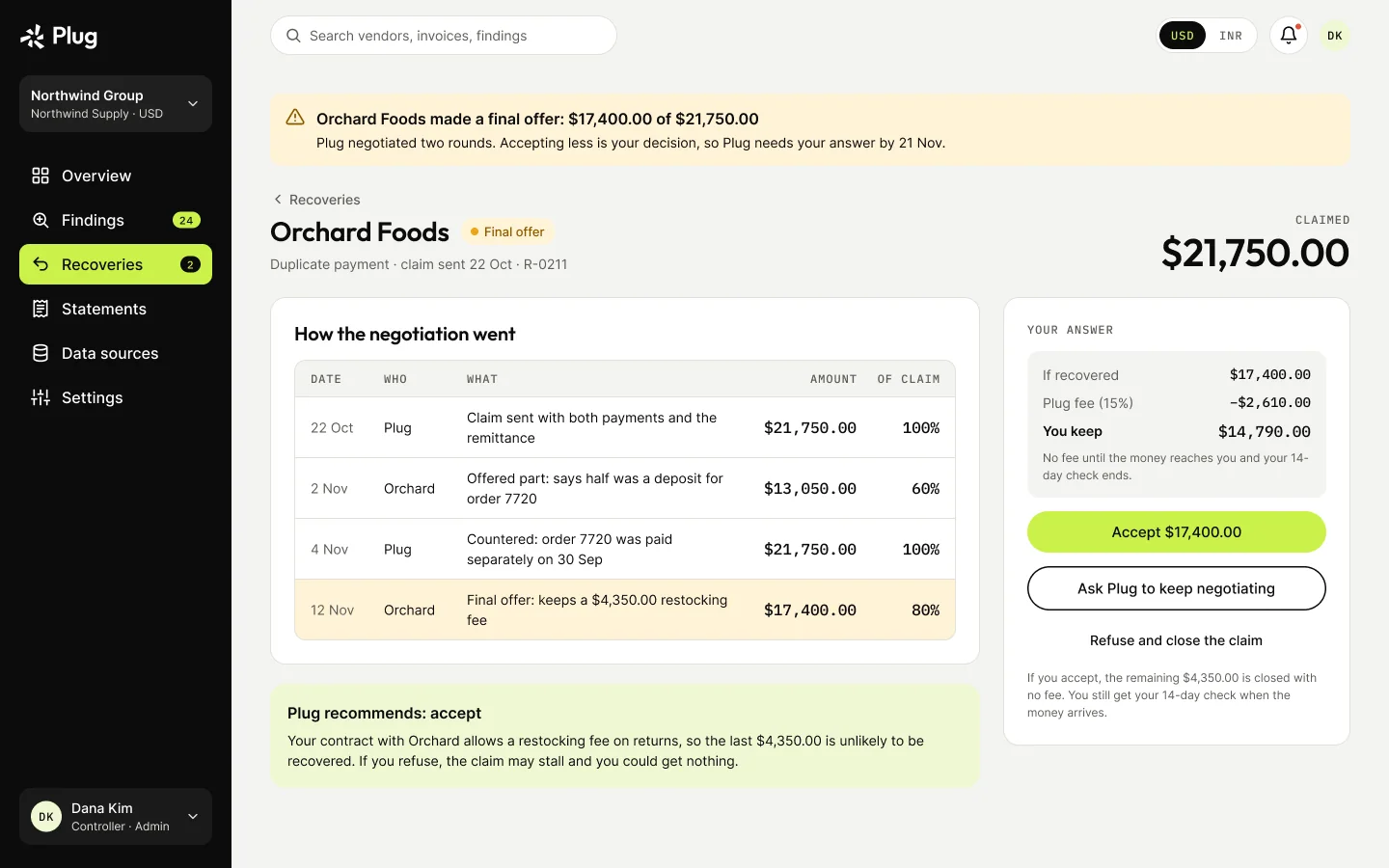
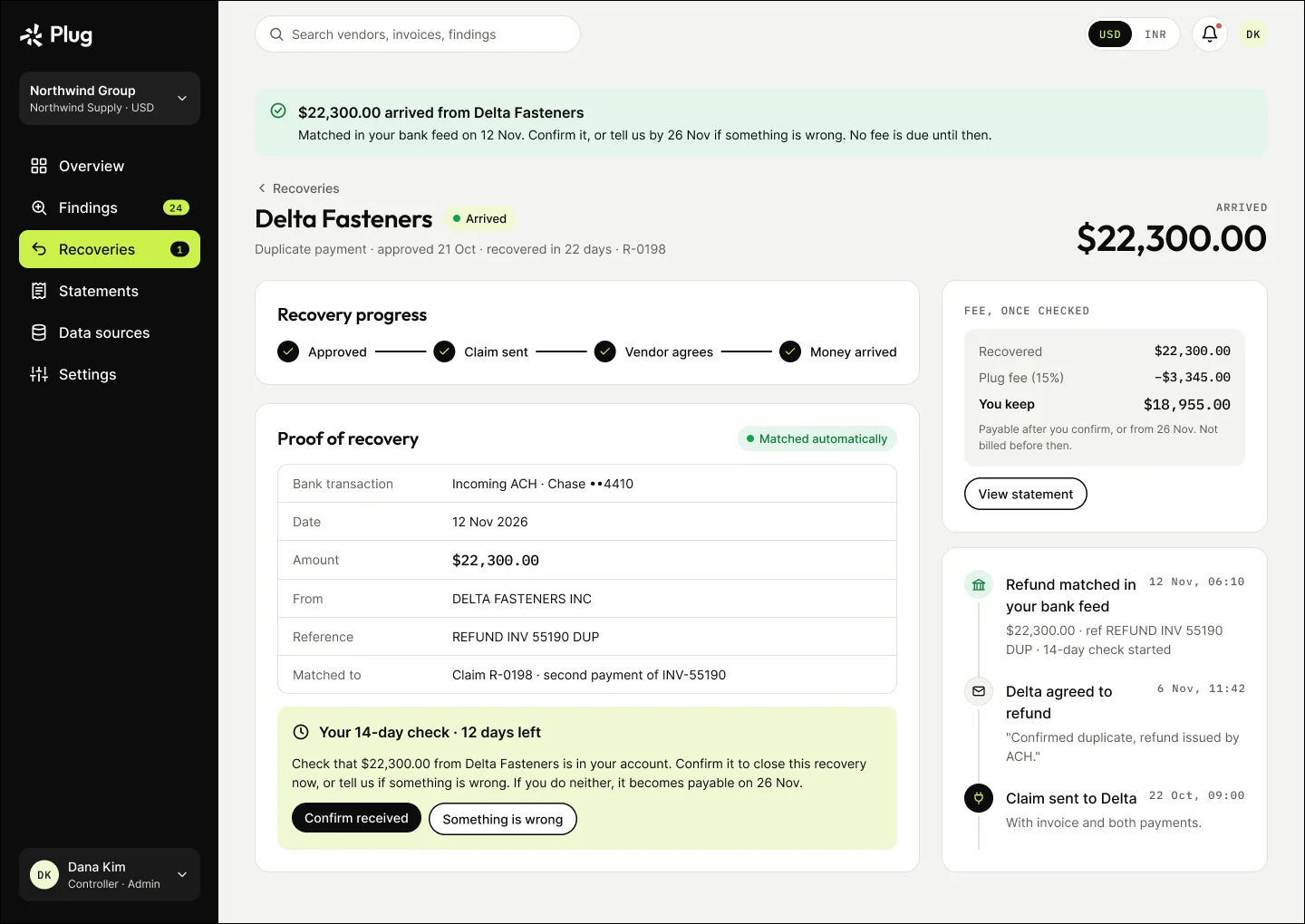
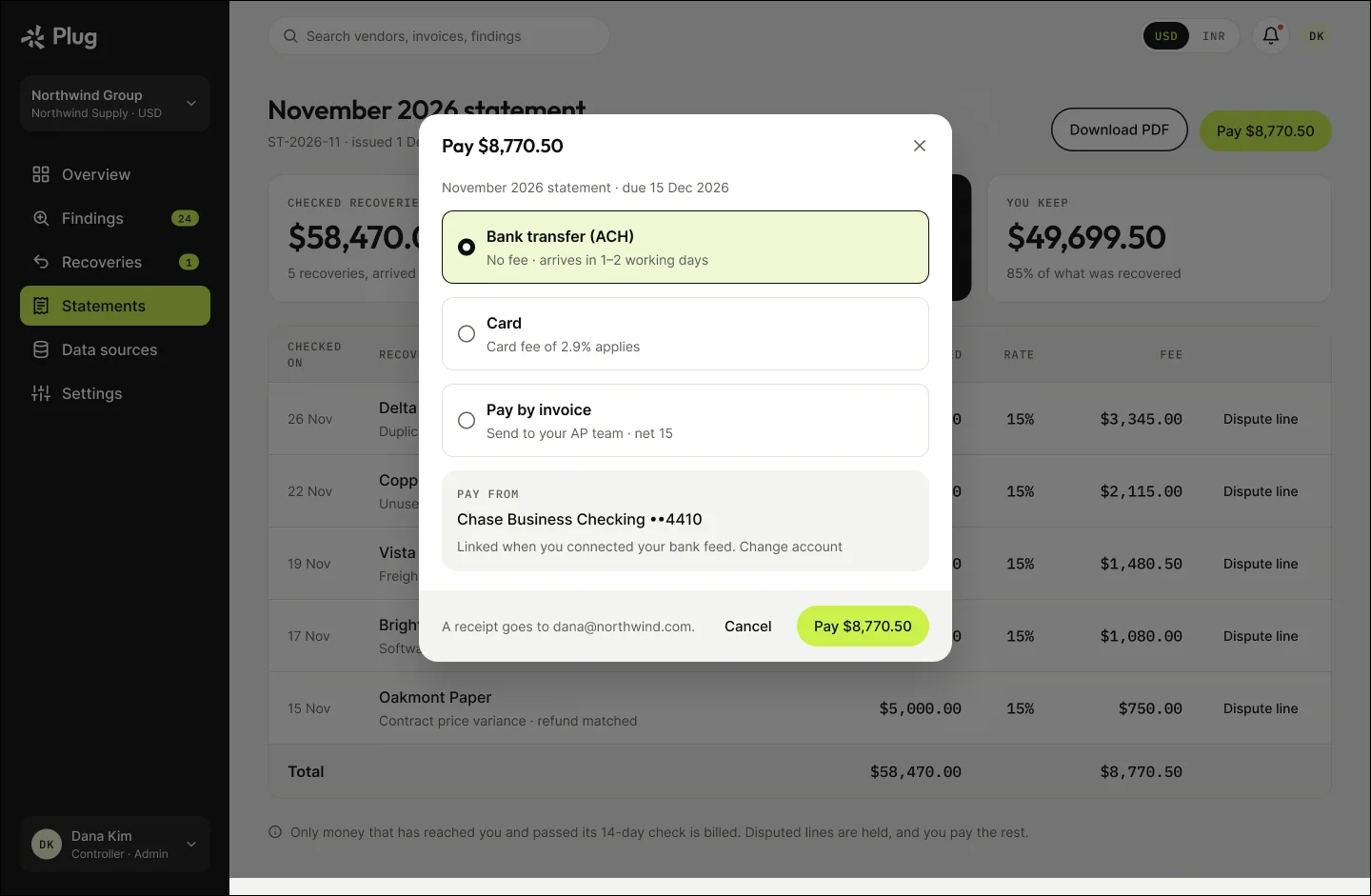
Plug writes to the vendor, follows up on day 7, 14 and 21, negotiates partial offers, and only bills once the money is matched in the bank or ledger and the 14-day check has passed.

Recovery to fee flow
Recovery to fee, as mapped in FigJam. Open full size ↗
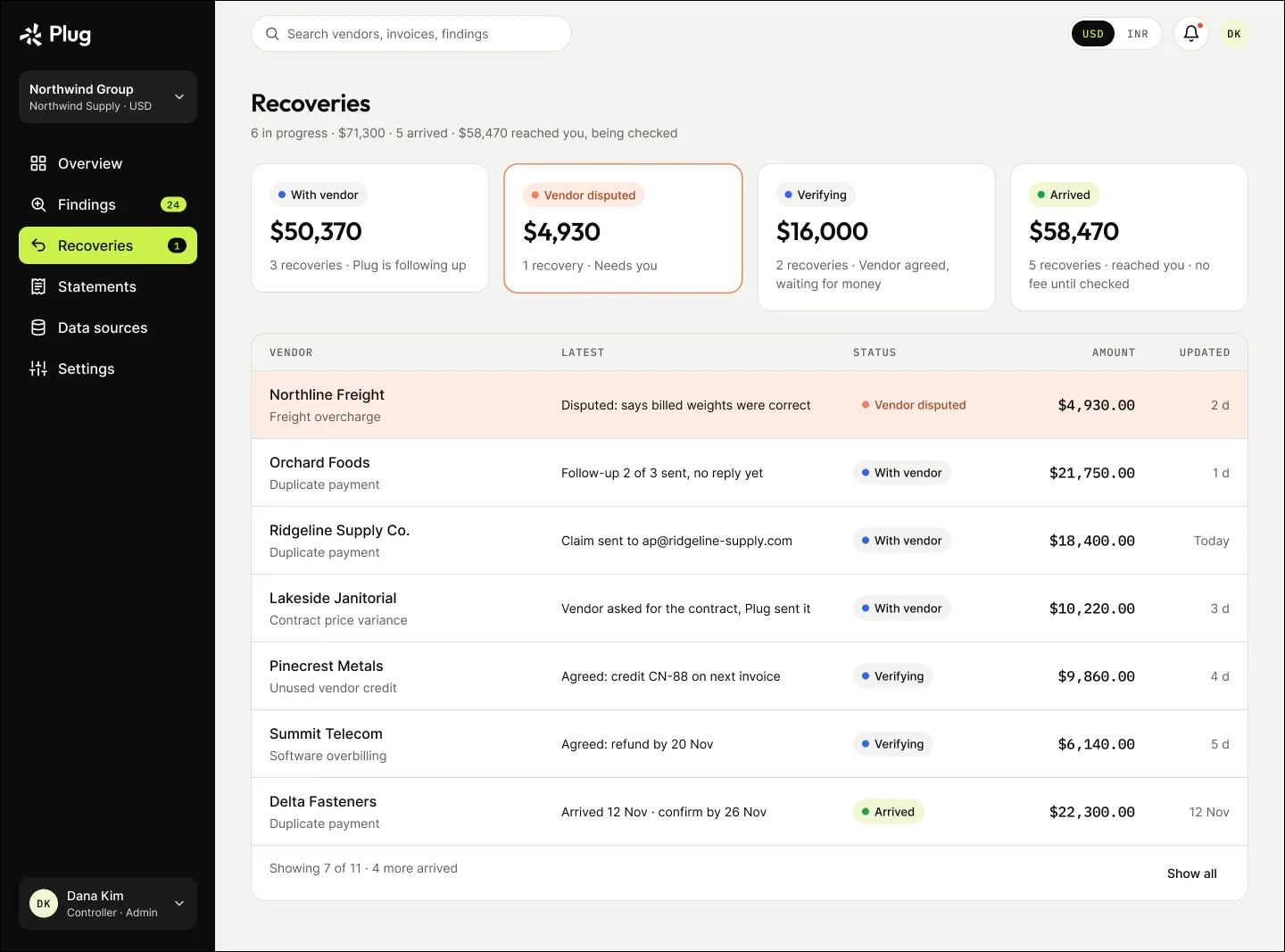
Recoveries by stage
Recoveries by stage
Vendor disputed: Plug needs you
Vendor final offer below the claim: accept or refuse
Refund arrived: the 14-day check
Pay the fee
Pay the fee
Notifications
Notifications

11

States, designed rather than left over

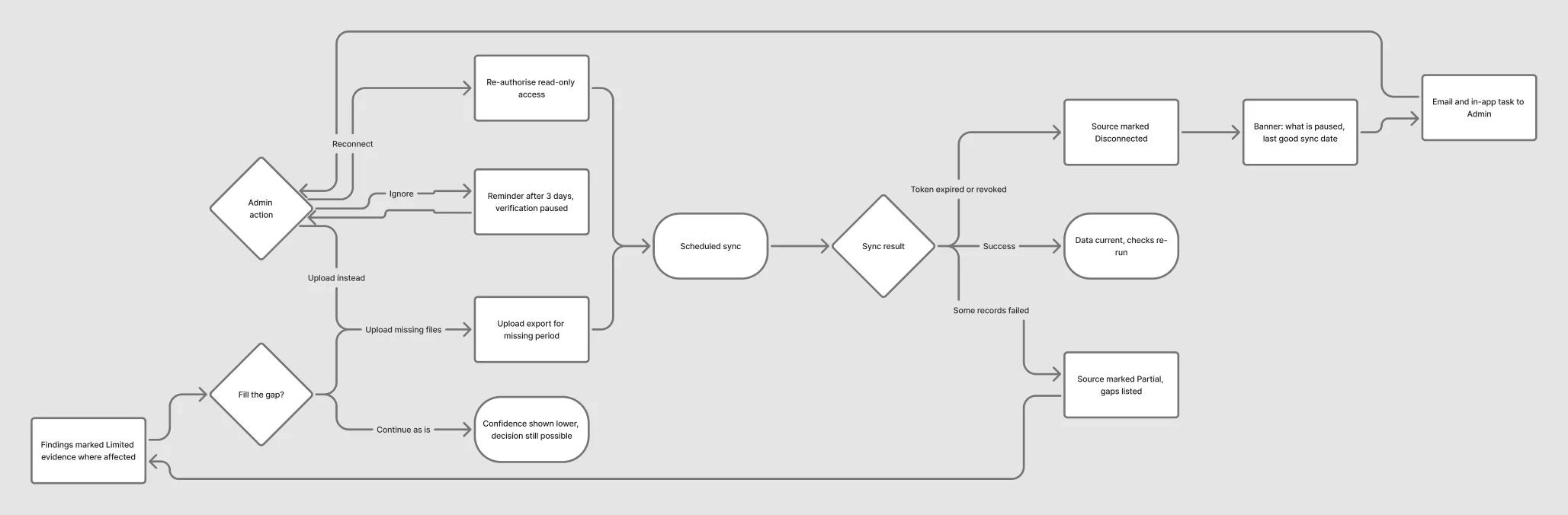
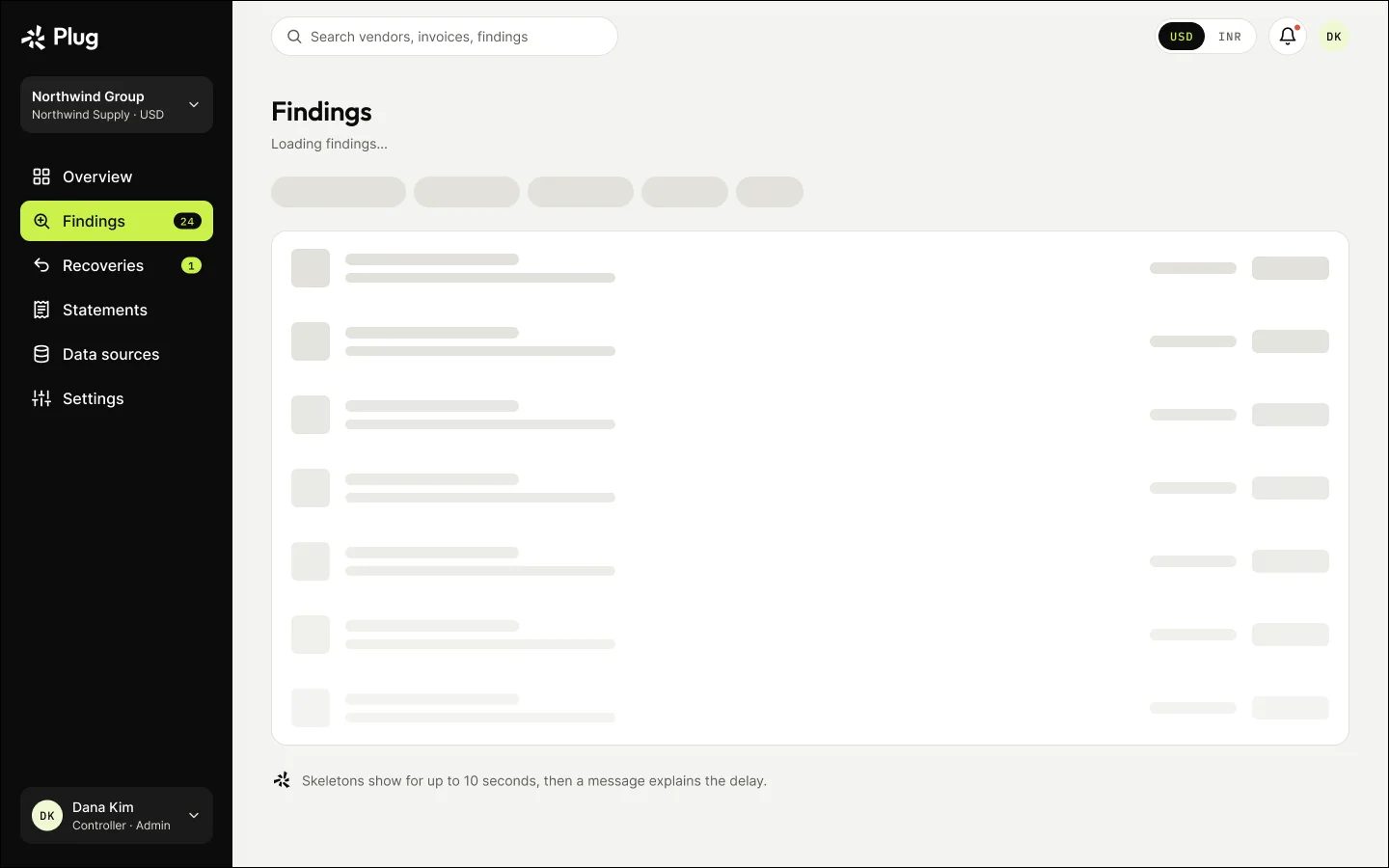
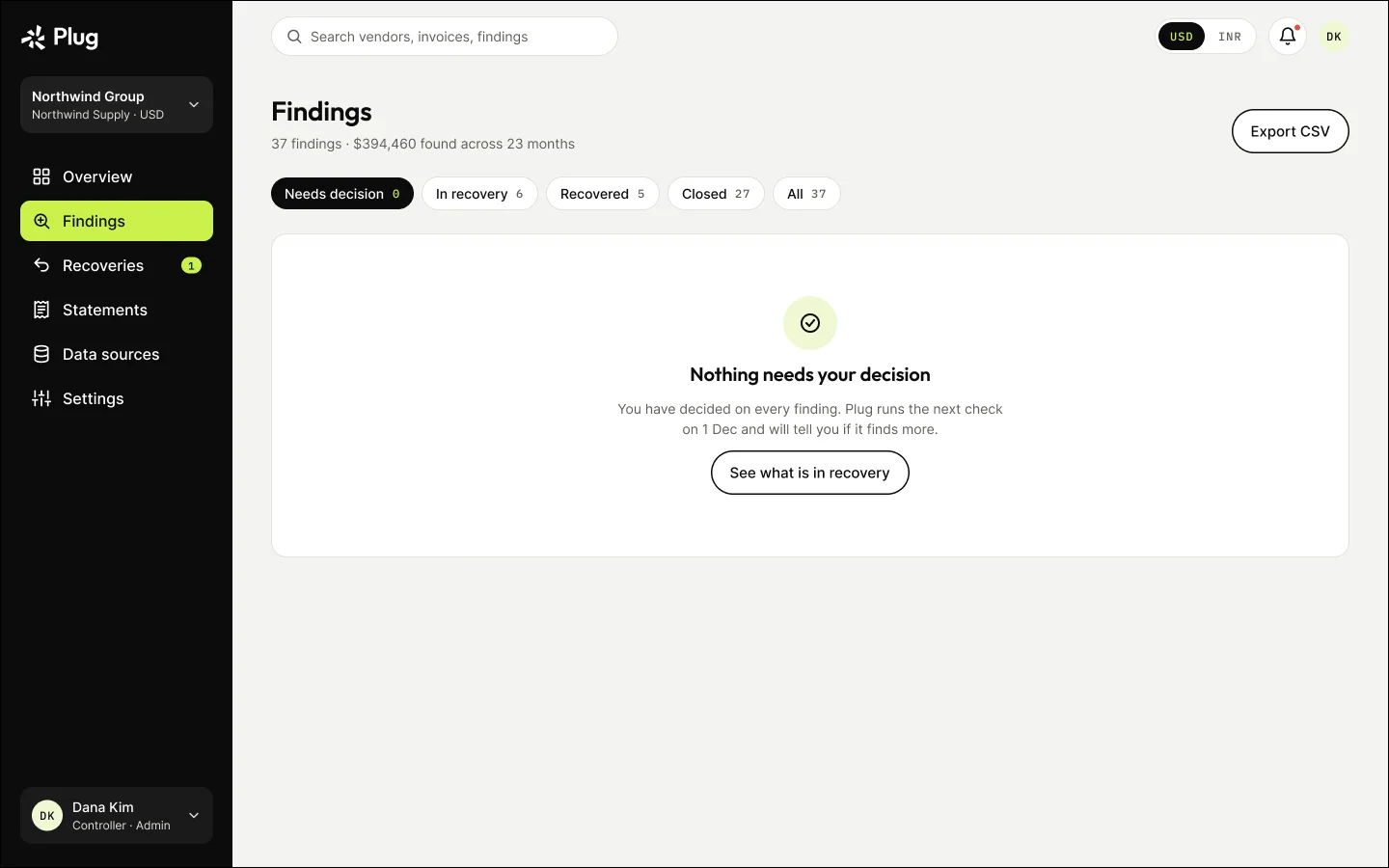
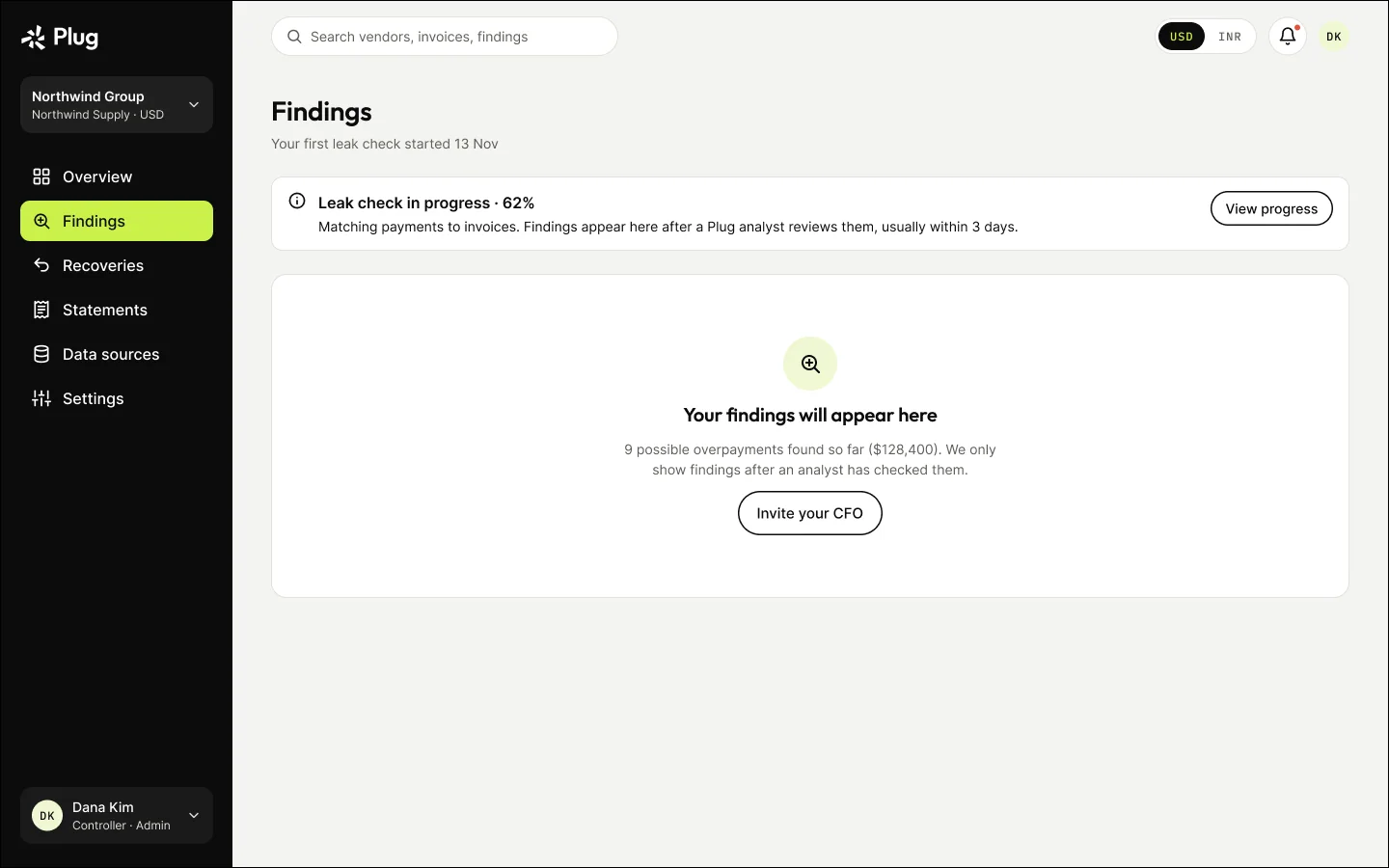
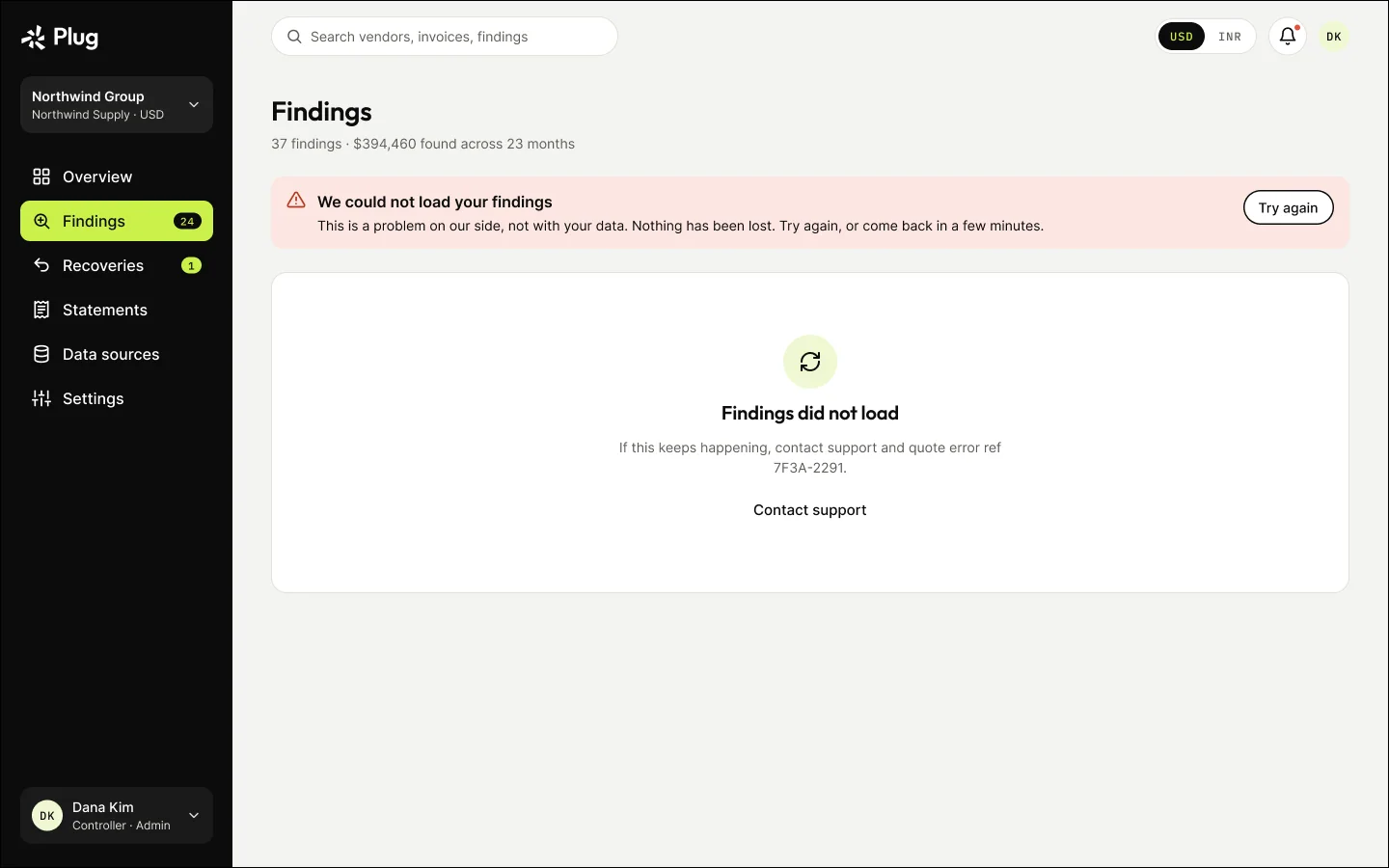
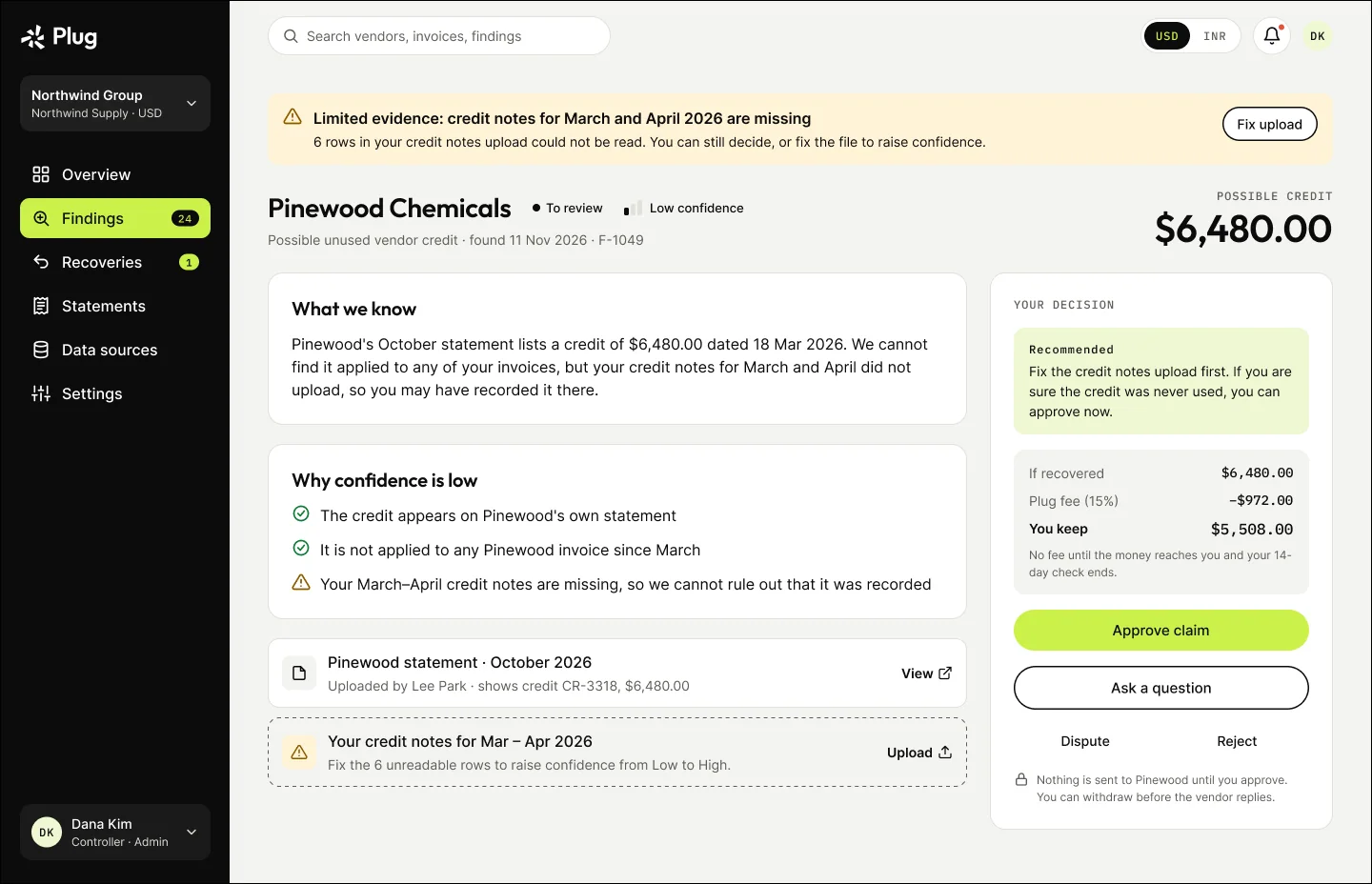
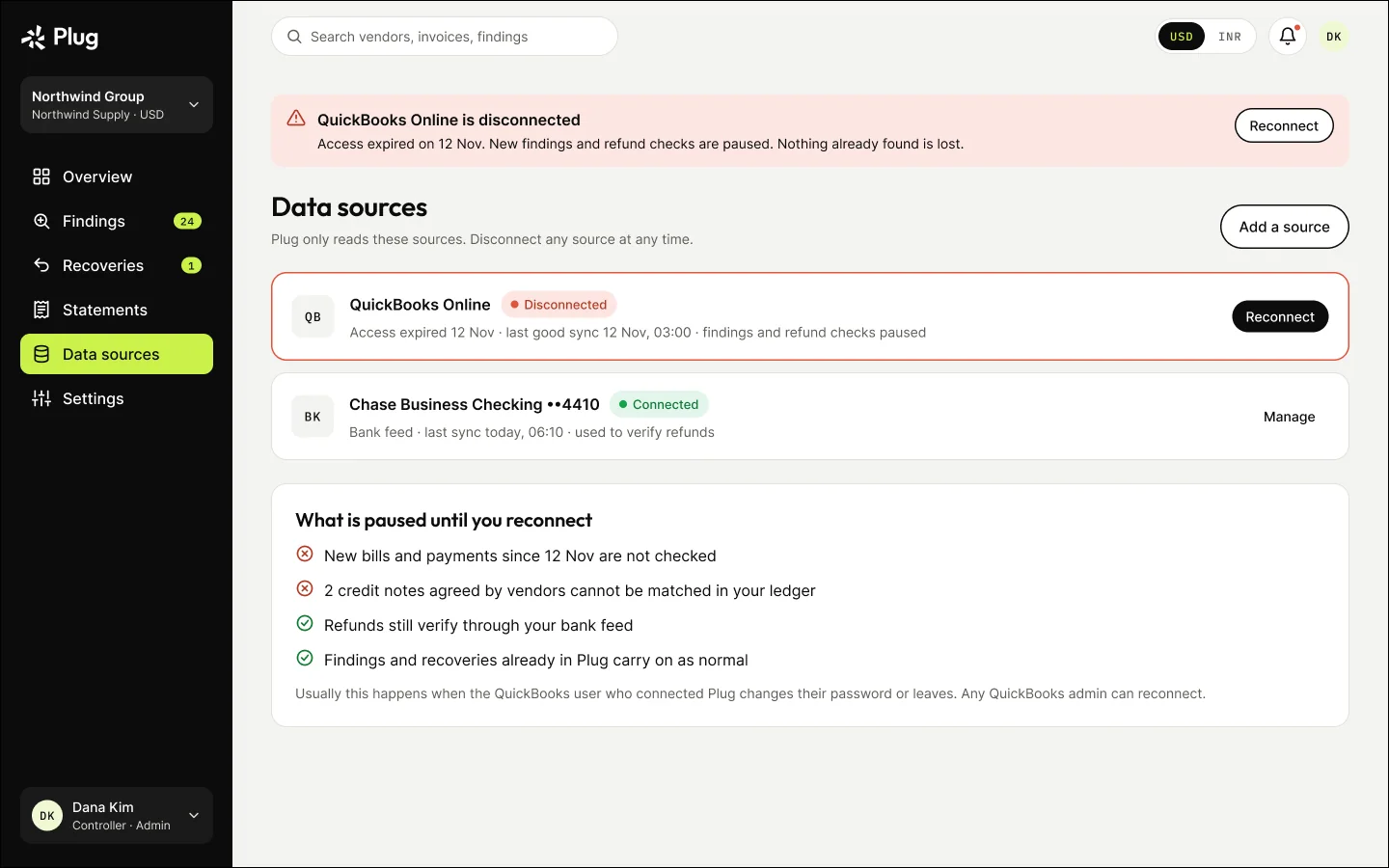
Loading, empty, errors, partial data and disconnected accounts each say what happened and what to do next.

Disconnected and partial data flow
Disconnected and partial data, as mapped in FigJam. Open full size ↗
Findings: loading
Findings: loading
Findings: nothing needs a decision
Findings: first leak check still running
Findings: could not load
Finding with limited evidence (partial data)
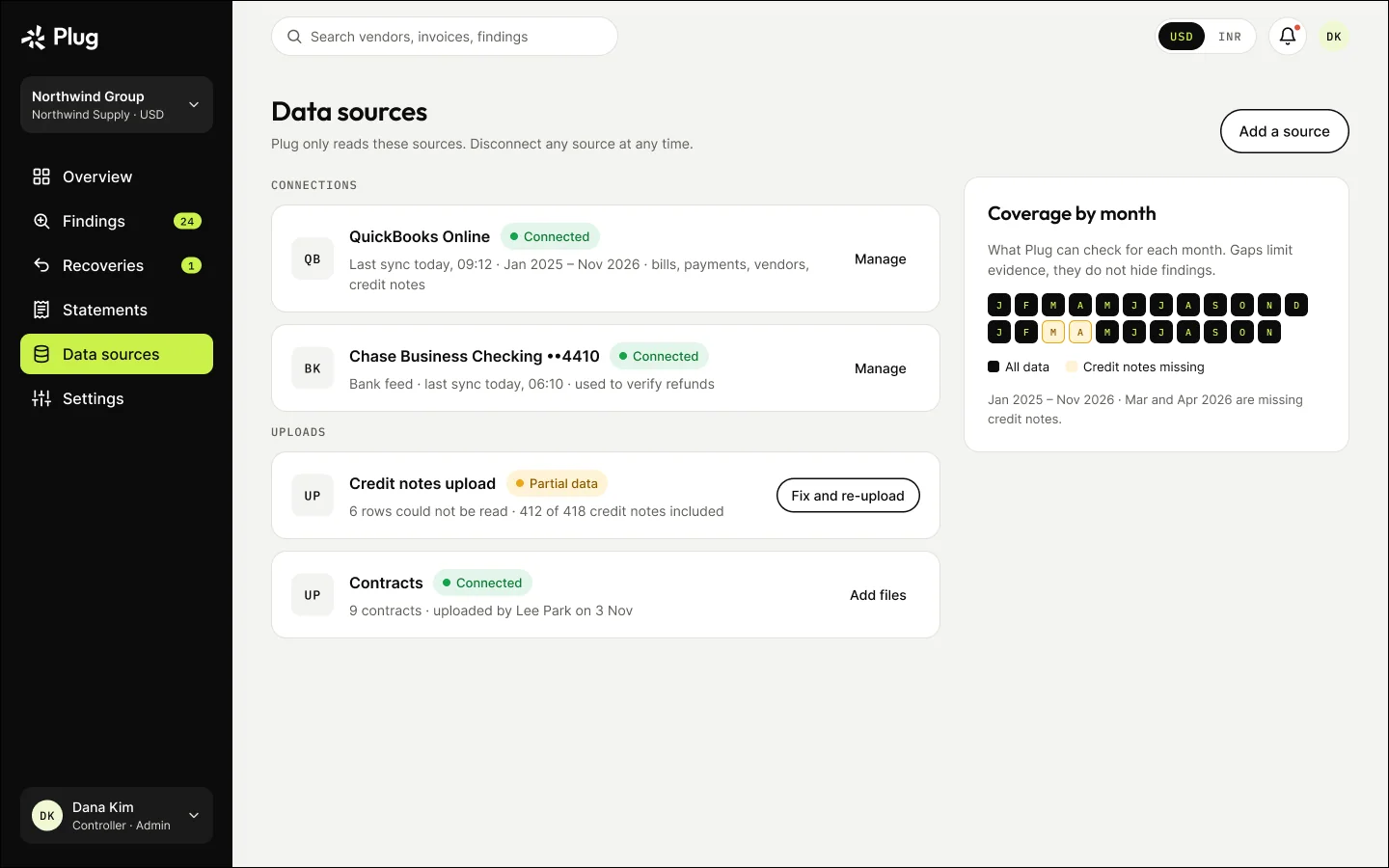
Data sources: disconnected account
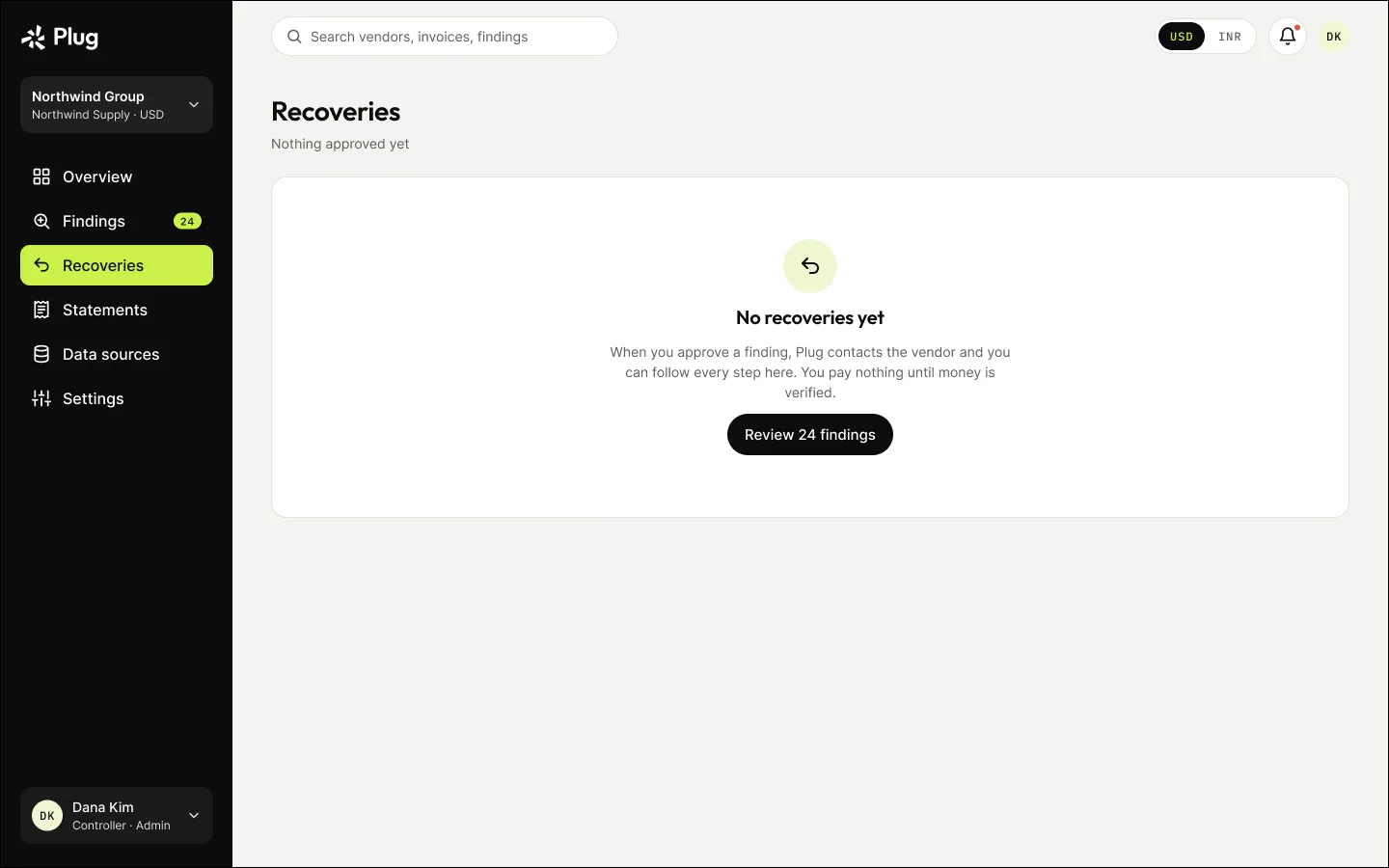
Recoveries: none yet
Connect: access not granted
Upload: row errors explained

12

Settings and permissions

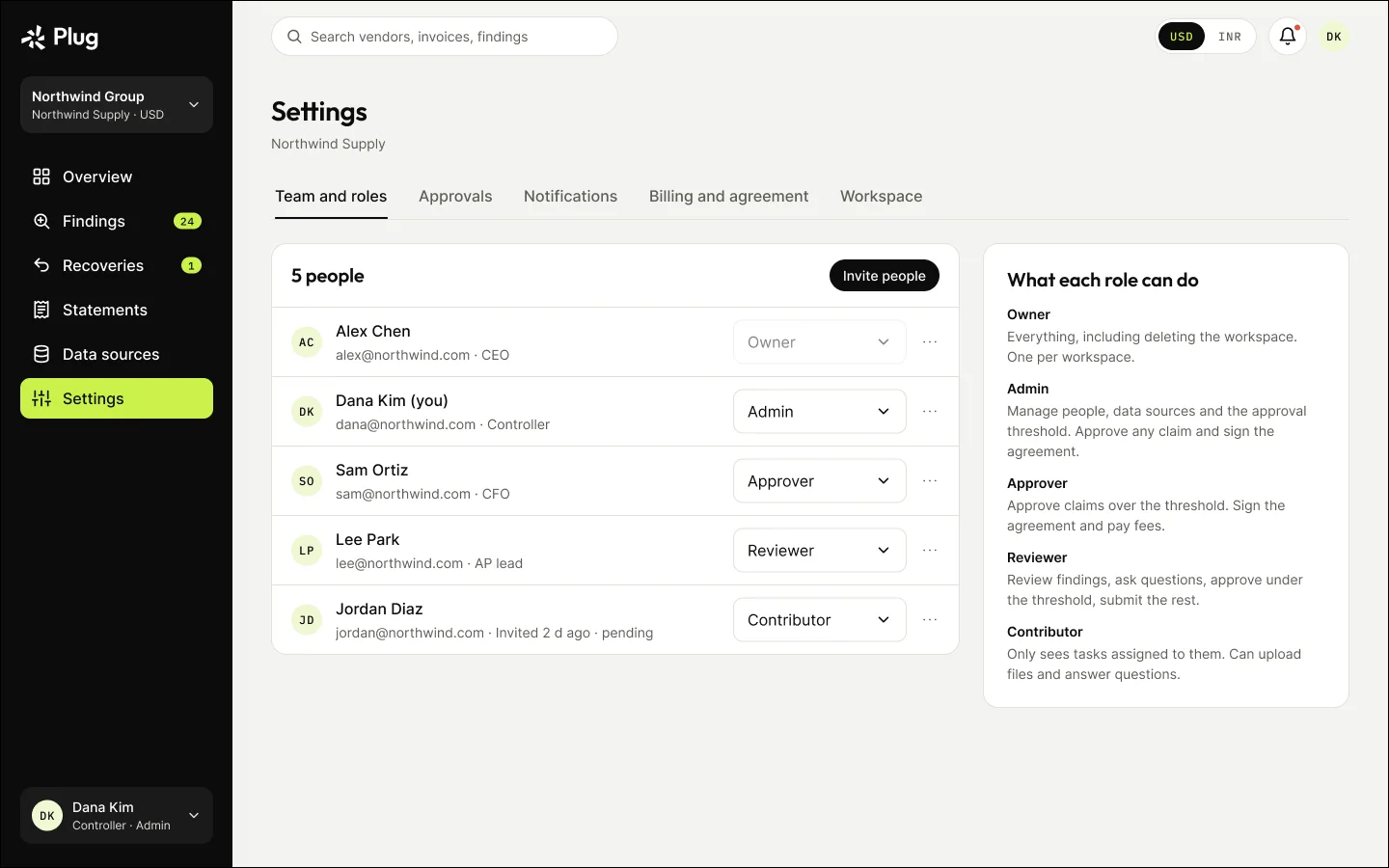
Five roles — owner, admin, approver, reviewer and contributor — with a dollar threshold above which an approver must decide.

Data sources
Data sources
Team and roles
Team and roles
Approval threshold
Approval threshold
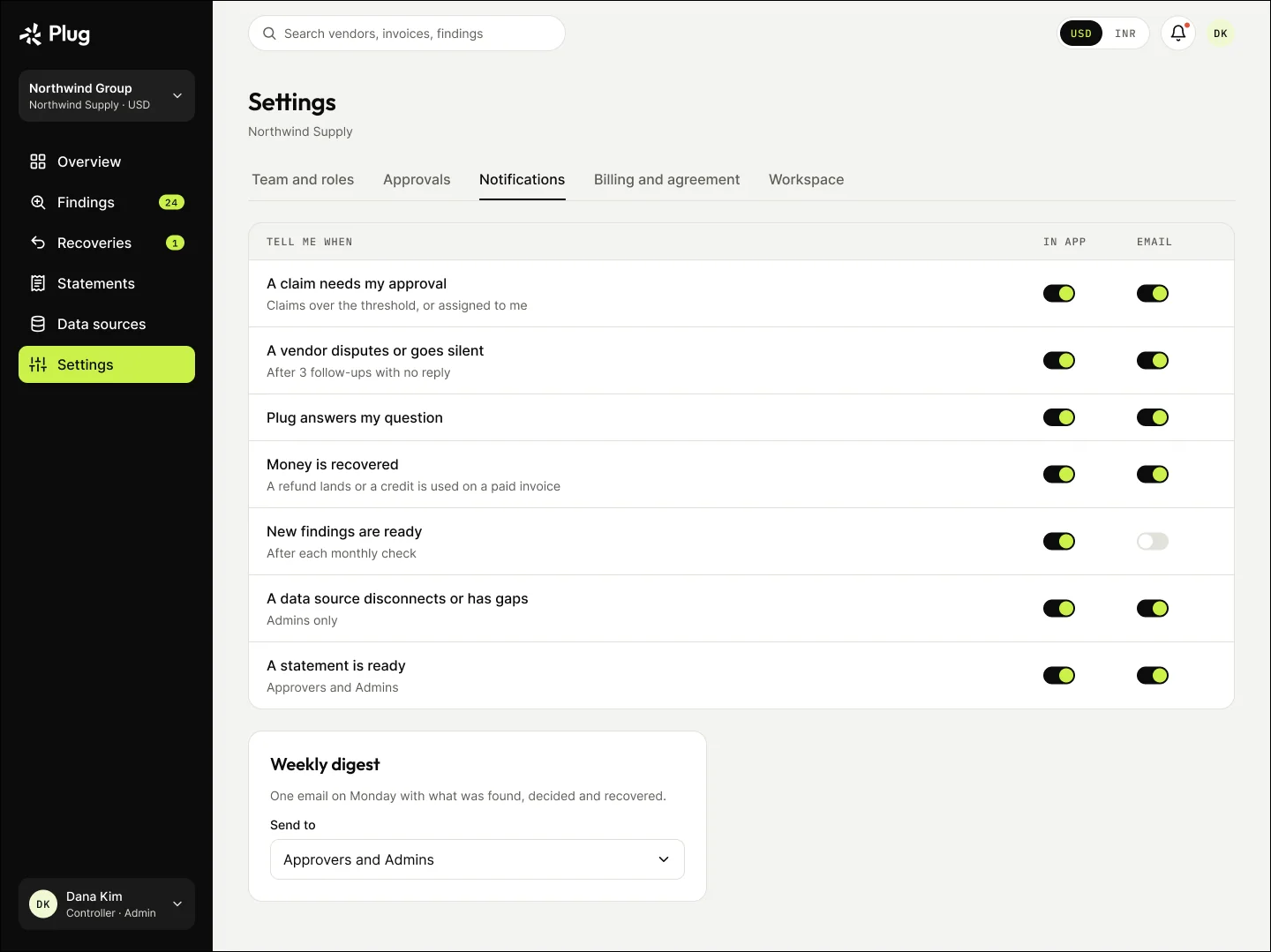
Notification settings

13

Company groups, USD and INR

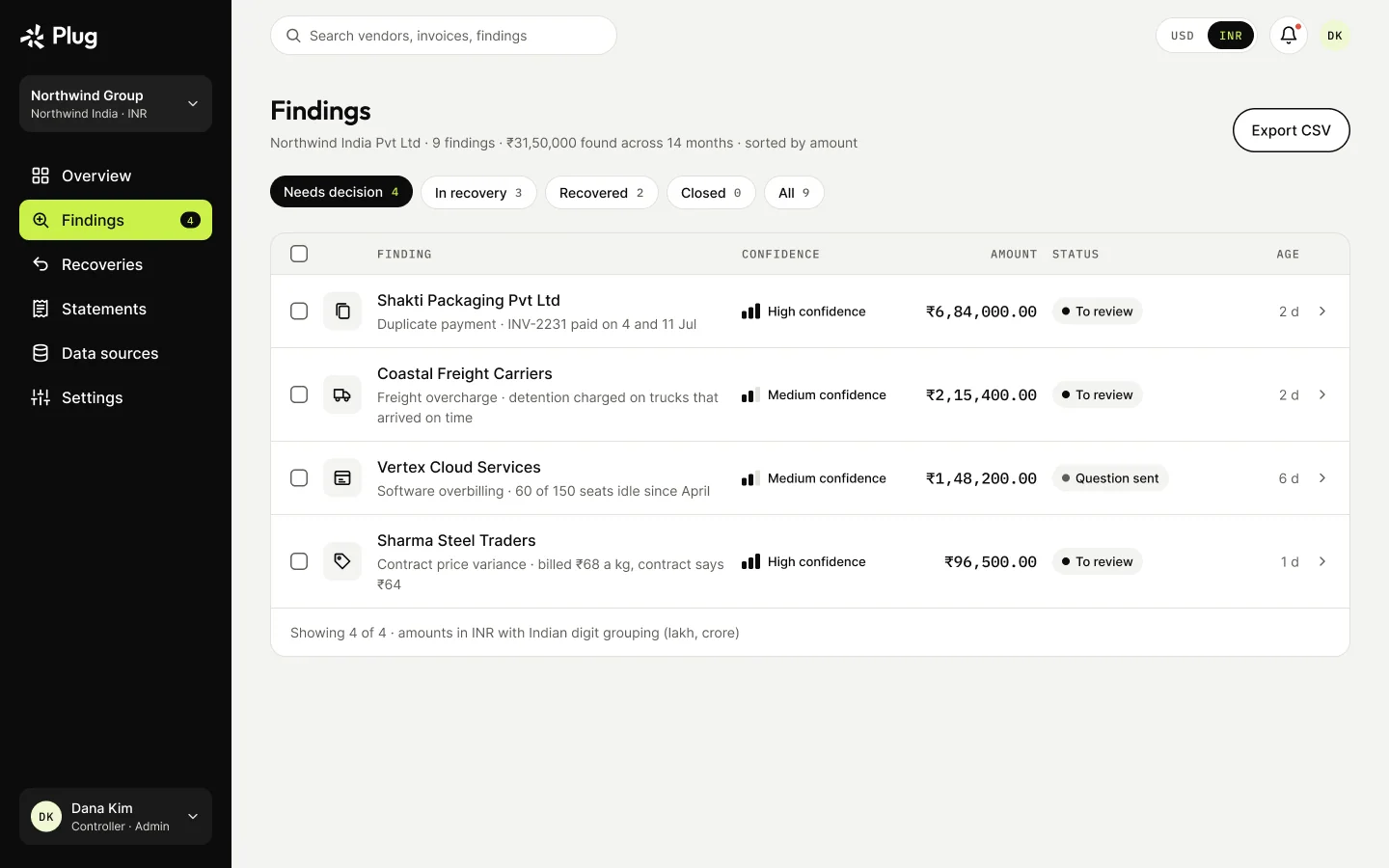
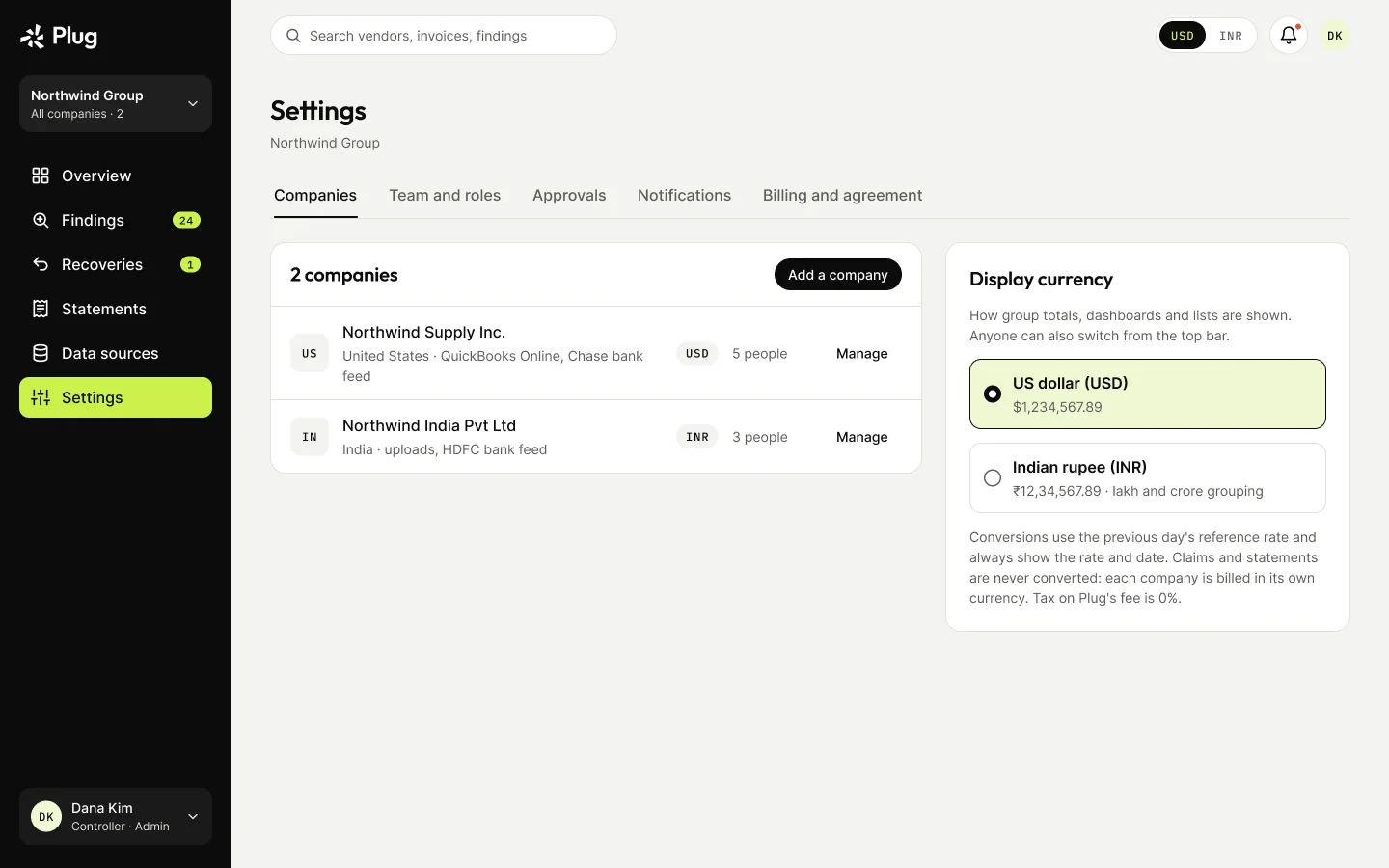
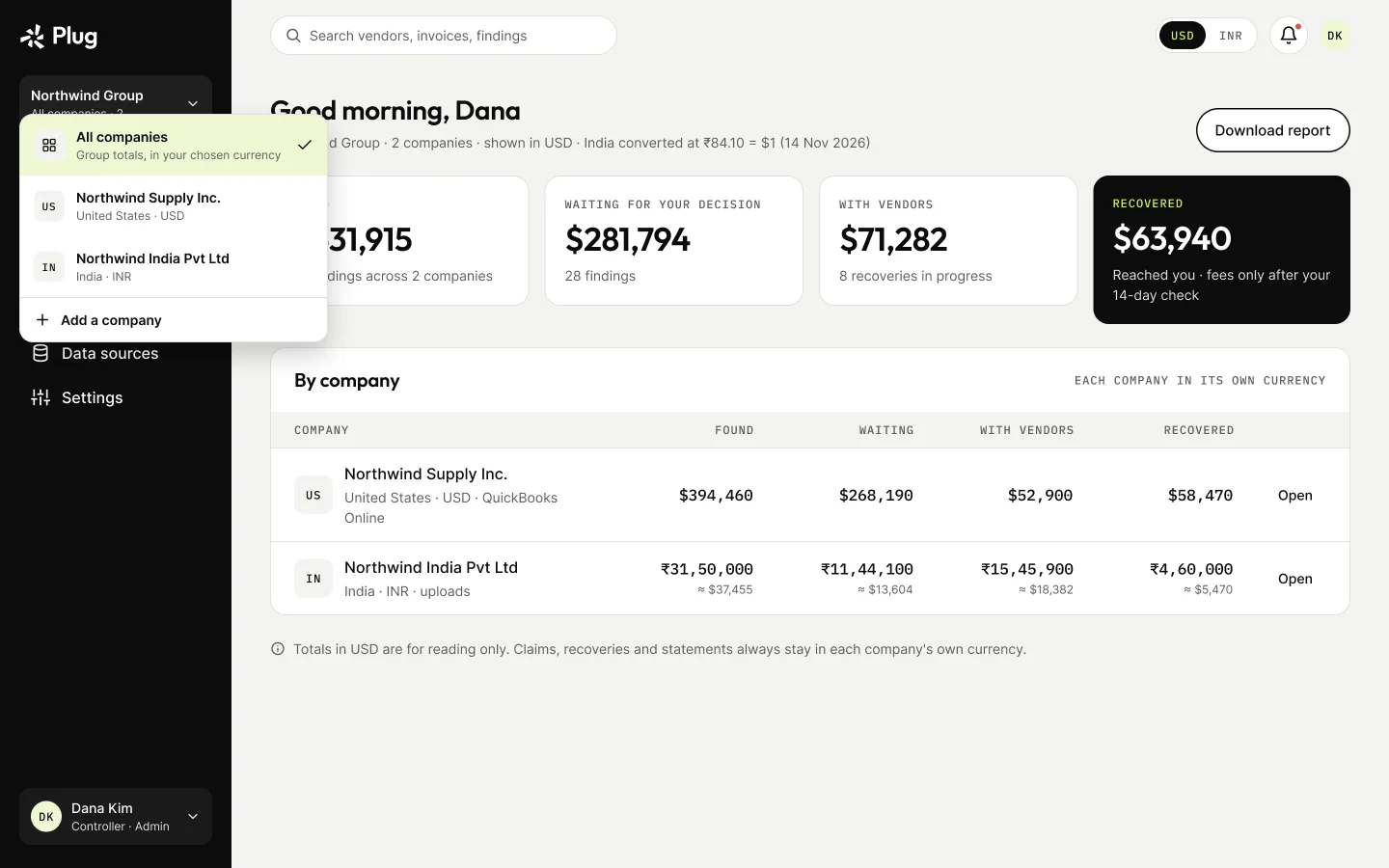
One workspace can hold several companies. Dashboards switch between USD and INR; claims and statements always stay in their original currency.

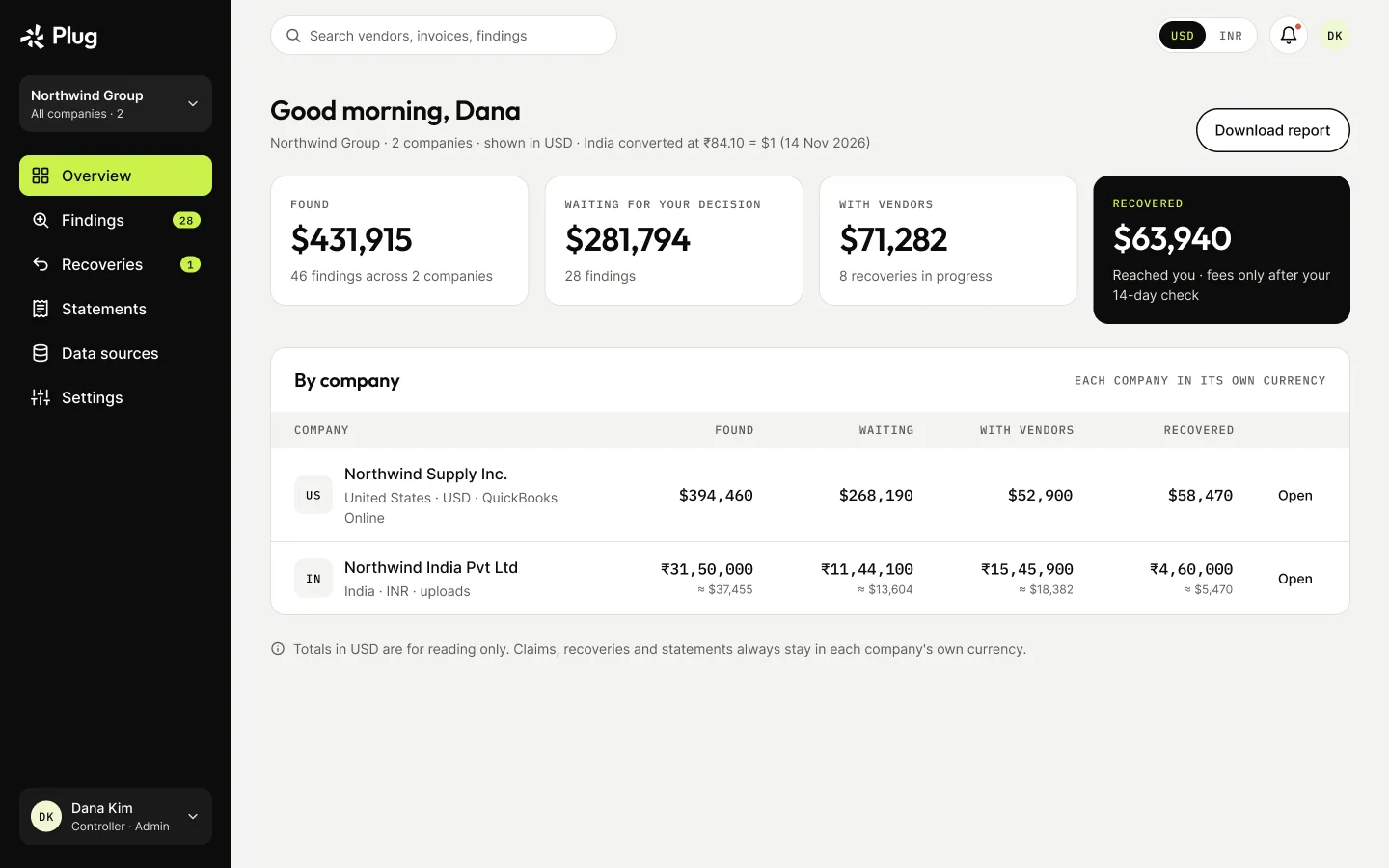
Overview across all companies, in USD
Company switcher
Company switcher
Findings for an India company, in INR
Statement in INR, with tax at 0%
Settings: companies and currency

14

Trust rules, designed in

Read-only, always
Plug only reads accounting and bank data. It never pays, moves or edits money; vendors refund you directly.
Nothing behind your back
No vendor is contacted without approval, and every message, reply and status change is on the timeline.
Free until the first approval
The leak check and every finding are free to see. The recovery agreement is signed once, at the first approval.

15

Validation

Status

In design — not built and not yet tested with users. The research is desk research, written as hypotheses for the first usability test. No outcome numbers are claimed.

What the first usability test will check

  • Can a controller tell a real finding from a false alarm?
  • Does an approver trust the evidence enough to let Plug contact the vendor?
  • Is the 15% fee clear before anyone commits?
  • Do partial data and disconnected accounts make the next step obvious?
Next · 05 — Own productBracket →An AI memory people can trust.